
Can you disable CPU preview?
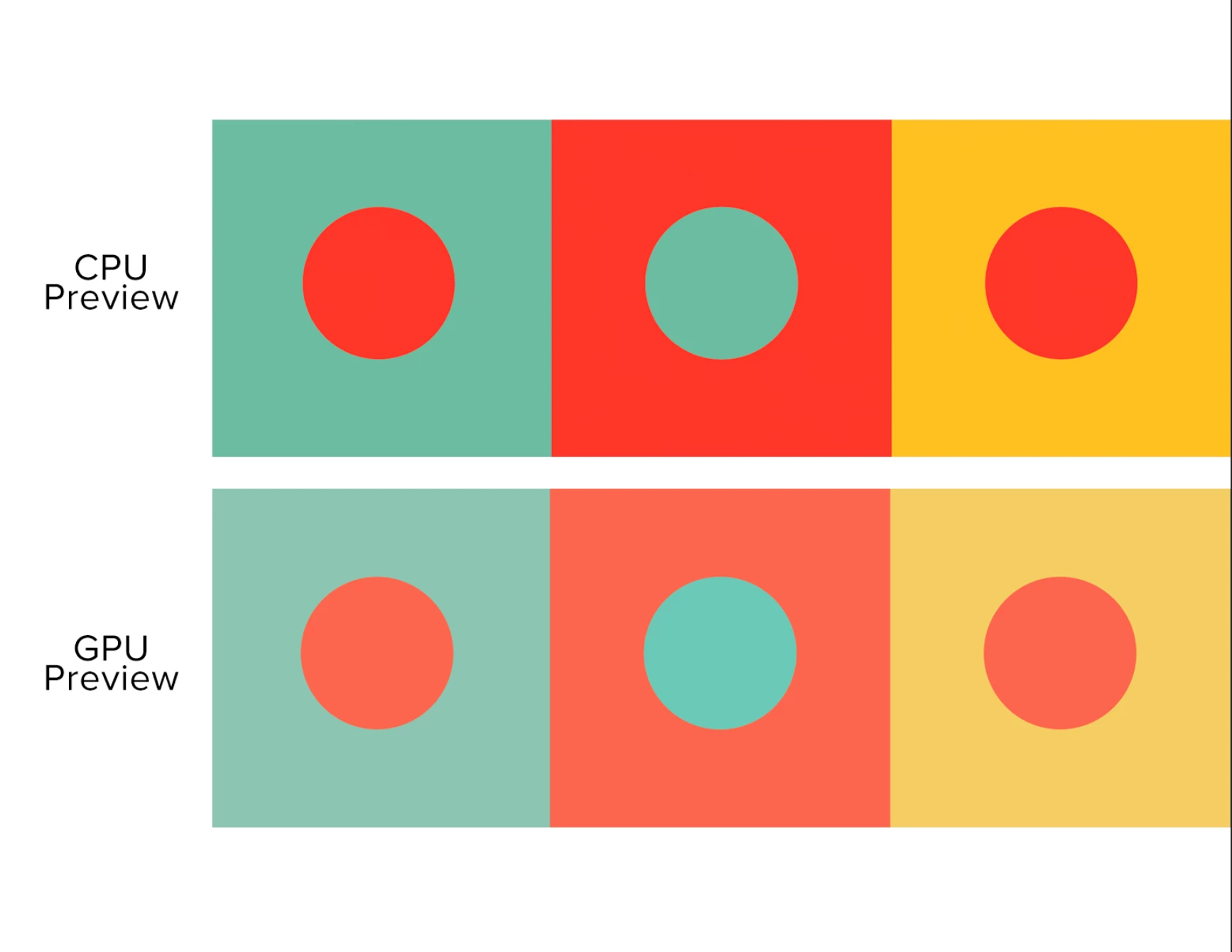
Over the past few months I've had an issue with Ai regarding colors. As others in the forums have talked about, CPU preview auto kicks on at times. But the colors are drastically different than sthe standard GPU preview. I'm working on creating colors for a brand, using Pantones. The CPU is what I came up with, and then noticed that these colors weren't accurate when pasting over to InDesign to create brand guidelines. They looked much closer to the GPU preview which is much duller. The problem is sometimes I don't notice CPU kicking in right away, and proceed to color things, and then deal with the frustration of having to find different colors. Or even worse, often times, GPU is greyed out so I'm unable to switch back, making it so it's really a low accurate guess to how my file will print.
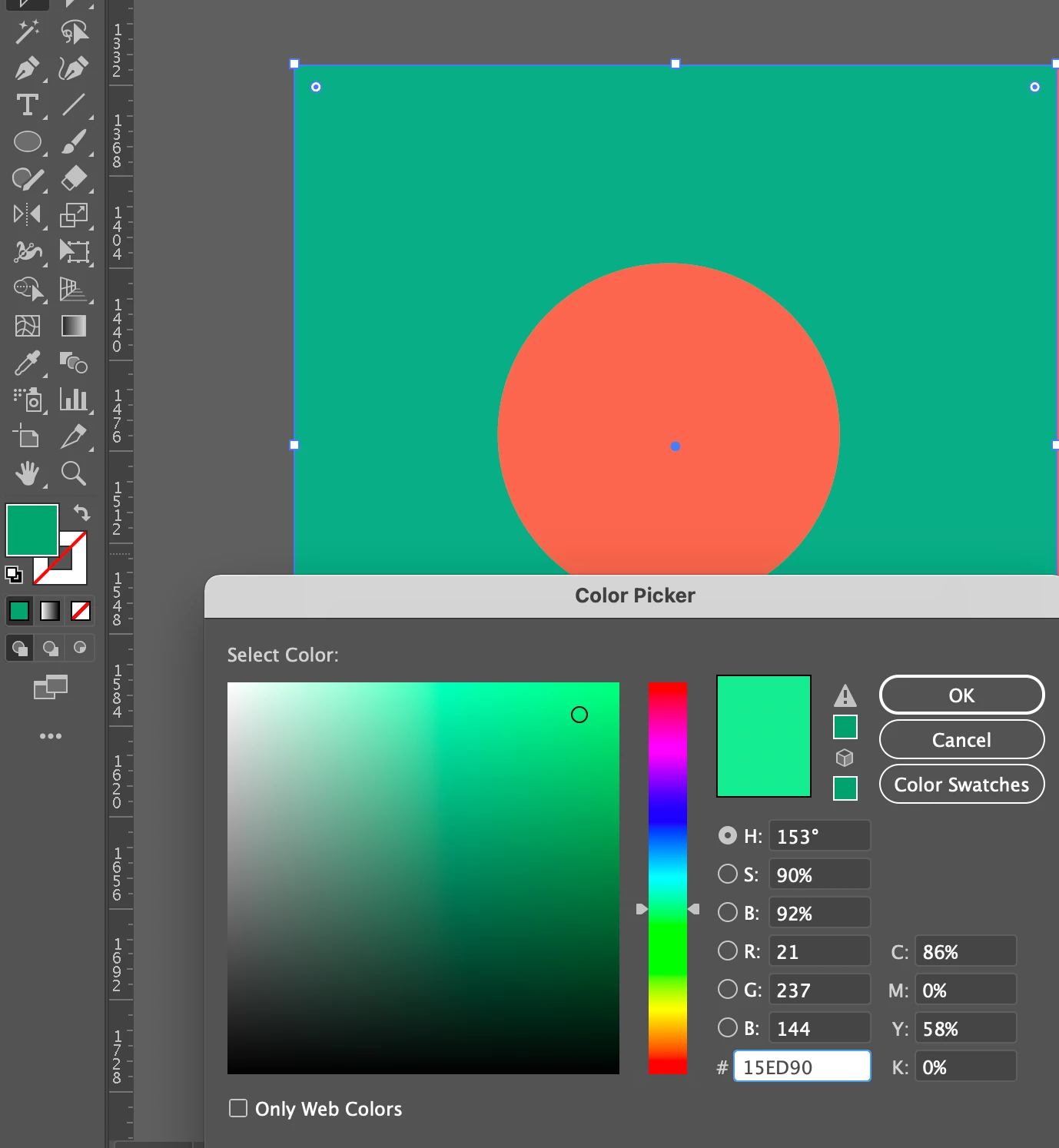
Furthermore, in the second photo, using GPU, you'll notice that the colors that get created are much different than what's being shown in the color picker window. As I try to select a minty green, a dark green is what shows up in my file. I get that CMYK can't pull off all the bright colors that digital files can, but still, this is pretty ridiculous. I've been using the program for a decade and it hasn't been until recently that I've lost my confidence in color. It's almost like CPU gives me nice but highly unaccurate colors, and GPU doesn't allow me to pick certain colors. I'm at a loss. Has anyone been experiencing the same thing? I keep my Ai updated in hopes that with a new update it will be resolved, but no luck so far.
This document is in CMYK color mode, but the issue persists in RGB as well.
 AdChoices