
heph
Participant
September 9, 2017
Question

Cannot add personal pattern swatches to swatch library

  • September 9, 2017
  • 2 replies
  • 1539 views

I would appreciate if anyone could help with my problem with pattern swatches in CS6. Help!!

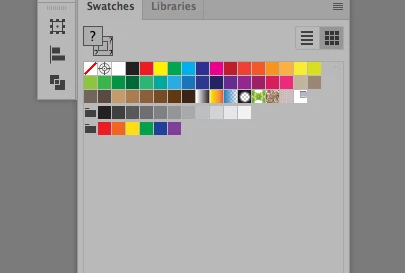
1. I cannot place my pattern swatches in the library without expanding it each time. Is this correct?

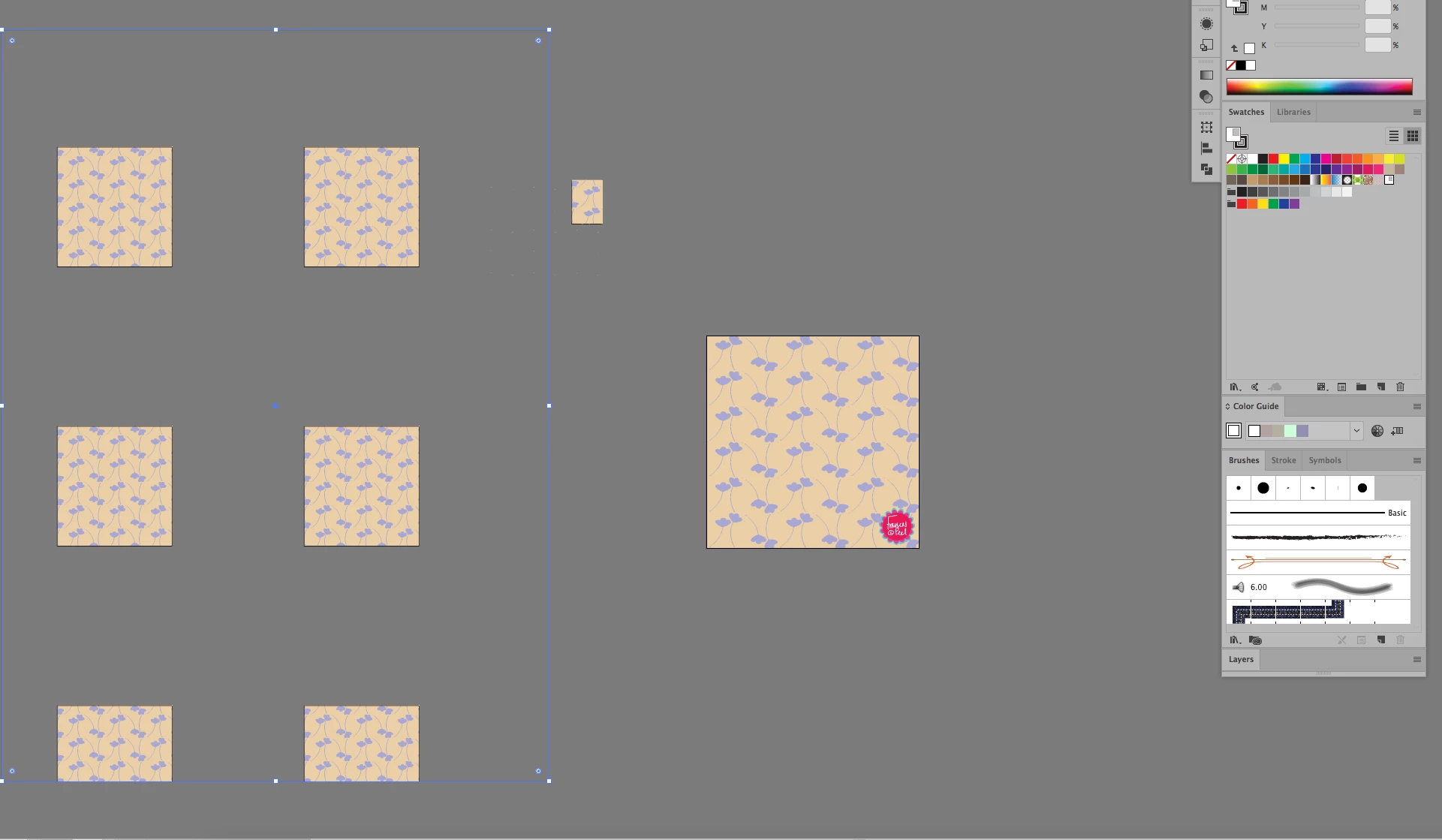
2. I cannot resize my pattern swatches without getting a white border around the swatch which when used creates a fragmented pattern and therefore cannot create any mockups correctly. Please help its driving me nuts.
    This topic has been closed for replies.

    2 replies

    Srishti Bali
    Legend
    November 21, 2017

    Hi heph,

    I would like to know if the steps suggested above worked for you, or the issue still persists.

    Kindly update the discussion if you need further assistance with it.

    Thanks,

    Srishti

    Monika Gause
    Community Expert
    Community Expert
    September 9, 2017

    Which library are you referring to?

    As to the scaling issues: usually the white lines are just screen artifacts and don't print.

    They might become an issue when you

    - open a file with a pattern in Photoshop

    - print to inkjet printers

    - make web design

    - export a pattern to a raster file

    What helps:

    export a raster file from Illustrator using the antialiasing "Artwork optimized"

    align your pattern to the pixel grid (the invisible rectangle and any background rectangle you might have). This helps when exporting a pattern for rapporting on a web page.

    Please tell us about what exactly you are doing.

    heph
    hephAuthor
    Participant
    September 9, 2017

    I am creating patterns for surface pattern and therefore need to constantly rescale patterns to place into mock up images.

    I have created a pattern tile on the art board and have then merged and clipped it to create the basic tile. I have then created a repeat by placing this image into my swatch panel and using it to draw a rescaled version. It is at this stage I cannot put the swatch back into the swatch panel to use at a rescaled size. It will only go in if I expand it each time and seems to be cropping it hence the white borders.

    The library is the swatches library. The white border I am referring to is seen in the last pattern swatch in the first screen shot.

    It is not merely a small line. I know the white lines you are referring to and it is not these. All this work is within illustrator at present.

    Monika Gause
    Community Expert
    Community Expert
    September 9, 2017

    Do you understand how patterns work?

    Do you know about the invisible rectangle?

    Have you ever used the pattern editing function?

    How to create patterns in Illustrator

    How to create and edit patterns in Illustrator