

LouiseMiller31
Inspiring
January 22, 2014
Answered

Cannot enable Live Corners in Illustrator CC

  • January 22, 2014
  • 8 replies
  • 87050 views

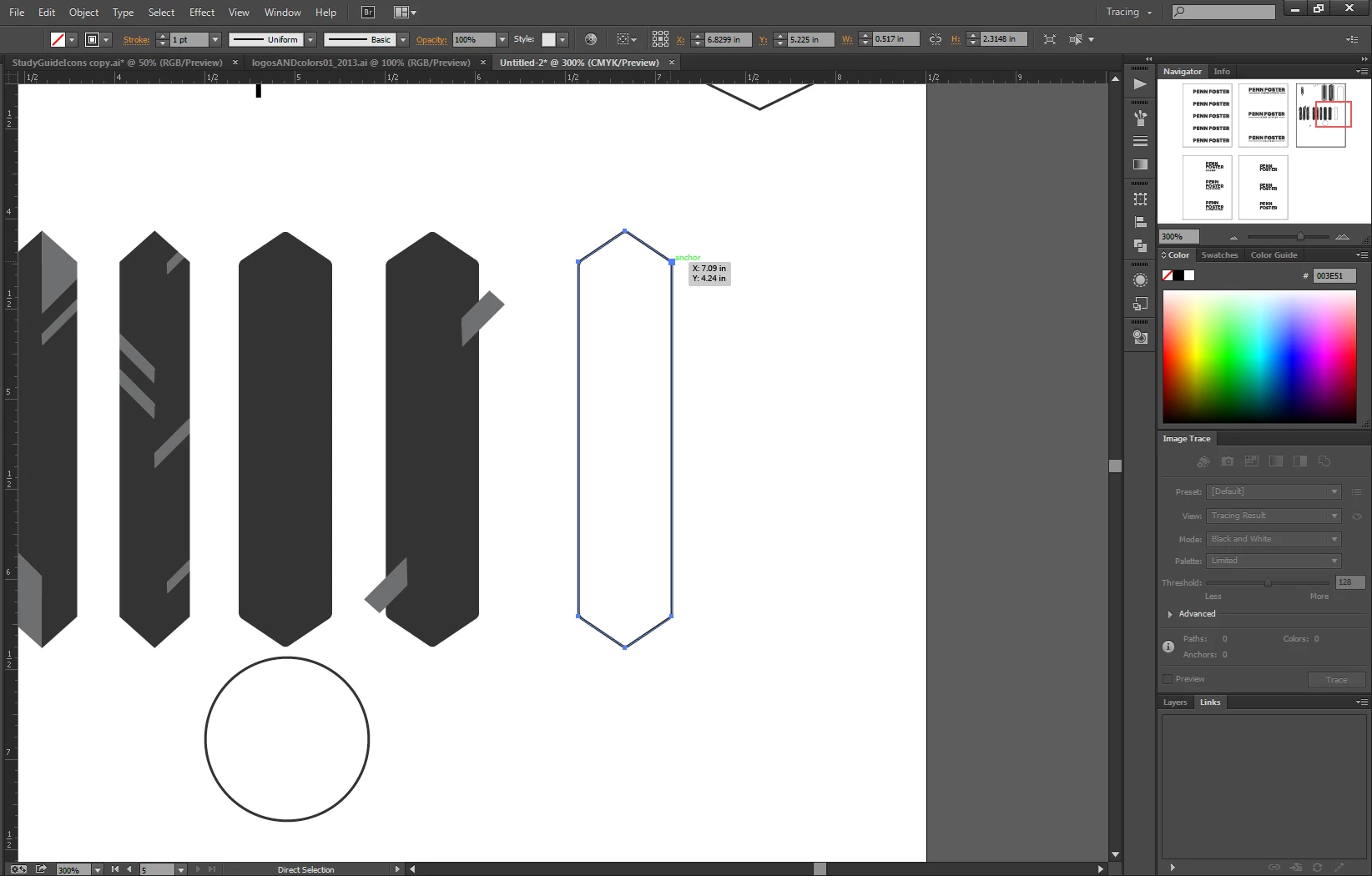
I'm excited to use the new Illustrator Live Corner Feature but for some reason using the Direct Select tool does not bring up the live corners on any shape I make. I am using Illustrator CC 64 bit on a PC runnign Windows 7. Am I missing something?
Correct answer Dhirendra Mohan

Option + Clicked on the object to select all corners.


Hi Louise,

It looks you are not on 17.1.0 and hence you do not have this feature. Your View menu snapshot shows that very clearly. Please update your Ai to 17.1.0 and let us know if you are able to work with the feature.

Thanks,

Dhirendra

8 replies

Participant
August 6, 2021

Preferences/select and anchor display/ down near the bottom there is an option to " Hide Cornere Widget for angles greater thans ..." I bet thats your problem right there 

Participant
August 14, 2019

view -> smart guides

Participant
March 28, 2019

For me it was the actual FILE that was corrupted. I created a new file and copied all the content into the new document and then everything worked just fine. Before that I had all the problems in this thread.

Participant
June 30, 2021

@Coloreel-team thank you so much! haha, I was trying all of the things in this thread and it was only until I found this comment that I was reminded that files can get corrupted too. That was EXACTLY my issue.

RoderickUsher
Inspiring
August 1, 2018

Make sure you are showing edges (View -> Show Edges).  I had hid edges and couldn't find out why the corner widget wasn't showing up.

Tinkerbell327
Participating Frequently
July 22, 2016

Corner widgets are not appearing for me in Illustrator CC 2015.3.0 20.0.0 (64-bit) in Windows 7; you can see from the rectangle that the widgets are not showing and from the view menu and the shape widget button that they should be on.  Any help would be greatly appreciated.

Monika Gause
Community Expert
Community Expert
July 22, 2016

Turn on the bounding box.

Tinkerbell327
Participating Frequently
July 22, 2016

Thanks for the reply Monika; but, corner widgets are supposed to appear whether or not you have the bounding box on.  I have watched 20 hours of tutorials so far and see the teachers dropping shapes without their bounding boxes turned on but, the corner widgets show up anyway.  I'll try to find a screenshot of it, but, in the meantime, if there is another solution that would be great. (found one) - If you check out the screenshot, you should notice that the live corners button is turned on and they are visible, even though the "Show Bounding Box" view is off.  (This is a screenshot from one of the tutorials I've been watching) - my Illustrator does not behave like this...

Participant
July 24, 2015

This Live Corner widget feature is totally inconsistent for me. It will work on one object, but then not on others. Really frustrating to try and use. Not worth the hassle. I am using CC Illustrator 2015 on a Mac.

Monika Gause
Community Expert
Community Expert
July 24, 2015

LNakell schrieb:

This Live Corner widget feature is totally inconsistent for me. It will work on one object, but then not on others. Really frustrating to try and use. Not worth the hassle. I am using CC Illustrator 2015 on a Mac.

Is this just a comment or are you looking for help? If the latter - show your artwork.

The live corners will only be availbale if it's a corner point and if there is enough space to even create a round corner (wiith points too tightly set on the paths you can't round them)

Participant
September 28, 2017

so then is there no way to round out the corners if there is not enough space?

rcraighead
Legend
January 22, 2014

Make sure Direct Selection tool is choosen (hollow arrow).

Monika Gause
Community Expert
Community Expert
January 22, 2014

Is the widget enabled in the View menu?

Are corner points in the path?

How's the corner widget setting in preferences?

LouiseMiller31
Inspiring
January 22, 2014

This is what I see with the direct selection tool selecting my shape .... I don't see the corner dialoge box or any of the stuff they show on the demo video...

rcraighead
Legend
January 22, 2014

And, as Monica asked, is the widget "on" (View>Show/Hide Corner Widget)?

Edit:

It appears the corners are not fully selected. Option click, on the object so all corners are solid.

You can control individual corners by selecting them separately or dragging accross several to select them.