
Participant
May 20, 2020
Answered

Cannot Get Rid of White Outer Background Behind Artboards

  • May 20, 2020
  • 3 replies
  • 3265 views

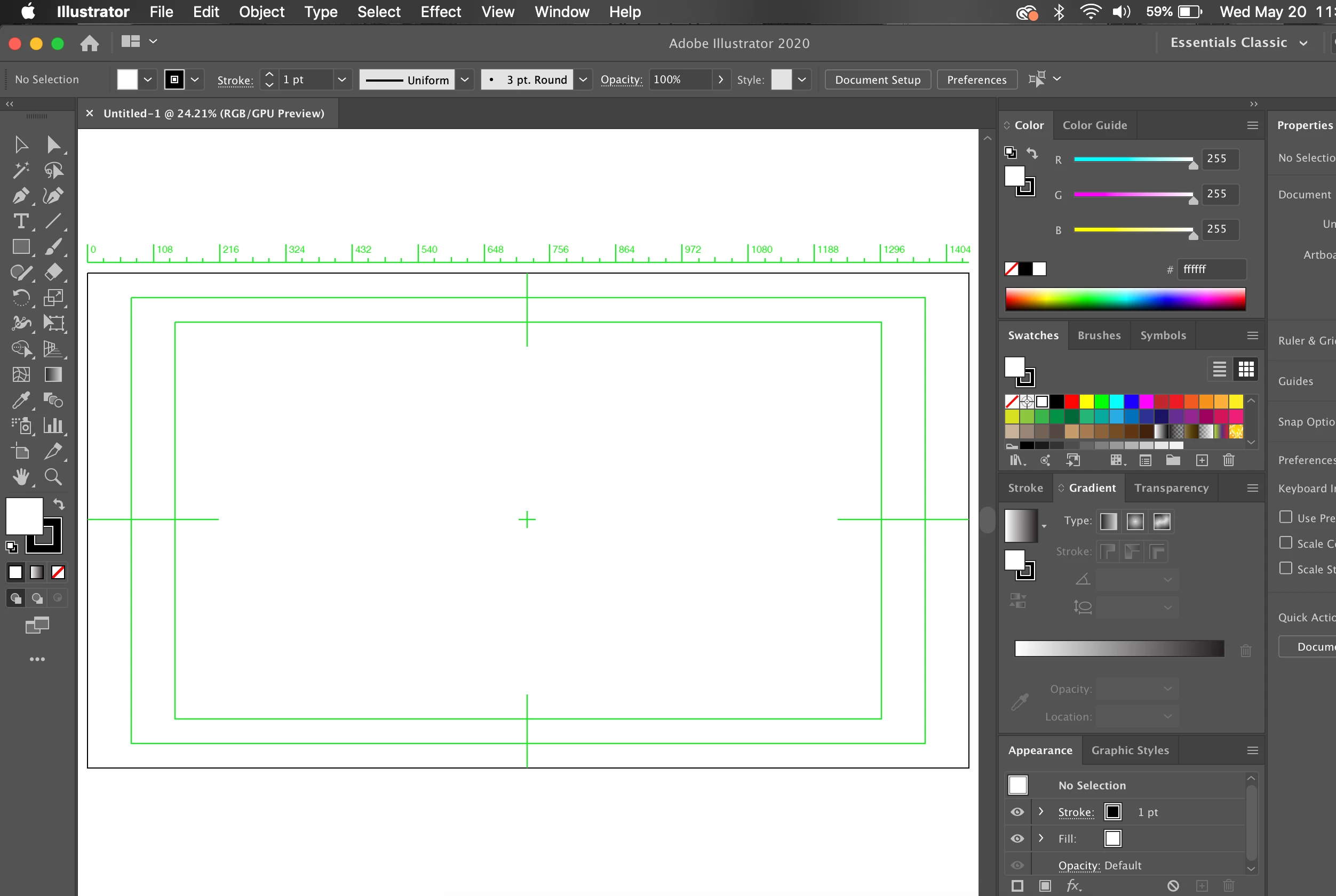
Ever since I updated it to the newest version of Illustrator, I cannot seem to get rid of the white background behind the artboard.  I also have these green lines I can't get rid of.  I tried altering the User Interface settings and nothing changed.  Please help!
 

This topic has been closed for replies.
Correct answer Ton Frederiks

That is a video preset with View > Transparency Grid off.

Use a Print or Art & Illustration preset when you create a new document.

3 replies

Ton Frederiks
Community Expert
Ton FrederiksCommunity ExpertCorrect answer
Community Expert
May 20, 2020

That is a video preset with View > Transparency Grid off.

Use a Print or Art & Illustration preset when you create a new document.

Kurt Gold
Community Expert
Community Expert
May 20, 2020

Double click on the Artboard tool and disable all options in the "Display" section.


Also, got to View > Rulers > Hide Video Rulers.


As for the white background of the Scratch area, there may be different causes. One could be that the artboard is actually hidden (you can show it in the View menu).

Charu Rajput
Community Expert
Community Expert
May 20, 2020

Hi,

White background behind the artboard is visible when no layer is visible inside the "Layer" Panel or when "Overprint preview" is checked from View menu. 

I would suggest reset your Illustartor Preferneces by clicking "Reset Preferences" button from "Preferences -> General".


Let us know if this helps. 


Best regards
Participant
May 20, 2020

This fixed the background issue! Thank you but it seems that I cannot get rid of these green boxes on my artboard.  Any suggestions?

Charu Rajput
Community Expert
Community Expert
May 20, 2020

Please see comments from @Kurt_Gold as he mentioned


Also, got to View > Rulers > Hide Video Rulers.


Thanks

Best regards