
Known Participant
November 11, 2025
Question

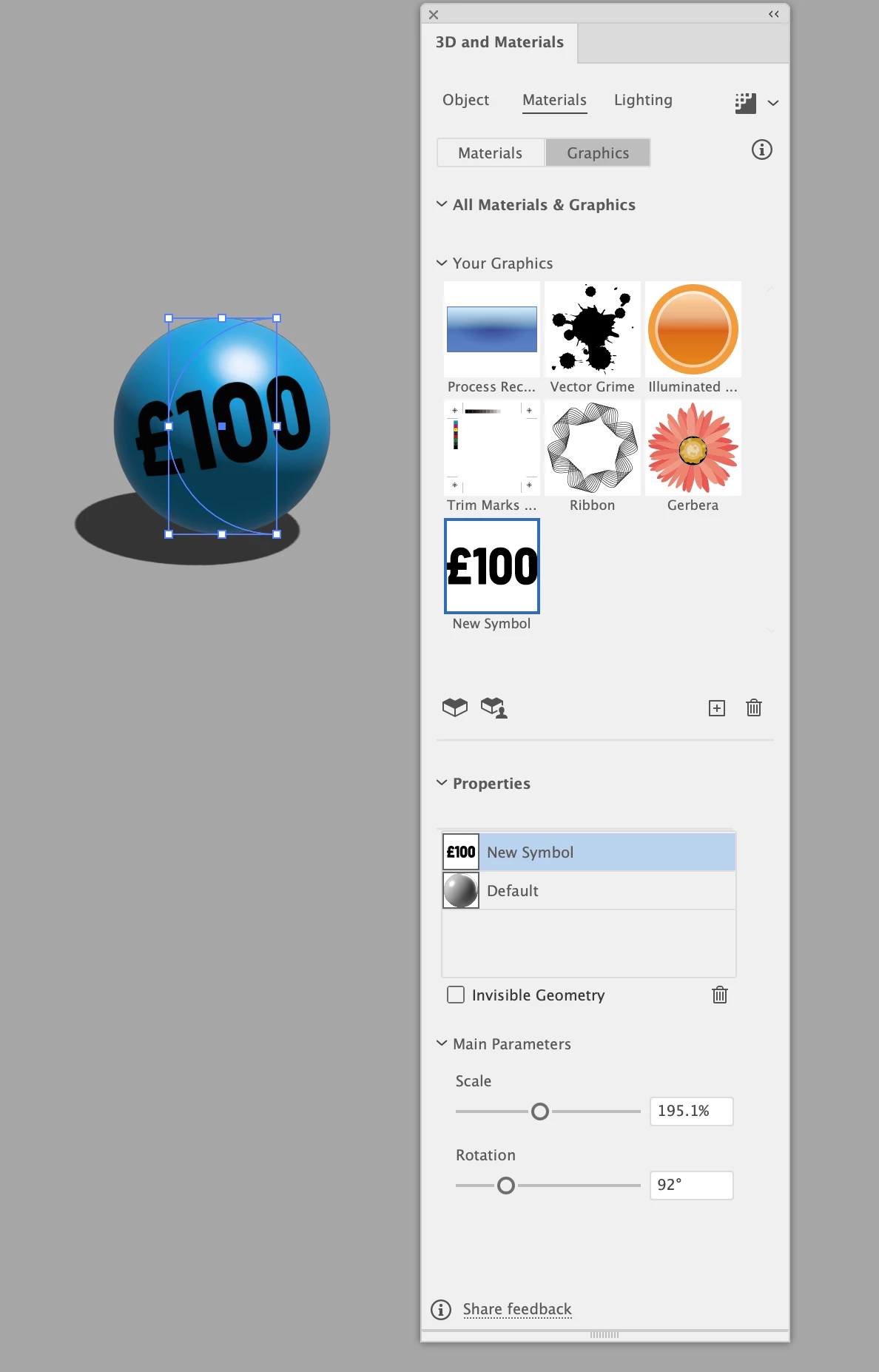
cant scale my graphic in 3d materials

  • November 11, 2025
  • 1 reply
  • 55 views

im using the revolve feature in 3d materials and have created a 3d ball using revolve on a half circle i can place a graphic in the materials onto my sphere but i get no circular bounding guide so i cant move it to where i want too the only things that work are scale and rotation i cant move the graphic up or down 
1 reply

Abhishek Rao
Community Manager
Community Manager
November 11, 2025

Hi @w5EF9,


Thanks for reaching out and for sharing the details. Could you please confirm which version of Illustrator and operating system you're using? I tested this on version 30.0 and the graphic placement controls worked as expected on my end.

Would you mind checking if this behavior is limited to a specific file or if it happens with all new documents? If it's happening everywhere, please try resetting Illustrator preferences once and then test again. You can follow the steps here: Reset Preferences or do it manually using this short guide: YouTube link.

If the issue still continues after that, please share a short screen recording showing your workflow up to the point where it happens, so I can check it further.


Looking forward to your update.

Abhishek