
Exit
  • Global community
    • Language:
      • Deutsch
      • English
      • Español
      • Français
      • Português
  • 日本語コミュニティ
  • 한국 커뮤니티
0

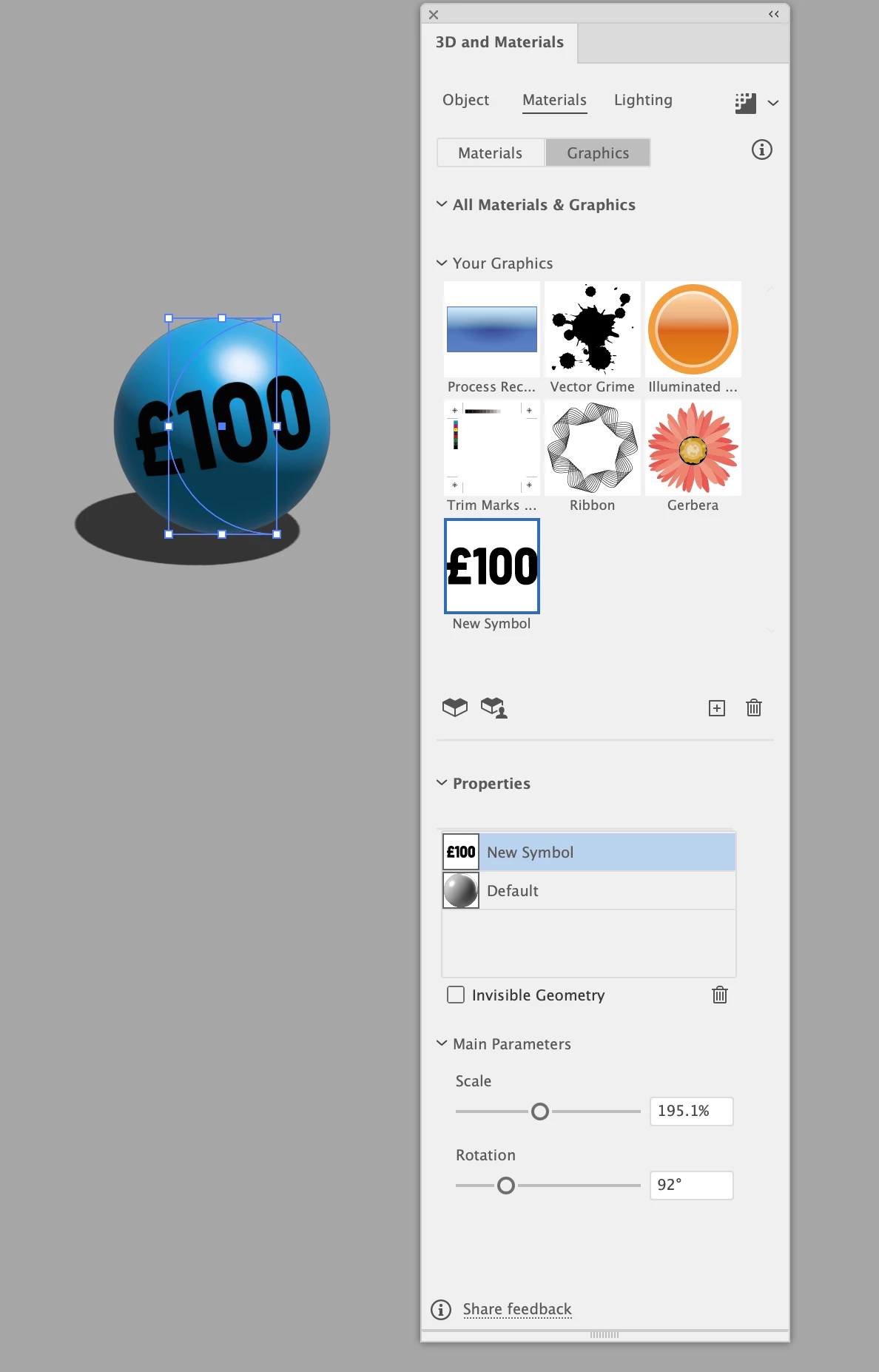
cant scale my graphic in 3d materials

Explorer ,
Nov 11, 2025 Nov 11, 2025

im using the revolve feature in 3d materials and have created a 3d ball using revolve on a half circle i can place a graphic in the materials onto my sphere but i get no circular bounding guide so i cant move it to where i want too the only things that work are scale and rotation i cant move the graphic up or down Screenshot 2025-11-11 at 11.28.07.png
TOPICS
Bug
62
Translate
Report
Community guidelines
Be kind and respectful, give credit to the original source of content, and search for duplicates before posting. Learn more
community guidelines
Adobe
Adobe Employee ,
Nov 11, 2025 Nov 11, 2025
LATEST

Hi @w5EF9,


Thanks for reaching out and for sharing the details. Could you please confirm which version of Illustrator and operating system you're using? I tested this on version 30.0 and the graphic placement controls worked as expected on my end.

Would you mind checking if this behavior is limited to a specific file or if it happens with all new documents? If it's happening everywhere, please try resetting Illustrator preferences once and then test again. You can follow the steps here: Reset Preferences or do it manually using this short guide: YouTube link.

If the issue still continues after that, please share a short screen recording showing your workflow up to the point where it happens, so I can check it further.


Looking forward to your update.

Abhishek

Translate
Report
Community guidelines
Be kind and respectful, give credit to the original source of content, and search for duplicates before posting. Learn more
community guidelines