
Participating Frequently
October 7, 2024
Answered

CC Library graphics saving incorrectly

  • October 7, 2024
  • 2 replies
  • 956 views

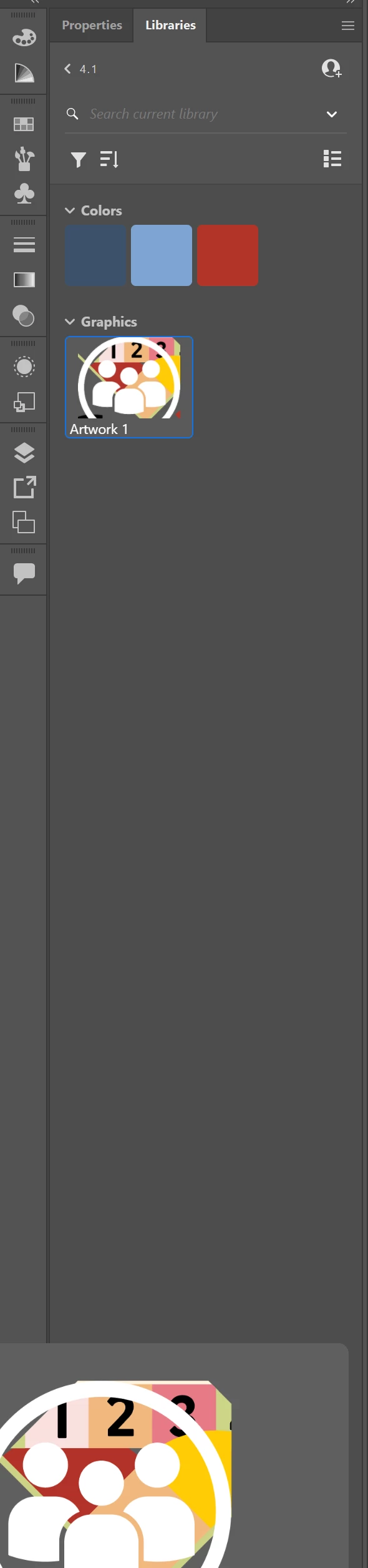
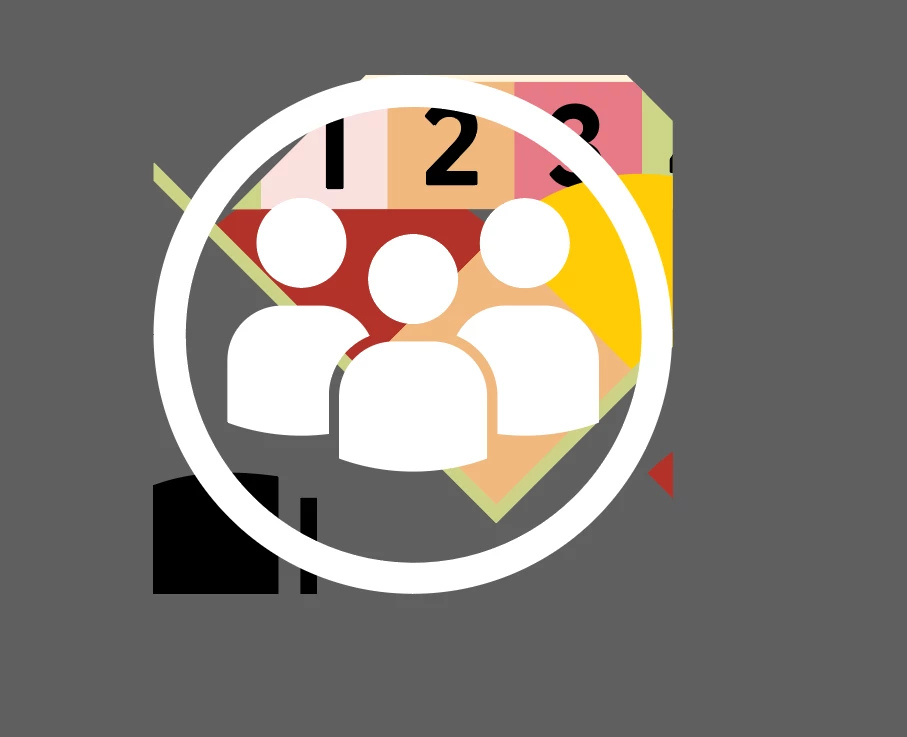
Can anyone tell me what the heck is going on here? When I try to save a graphic into my CC Library, the graphic is saving with a portion of a completely different AI file. I'm using Illustrator artboards as an area to create simple graphics to import into InDesign. 

I select this simple white icon below (moved off the white artboard now, just so you can view it), Click add graphic to the CC Library, and then it saves with that weird stuff from a project I did months ago behind it. What the what?

This topic has been closed for replies.
Correct answer Ton Frederiks

Can you check the New Document Profile that was used to create this document?

Try to open the file (Print or Art & Illustration, Web) that you used when creating a new file?

You can find them here (on a Mac):

/Users/your username/Library/Application Support/Adobe/Adobe Illustrator 28/en_GB (or your language folder)/New Document Profiles/Print.ai

See also: https://illustrator.uservoice.com/forums/601447-illustrator-desktop-bugs/suggestions/48296216-unwanted-artwork-when-placing-a-cc-library-asset-a

2 replies

Ton Frederiks
Community Expert
Ton FrederiksCommunity ExpertCorrect answer
Community Expert
October 7, 2024

Can you check the New Document Profile that was used to create this document?

Try to open the file (Print or Art & Illustration, Web) that you used when creating a new file?

You can find them here (on a Mac):

/Users/your username/Library/Application Support/Adobe/Adobe Illustrator 28/en_GB (or your language folder)/New Document Profiles/Print.ai

See also: https://illustrator.uservoice.com/forums/601447-illustrator-desktop-bugs/suggestions/48296216-unwanted-artwork-when-placing-a-cc-library-asset-a

codylrsdAuthor
Participating Frequently
October 7, 2024

Appreciate the suggestion. I'm looking into it. I don't see that pathway available to me (rather, I don't see the PC pathway to New Document Profile that I looked up), but I'm at work and sometimes need to go through my IT team for things like this. 

codylrsdAuthor
Participating Frequently
October 8, 2024

Thanks on Windows it would be something like: 

  • %AppData%\Adobe\Adobe Illustrator <version> Settings\<locale>\x64

You were correct. The artwork was in the New Document Profile. Once deleted there have not been any issues. Thanks for your help!

Srishti Bali
Community Manager
Community Manager
October 7, 2024

Hi @codylrsd


We’re sorry to hear about this issue. A few other users have reported similar problems. Could you provide a bit more information so we can better assist you?


  • What operating system and Illustrator version are you using?
  • When did this issue start? Have there been any recent system or app updates, or any new antivirus software installed?
  • Is this issue occurring with a specific file or across multiple files? Could you try replicating the problem with a new file to see if it still happens? If it does, please share a short recording of the issue so we can better understand what's going on.


We’re here to help, just need a bit more info!


Regards,
Srishti
codylrsdAuthor
Participating Frequently
October 7, 2024

OS: 
Illustrator: 28.7.1

I've just noticed this issue now in CC Libraries, but this same old file has shown up in exported graphics in the past now that I think of it, but only in exported SVG files. I'd starting a couple months ago. The file that is always showing up is from July, so no earlier than that. This is occuring across multiple files, but it's always the same file that is underlayed in under the graphic in the CC Library. I'll see about a recording. I'm working now, so not sure when I'll have time for that