Participant
May 24, 2018
Answered

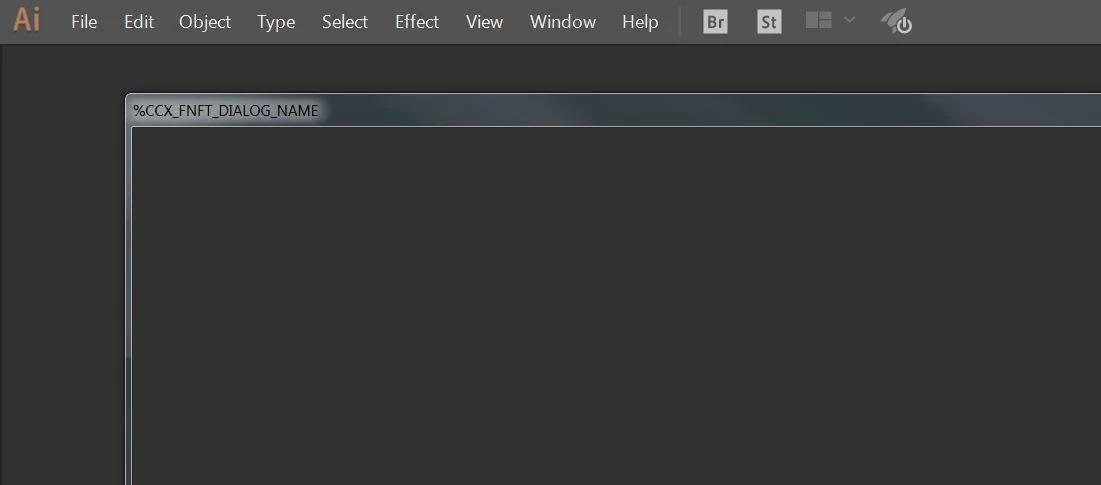
%CCX_FNFT_DIALOG_NAME error

  • May 24, 2018
  • 7 replies
  • 72817 views

When i want to open a new document/artbort etc. in Photoshop, Illustrator or Indesign the following pop up appears.

I am not able to create new documentes. Can somebody help me with this?

Correct answer Mysterium_Fascinosum

Had the same problem.  Not an issue with your OS or your Machine. 

Close Illustrator.  Open the C:/ drive>program files 86>common files>Adobe>CEP

Cut the CEP folder and paste on desktop. 

Restart Illustrator

Worked for me.  

I then deleted the folder and all was well.

7 replies

edwint98430197
Participant
May 29, 2021

This works for me Adobe Illustrator 2021.  Go to Progam files - Adobe - Adobe Illustrator, if there's a file named AIFeatures.cfg delete it, then restart Illustrator and everything should works

Participant
March 21, 2021

click windows+r,type app data open 'roaming' and remane indesign to indesign.old

then open C:\Program Files (x86)\Common Files\Adobe remane CEP to CEP.old

this definately helps

Participant
November 7, 2020

Moi j'ai utilisé la solution suivante ; aller dans fichier - paramètres prédéfinis du document puis par défaut u document et c'est réglé......

Mysterium_FascinosumCorrect answer
Participating Frequently
May 15, 2020

Had the same problem.  Not an issue with your OS or your Machine. 

Close Illustrator.  Open the C:/ drive>program files 86>common files>Adobe>CEP

Cut the CEP folder and paste on desktop. 

Restart Illustrator

Worked for me.  

I then deleted the folder and all was well.

Participating Frequently
December 11, 2020

Not worked for me. Can you please tell me there is something else which I can do?

Participant
September 25, 2018

Thank you simple solution

Thank You

ceyhun_akgun
Legend
May 24, 2018

I have an idea that applies to some situations. This led to such situations that were numb about the system fonts. Problems in system fonts can result in corrupted typography in the file names, menu bars. Resetting the system's settings may help you clear your preferences.

Graphic Designer Educator / PrePress Consultant
Monika Gause
Community Expert
Community Expert
May 24, 2018

Someone might need to take a look into your system.

In the meantime: can you try and in Preferences > General check "Use legacy "New document" dialog box".

And then please contact Customer Care: Contact Customer Care  (at the very bottom there is a link for a chat, you need to be logged in)

Participant
May 24, 2018

In the meantime: can you try and in Preferences > General check "Use legacy "New document" dialog box".

Thank you, this is working for now.

Monika Gause
Community Expert
Community Expert
May 24, 2018

Great.

Nevertheless you should solve the underlying issue. Please let us know in case you have trouble contacting Customer Care.