Participating Frequently
February 13, 2023
Answered

Changing color does not work in Illustrator

  • February 13, 2023
  • 2 replies
  • 2819 views

Hello.

Suddenly I started to have a problem with color changing. I've checked files 100% times, it's in CMYK, no presets are installed. BUT when I am trying to change, for example, a white color as C0 M0 Y 2% K0 – it's changing again to C0M0Y0K0.

I don't know what's going on but it's not my only problem with Illustrator today.

Another problem is that I am saving a PDF with layers and when you're opening it somewhere in Windows (because the technical printer is working under Windows system) it's merging in 1 layer.


I am so confused today

Is someone knows what to do and how to fix that?
This topic has been closed for replies.
Correct answer Monika Gause


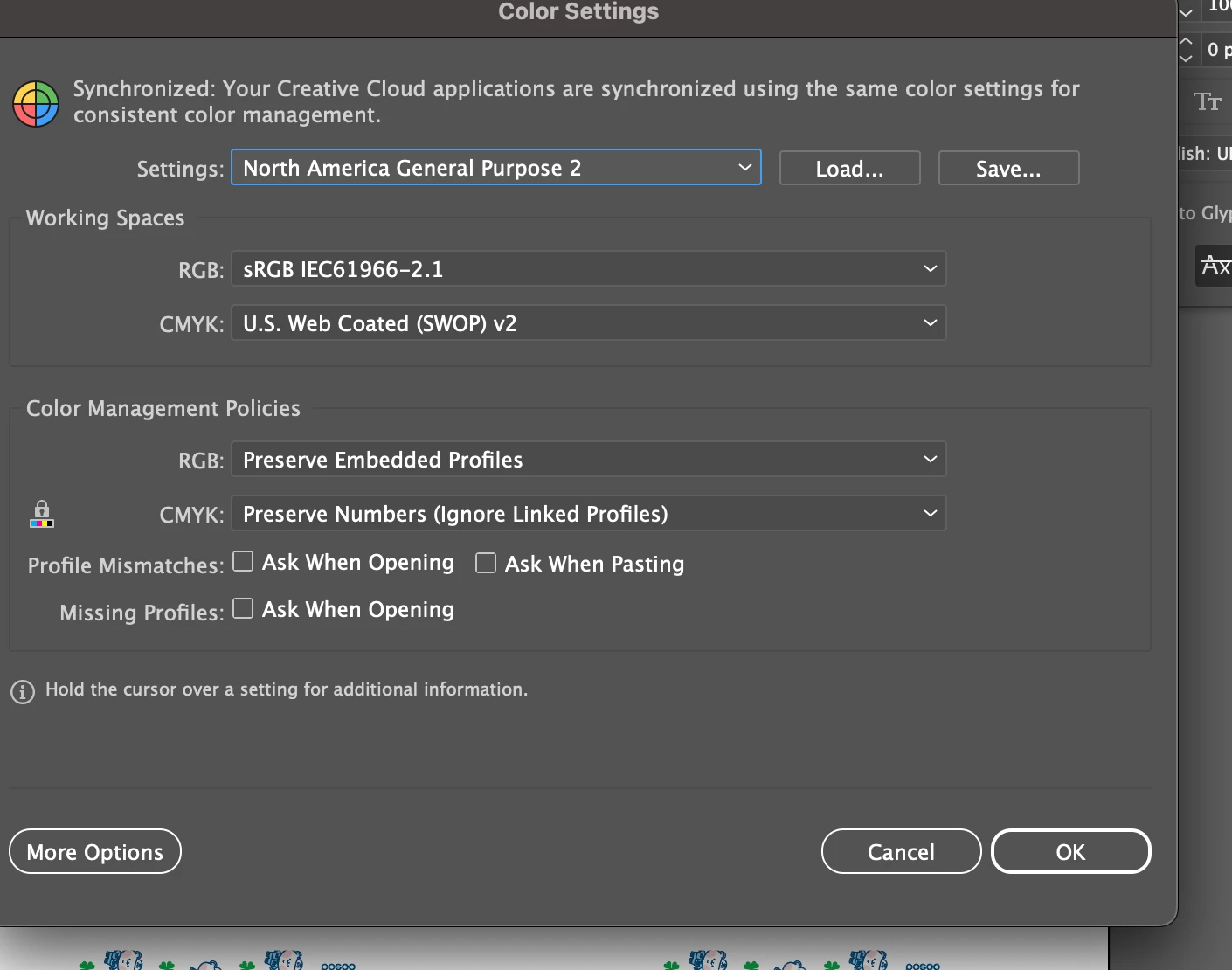
These settings should not convert anything automatically.

Please turn on all the "Ask" checkmarks. Now when there are different color profiles, Illustrator will warn you and perhaps this will help with finding the cause.

2 replies

Monika Gause
Community Expert
Community Expert
February 13, 2023

At which point in your workflow does the color change?


As for the WIndows thing. You have the same version on Illustrator on the Windows PC?

In that case package your AI file, so everything goes with it and then open the AI file on WIndows.


In case you want to use the PDF: you won't be able to edit it in WIndows. Unless you embed an AI file in it by checking the option "Preserve Editable file" in the PDF option. But then maybe your forget the linked images, so packaging is better.

Participating Frequently
February 13, 2023

For the color changing it's happening when I changed color, doing something else and than - I am coming back to that file and the color changed like it was before me changing it. Like literally 1-2 min after and I did nothing to that file – I saved it after changing color and closed. When we're opening this file - it's like it was never edited by me :(((((( 

Monika Gause
Community Expert
Community Expert
February 13, 2023

This sounds like you have color management set up in an unsuitable way and then Illustrator converts color profiles.

Can you show us your color settings?

And also: which color profile is embedded in the file?

Ton Frederiks
Community Expert
Community Expert
February 13, 2023

Your second problem shows that you are in Isolation mode, use Escape to get out of Isolation Mode.

Participating Frequently
February 13, 2023

It was just for showing an example. Like how do it looks like in Windows system since I don't have Windows and can't do a screenshot. But anyway - all 4 layers merges in 1 in Windows. 

Ton Frederiks
Community Expert
Community Expert
February 13, 2023

Make sure that the Windows AI version is the same as yours.