Participant
December 7, 2018
Answered

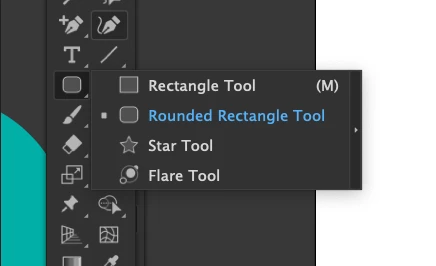
Circle tool missing in AI 2019
  • December 7, 2018
  • 4 replies
  • 4793 views

My circle tool seems to have disappeared/moved in AI version 2019

Any advice would be appreciated

    This topic has been closed for replies.
    Correct answer Monika Gause

    Click on the button with the 3 dots at the bottom of the toolbar to pop up the configuration dialog. From its menu select "Reset"

    4 replies

    Sàyence
    Participant
    December 8, 2018

    Hello,

    You can use it with the keyboard shortcut, Press L

    I hope that can help you

    Ciao

    arttiaAuthor
    Participant
    December 7, 2018

    Monika and Bill. That is great, thank you. Issued solved. I really appreciate your fast assistance.

    Bill Silbert
    Community Expert
    Community Expert
    December 7, 2018

    The tool bar in Illustrator CC 2019 is now totally customizable which has led to some accidental shifts of tools in the tool bar. To learn more about using the new feature including how to reset it see Illustrator CC 2019 (23) : Customizable toolbars tutorial - YouTube .

    arttiaAuthor
    Participant
    December 7, 2018

    Great. Thank you. I appreciate you taking the time to advise.

    Monika Gause
    Community Expert
    Monika GauseCommunity ExpertCorrect answer
    Community Expert
    December 7, 2018

    Click on the button with the 3 dots at the bottom of the toolbar to pop up the configuration dialog. From its menu select "Reset"

    arttiaAuthor
    Participant
    December 7, 2018

    Great. Thank you. I appreciate you taking the time to advise.