
Inspiring
May 2, 2024
Answered

circles from small to large to small inside a big circle

  • May 2, 2024
  • 3 replies
  • 3189 views

Hi,


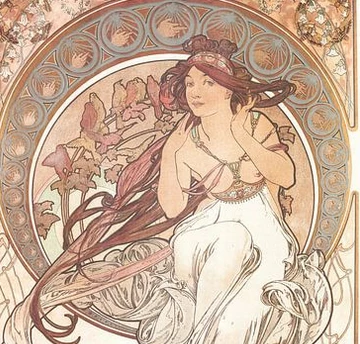
Im trying to make a painting frame like they used to make in art nouveau, specifically like the circles within the crescent shape,going from small to big to small on the image example:


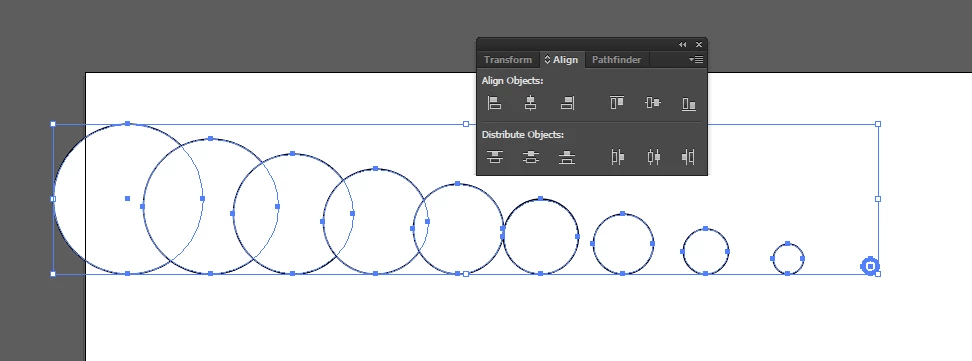
i figured out i need to use blend but no matter what i try i cant get it to do it, i'm screwing up distribution:


Help would be greatly appreciated!
This topic has been closed for replies.
Correct answer kphotopage

Wesley, hi

I random color as I work.


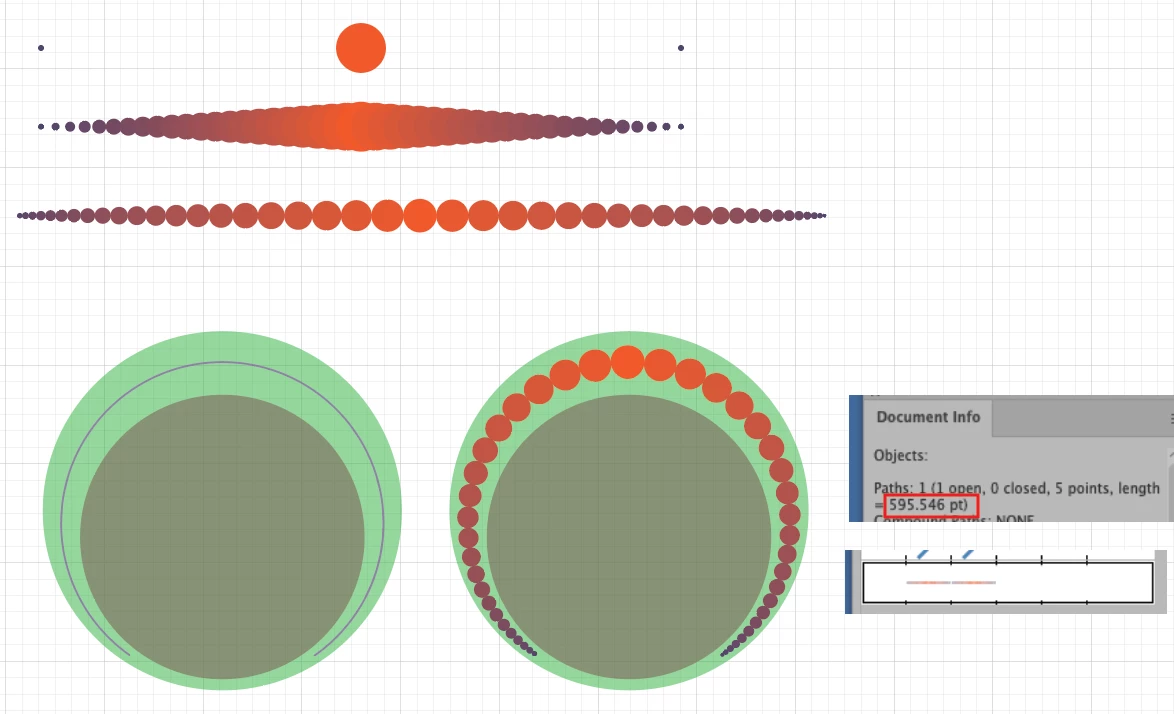
To recreate, I used a Blend. 3 circles.

I used Blend Steps 21

Expand Blend Steps and ungroup.


Align Panel: I used Distribute Spacing of 0.

Group your circles.


Make your overall art nouveau shape circles.

See that purple stroke, I know that size 595.546 pt.


Next, I made a Pattern Brush that same size.

Then I applied the Pattern Brush that purple stroke.


K

3 replies

kphotopage
kphotopageCorrect answer
Legend
May 2, 2024

Wesley, hi

I random color as I work.


To recreate, I used a Blend. 3 circles.

I used Blend Steps 21

Expand Blend Steps and ungroup.


Align Panel: I used Distribute Spacing of 0.

Group your circles.


Make your overall art nouveau shape circles.

See that purple stroke, I know that size 595.546 pt.


Next, I made a Pattern Brush that same size.

Then I applied the Pattern Brush that purple stroke.


K

Inspiring
May 2, 2024

HOLY MOLY in all these years ive never knew of the ''distribute spacing'' option T_T why isnt this displayed by default!?now i undertand why the distribution never made any sense......FOR YEARS. Thank you so so so much! im gonna try right away. THANK YOU

Bill Silbert
Community Expert
Community Expert
May 2, 2024

Your screenshot shows that you have placed the final element of your blend way out side of the contained area that you are looking for. If you do this with the blend tool then you would place the final step of the blend where it is supposed to fall and then create a blend using Specified Steps. See https://helpx.adobe.com/illustrator/using/blending-objects.html for more information about using the blend tool.

Inspiring
May 2, 2024

Thank you! the distance between objects is done by illustrator itself by using steps in the blending options, so i think im missing something here. i tought i make a blend with specific steps, use the distrubution functionality to space em all even, and replace the spine of a circle, but non of them are working

Monika Gause
Community Expert
Community Expert
May 2, 2024

You could check out Astute Graphics Reprofile.

There is a webinar this afternoon https://www.youtube.com/watch?v=1UxdK3gysFE