Participant
March 18, 2021
Answered

Circular dashed slanted stroke

  • March 18, 2021
  • 3 replies
  • 2126 views

Trying to create something like this in illustrator and keep hitting a wall. I want a circle with a chevron stroke. Creating a chevron pattern and applying it to a circular stroke is not working. Another thought was to make the stroke a dashed line and then slant it but having trouble with that also. I appreciate any tips!!



[ attachment inserted as inline image by moderator ]
This topic has been closed for replies.
Correct answer pixxxelschubser

Let us use the new Repeat function.


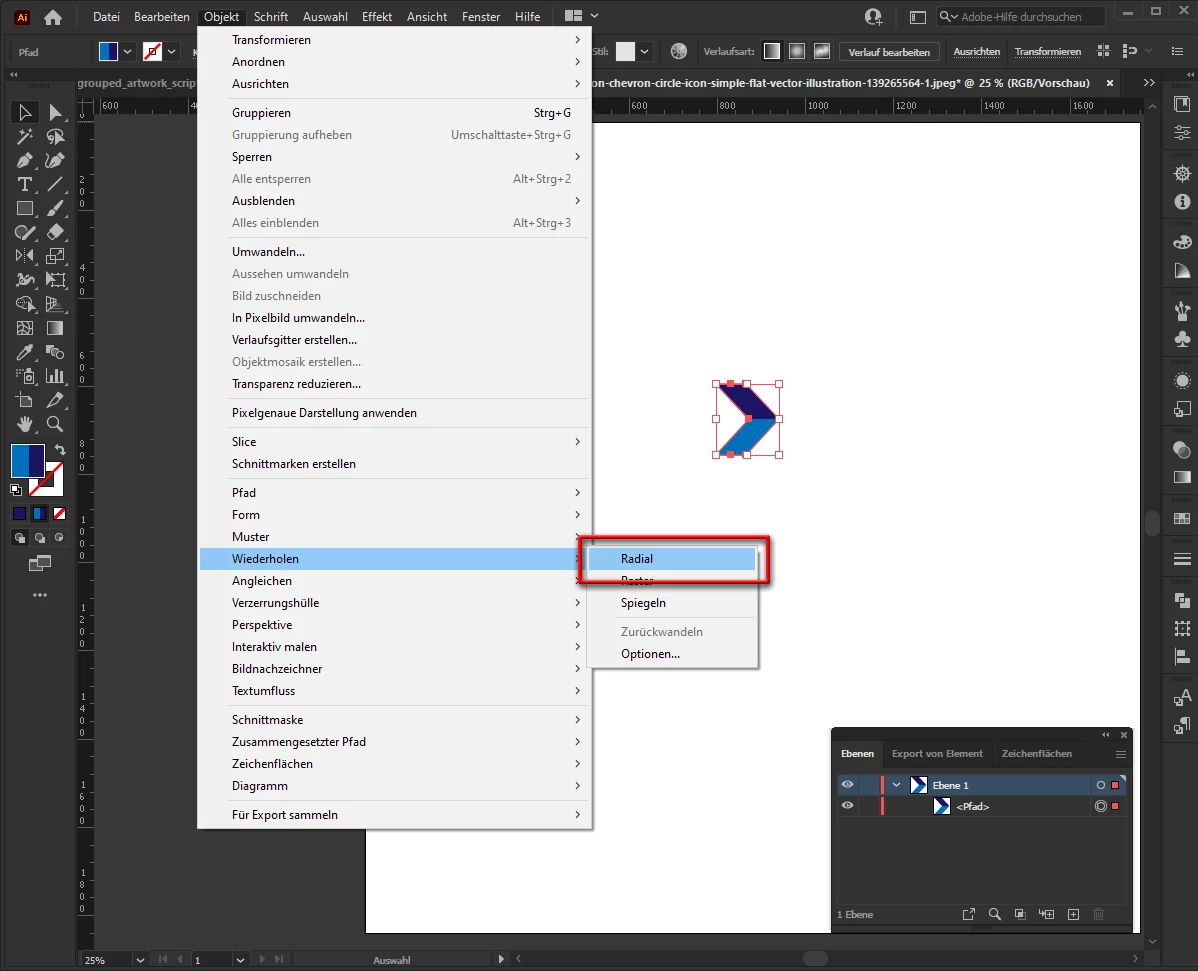
create your (one) "arrow" and go to menu: Object --> Repeat --> Radial


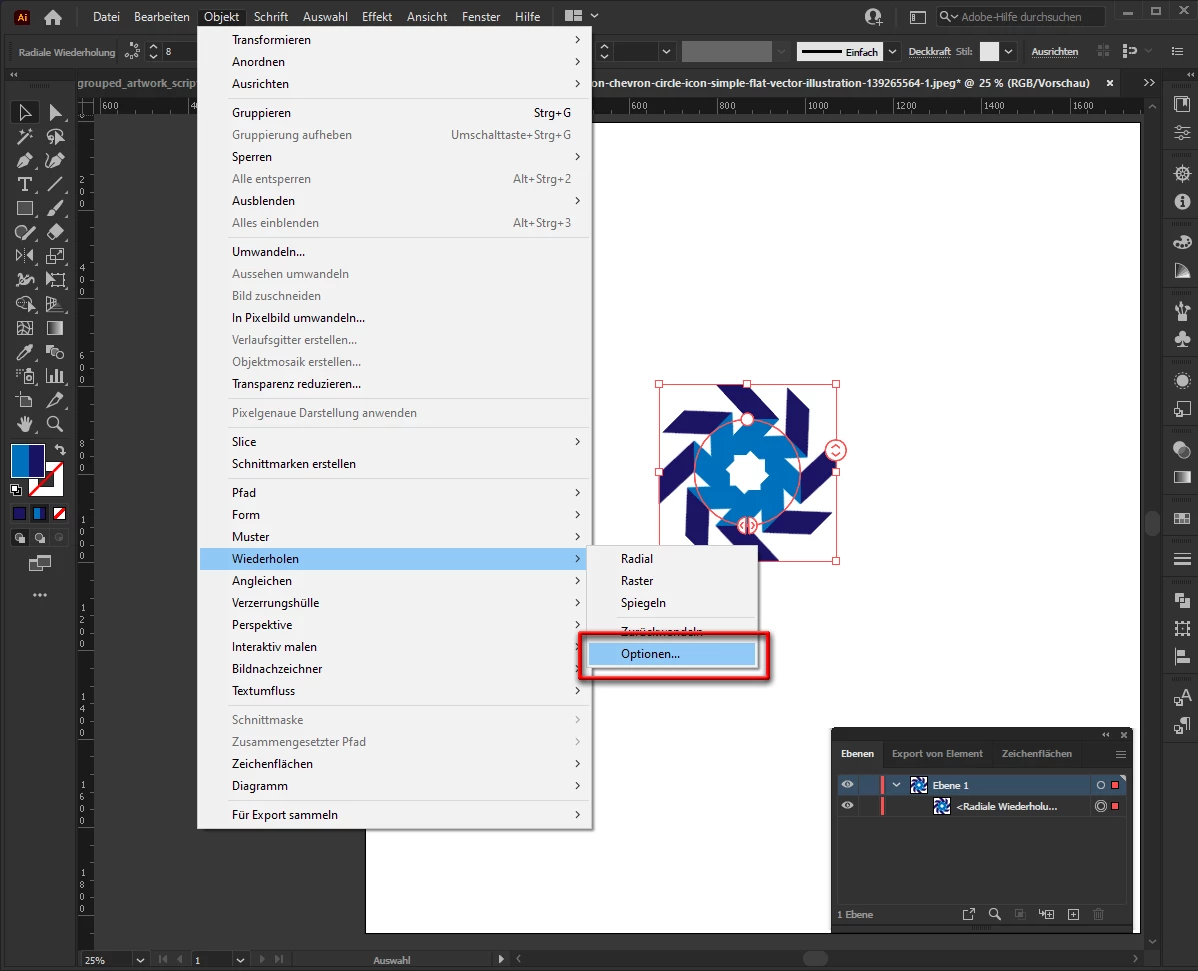
go to menu: Object --> Repeat --> Options

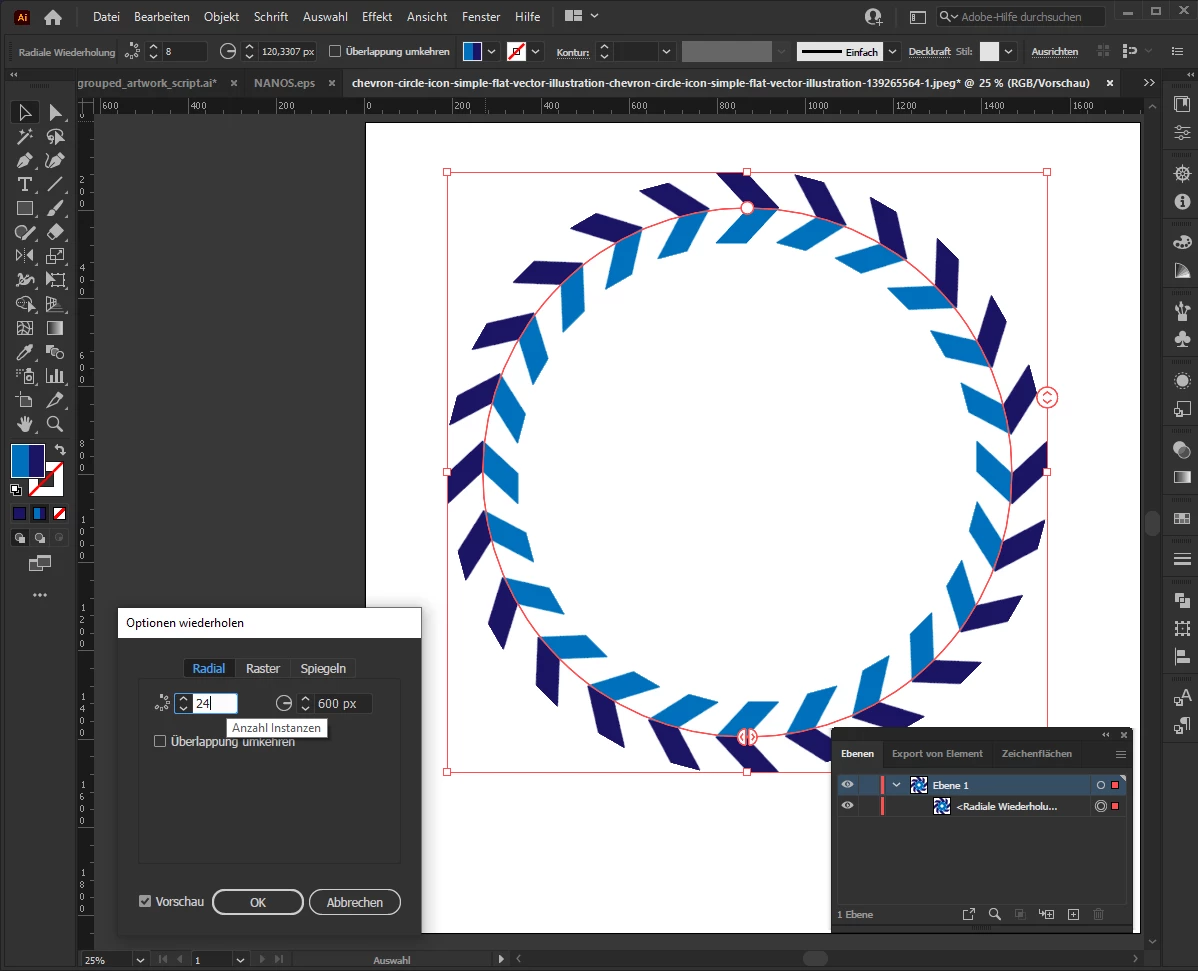
set the desired values

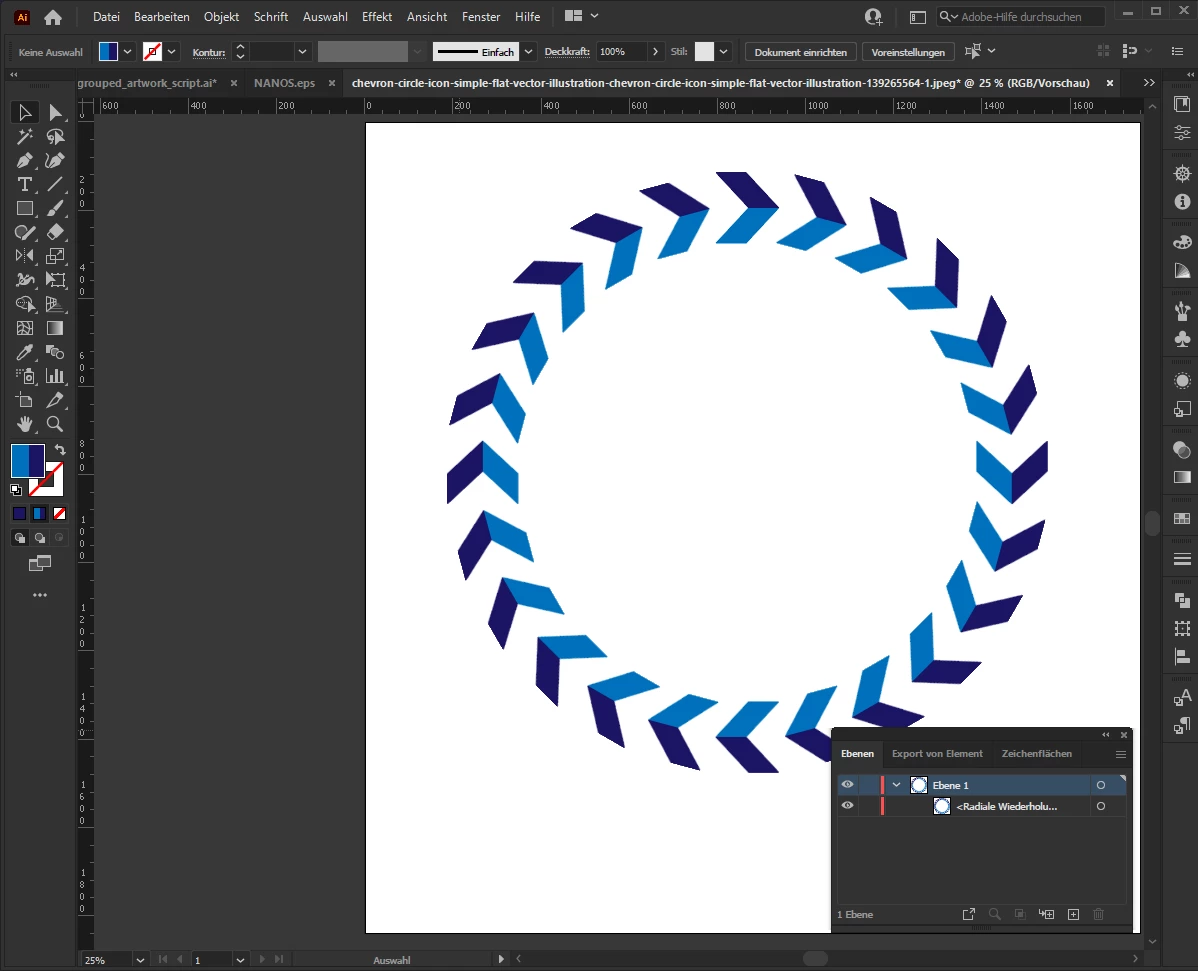
done.


3 replies

pixxxelschubser
Community Expert
pixxxelschubserCommunity ExpertCorrect answer
Community Expert
March 19, 2021

Let us use the new Repeat function.


create your (one) "arrow" and go to menu: Object --> Repeat --> Radial


go to menu: Object --> Repeat --> Options

set the desired values

done.


pixxxelschubser
Community Expert
Community Expert
March 19, 2021

Most of it is well described in the link.

😉

nopl2015Author
Participant
March 19, 2021

Thanks. I'm not undetstanding how to translate that example into what I'm trying to do. I'm still pretty beginner with Illustrator. 

pixxxelschubser
Community Expert
Community Expert
March 18, 2021

Hi @nopl2015 

  1. (new) Repeat function
  2. Brush
  3. Blend
  4. Transform effect

will do what you want.


Here was a similar discussion:

Expand Object ring radius without effecting Object sizes 


nopl2015Author
Participant
March 18, 2021

Thank you! Could you go into a little more detail for each of those steps if possible?


I appreciate you!