
Participant
March 2, 2024
Question

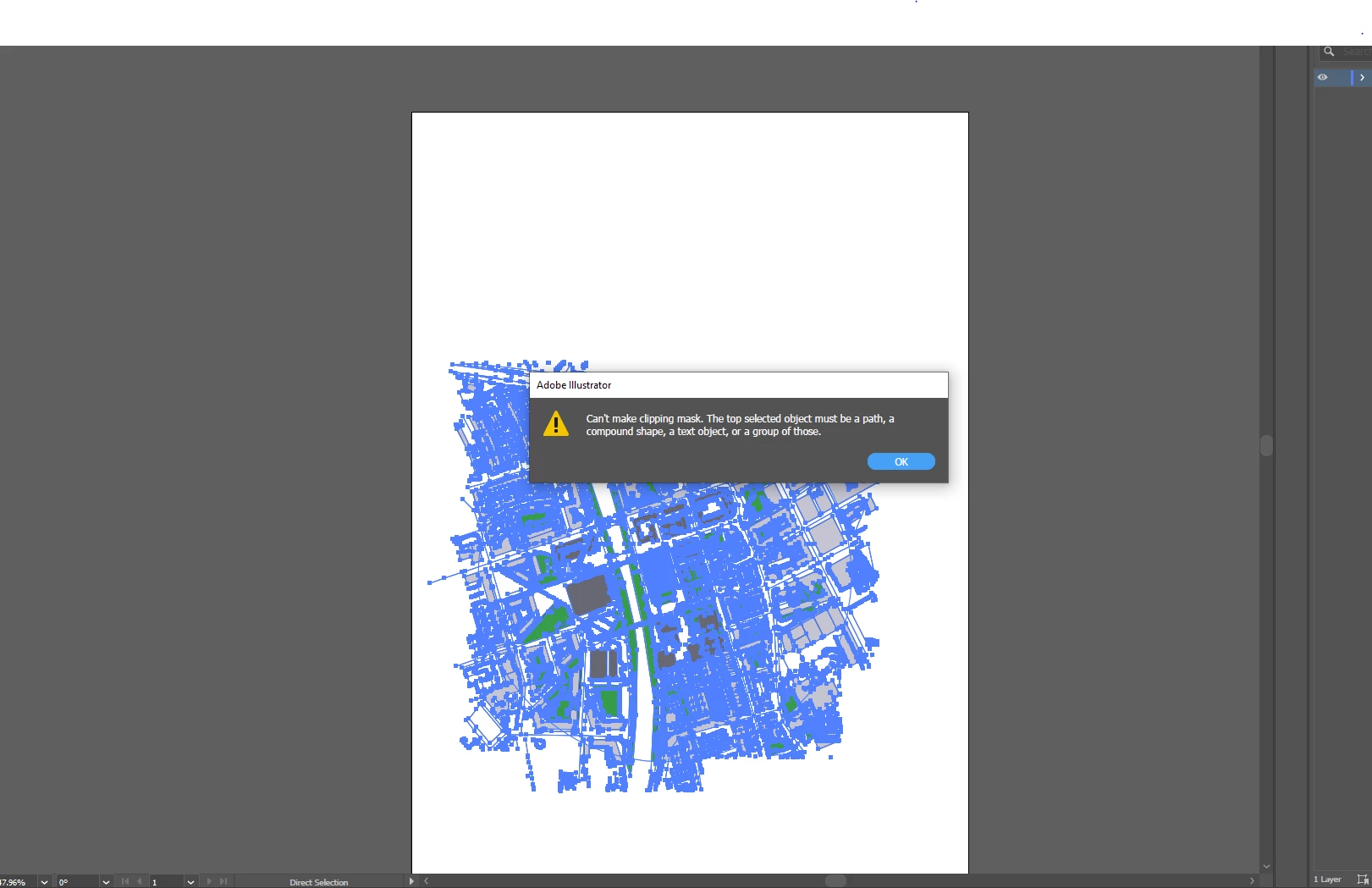
clipping mask error after using live paint

  • March 2, 2024
  • 1 reply
  • 311 views

please help,  Created an image on illustrator and used a clipping mask and it worked well. I then released the clipping mask to use the live paint tool. After finishing with the live paint tool i tried to re apply the same clipping mask but now it wont allow me to. I have tried to isolate the object, i tried to make the path into a compound path  but it wont allow me to do that either. what do you guys suggest? 
This topic has been closed for replies.

1 reply

Monika Gause
Community Expert
Community Expert
March 2, 2024

Maybe what you formerly used as a mask is now in the background. Make sure that it is the frontmost object and then try again.

Participant
March 3, 2024

do you know how i can do that?  I think the live paint is what made the clipping mask not work.


Participant
March 3, 2024

Did you keep the clipping mask out of the Live Paint?

If that shape was part of the Live Paint group it may have been split up.

Try to create a new one on top.


how do i keep the clipping mask out of the live paint?