
Known Participant
January 8, 2024
Question

Clipping mask not doing anything

  • January 8, 2024
  • 1 reply
  • 534 views

Trying to mimic this 'SUMMER Festival' poster:
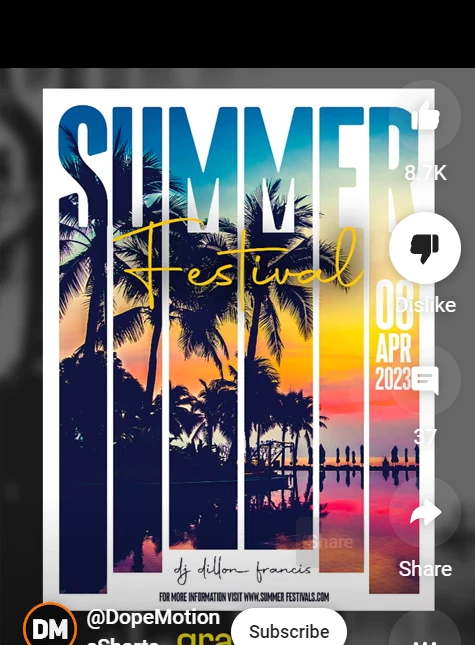
 

but my Clipping Mask tool isn't doing anything.
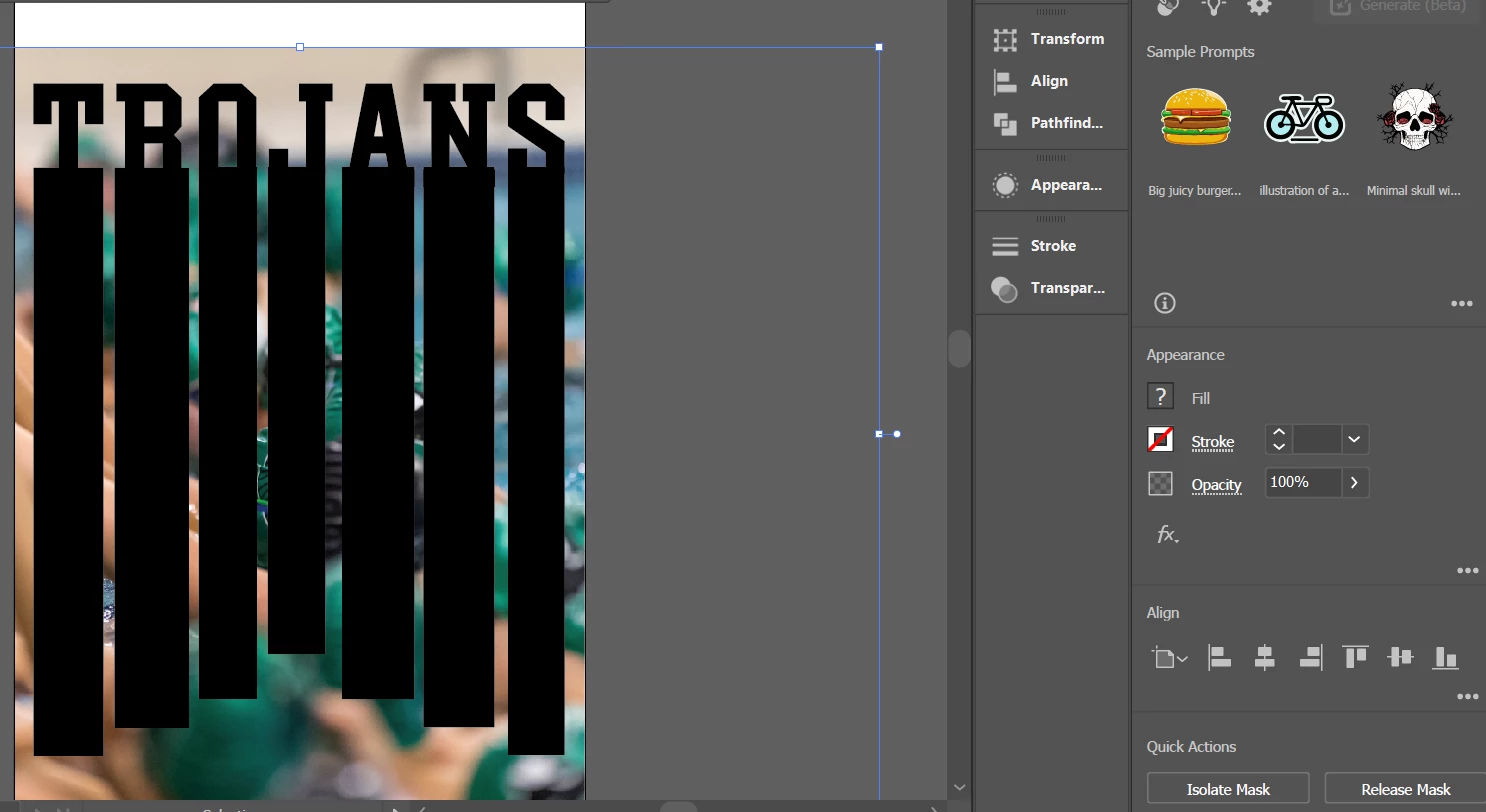
 

I've grouped just the boxes, boxes + text, photo is embedded, photo is unembedded...what am I missing? Everything I know says this should work...every video I watch says this should work. It doesn't.


This topic has been closed for replies.

1 reply

Ton Frederiks
Community Expert
Community Expert
January 8, 2024

You could try this:

Select all the black text and boxes and Group them.

Make sure the image is linked (there is currently a bug that prevents it from working with embedded images).

Select the grouped black elements and the image below it.

In the Transparency panel, click Make Mask

Check both the Clip and Invert Mask boxes.

Known Participant
January 8, 2024

Thanks, I tried that and found it only gave me a CUTOUT text. For scheduling purposes, I've just done individual clipping masks for each rectangle and then one for the text. Thanks though!

Monika Gause
Community Expert
Community Expert
January 8, 2024

If you want one clipping mask out of multiple elements, those elements need to be a compound path.