
Clipping Mask Showing When Client Prints
Hi all. I'm having an issue where I send a .pdf version of their sample design to a client via email. When you look at the design on screen, everything looks as it should. However, when the client prints the design, the box where the clipping mask is, is illuminated.
Please see below, the top two pictures is how it has printed. The below one is how it should look (without the white square). I've tried adjusting the printing settings within AI, adjusting the output settings when going to File > Save As > PDF.
Here is the PDF summary:
Warnings
Adobe PDF Preset: [High Quality Print] (Modified)
Compatibility: Acrobat 5 (PDF 1.4)
Standard: None
Description
[Based on 'High Quality Print'] Use these settings to create Adobe
PDF documents for quality printing on desktop printers and
proofers. Created PDF documents can be opened with Acrobat and
Adobe Reader 5.0 and later.
General
Preserve Illustrator Editing Capabilities: On
Embed Page Thumbnails: Off
View PDF File after Saving: Off
Optimize for Fast Web View: On
$$/PDFormatUI/SummaryTree/Str/PDFStyleIncludeHyperlinks=Preserve Hyperlinks: On
Compression
Color Bitmap Images:
Bicubic Downsampling
Resolution: 300.00
For Image Above: 450.00
Compression: Automatic (JPEG)
Image Quality: Maximum
Grayscale Bitmap Images:
Bicubic Downsampling
Resolution: 300.00
For Image Above: 450.00
Compression: Automatic (JPEG)
Image Quality: Maximum
Monochrome Bitmap Images:
Bicubic Downsampling
Resolution: 1200.00
For Image Above: 1800.00
Compression: CCITT Group 4
Compress Text and Line Art: On
Marks and Bleeds
Trim Marks: On
Registration Marks: On
Color Bars: On
Page Information: On
Printer Mark Type: Roman
Trim Mark Weight: 0.25 pt
Offset from Artboard: 2.117 mm
Use Document Bleed: On
Output
Color:
Color Conversion: Convert to Destination (Preserve Numbers)
Destination: Document CMYK - U.S. Web Coated (SWOP) v2
Profile Inclusion Policy: Include Destination Profiles
Advanced
Subset embedded fonts below: 100 %
Security
Document Open Password: Off
Permissions Password: Off
Encryption Level: High (128-bit RC4) - Acrobat 5 and later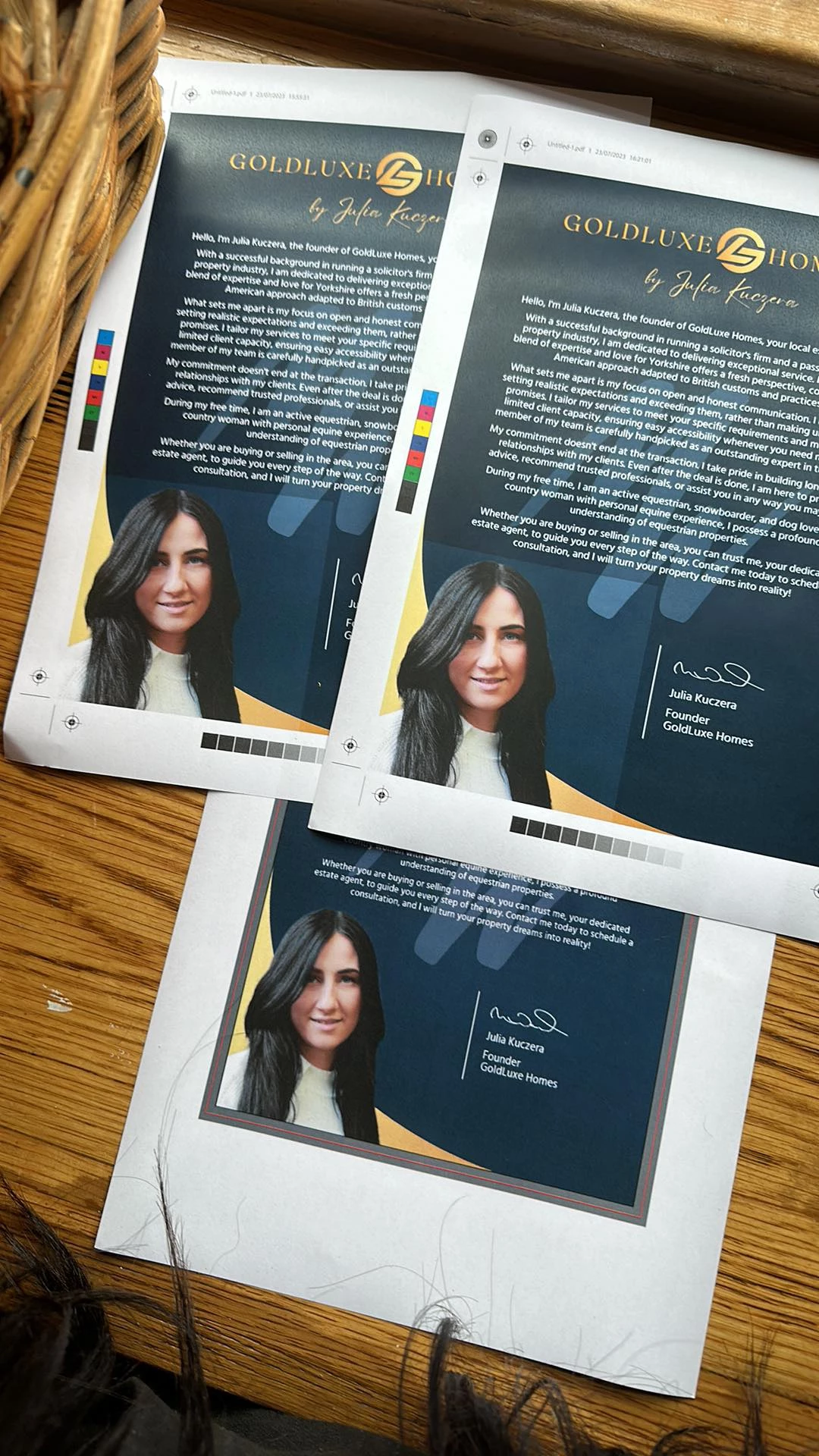
 AdChoices