Exit
  • Global community
    • Language:
      • Deutsch
      • English
      • Español
      • Français
      • Português
  • 日本語コミュニティ
  • 한국 커뮤니티
0

clipping masked text warping problem

Community Beginner ,
Apr 05, 2023 Apr 05, 2023

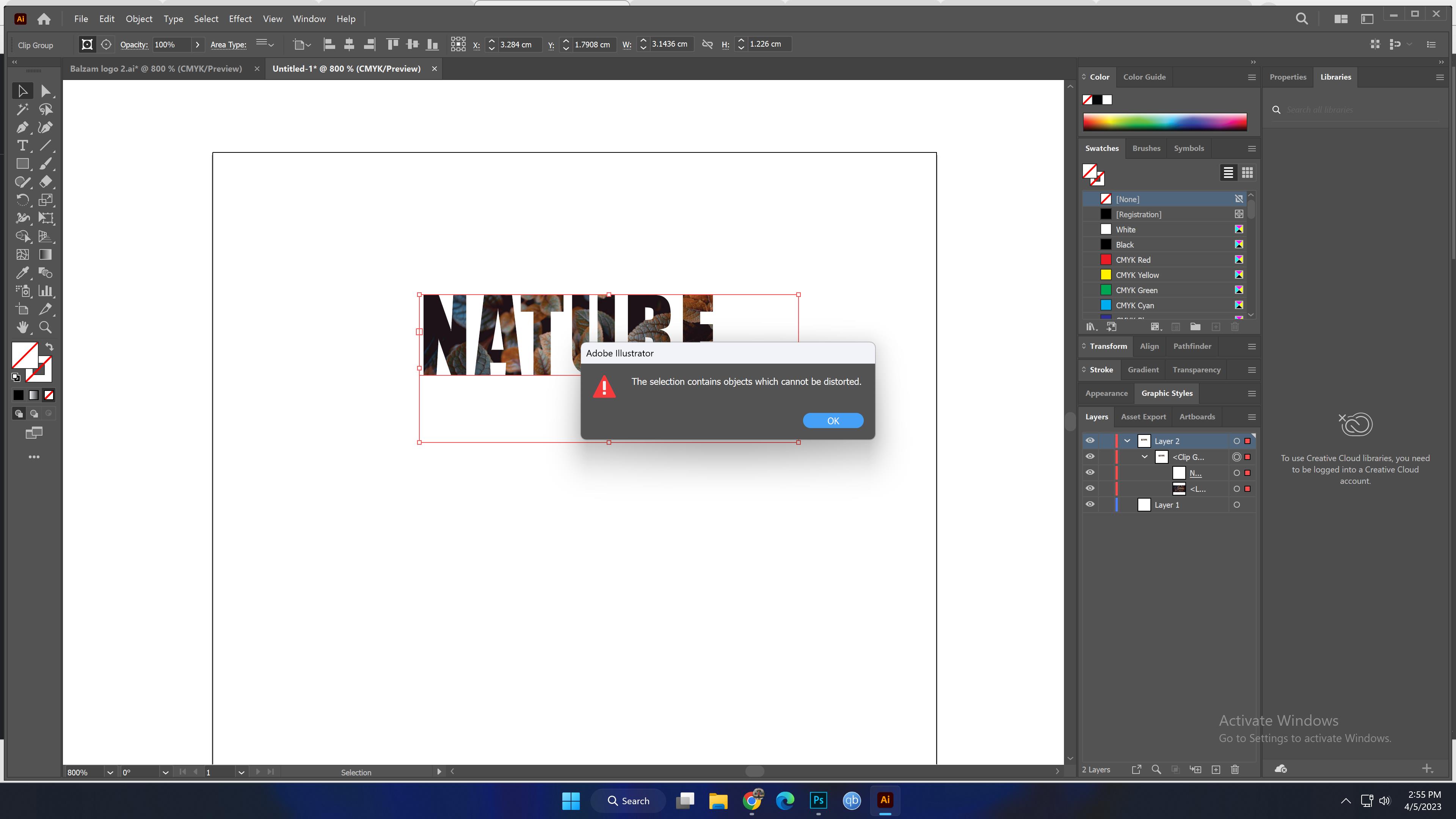
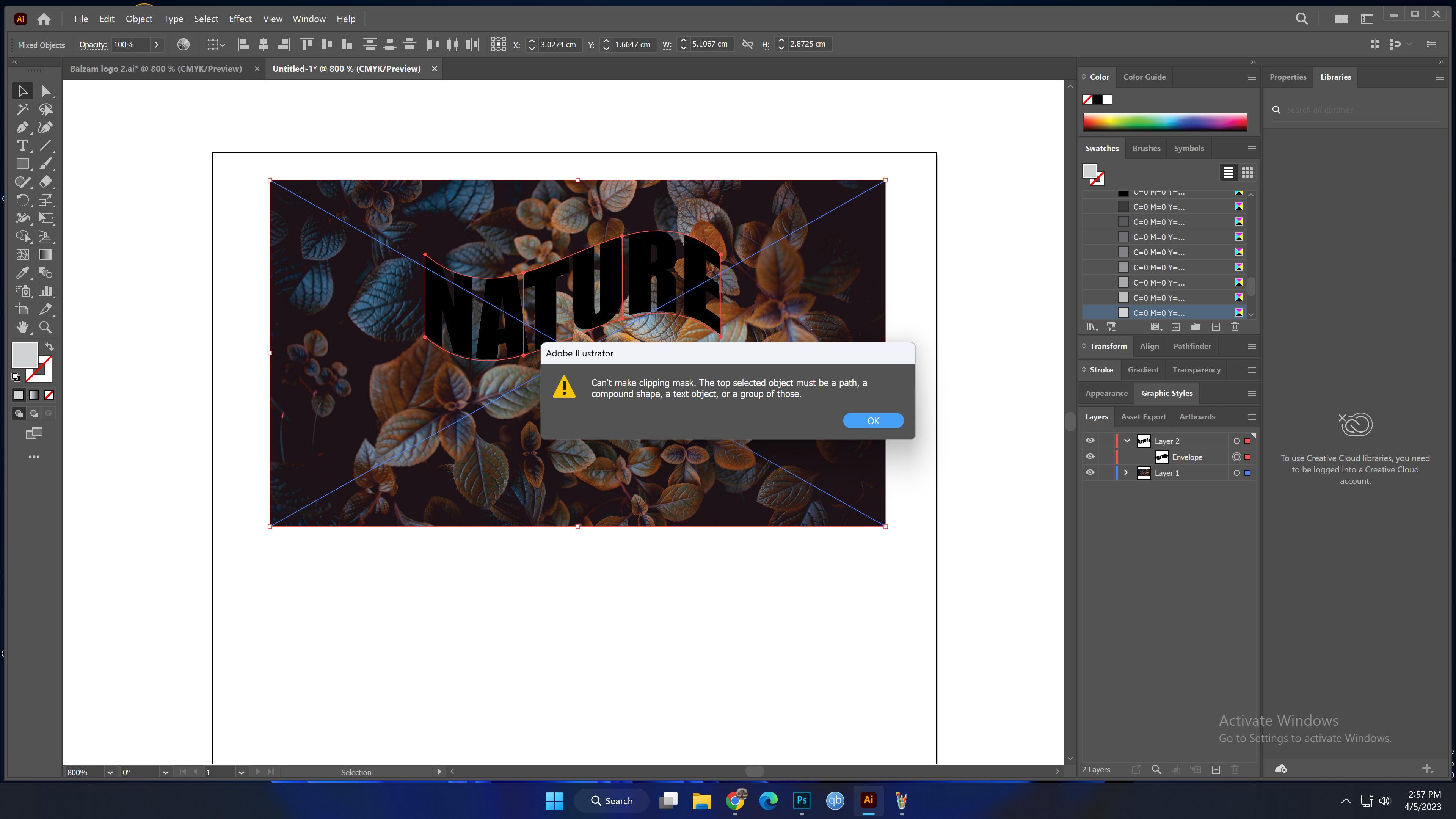
I have a problem warping my text that i previously clipped masked with some image. Can someone help? Thank you


TOPICS
Tools
874
Translate
Report
Community guidelines
Be kind and respectful, give credit to the original source of content, and search for duplicates before posting. Learn more
community guidelines
Adobe
Community Expert ,
Apr 05, 2023 Apr 05, 2023

So you have a text that is a clipping mask and now you want to warp it?

Please show it. Include the Layers panel with the object visible in it.

Translate
Report
Community guidelines
Be kind and respectful, give credit to the original source of content, and search for duplicates before posting. Learn more
community guidelines
Community Beginner ,
Apr 05, 2023 Apr 05, 2023

Thank you so much for your time and reply here they are. 

Translate
Report
Community guidelines
Be kind and respectful, give credit to the original source of content, and search for duplicates before posting. Learn more
community guidelines
Community Beginner ,
Apr 05, 2023 Apr 05, 2023

If you need me to zoom in to the panel just say. 

Translate
Report
Community guidelines
Be kind and respectful, give credit to the original source of content, and search for duplicates before posting. Learn more
community guidelines
Community Expert ,
Apr 05, 2023 Apr 05, 2023

Thank you.

So what you can do with the second one is to create an opacity mask. This would keep everything editable, so you can adjust even the wave.

So you select the back wavy text object and the image, open the transparency panel and hit "Make Mask"

Bildschirmfoto 2023-04-05 um 15.11.49.png

Then check both options Clip and Invert
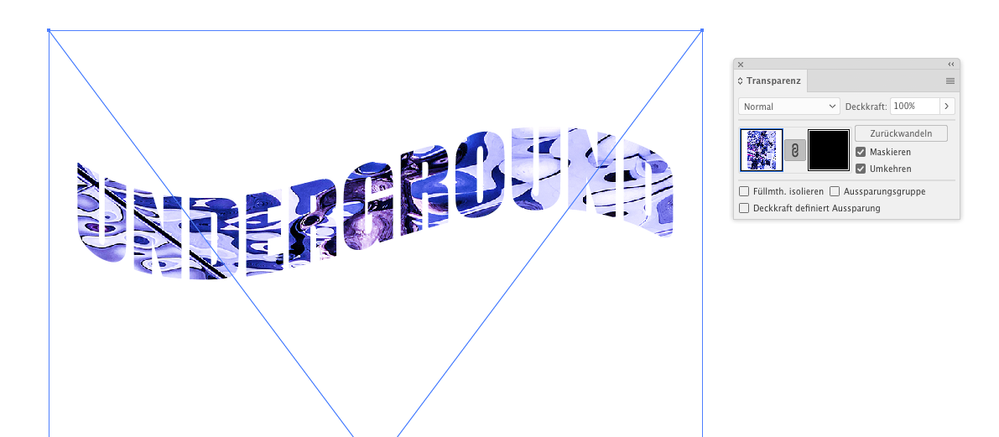
Bildschirmfoto 2023-04-05 um 15.12.04.png


If you need a clipping mask for production reasons, you would need to expand the envelope using the command in Object > Envelope > Expand. Then make the clipping mask.

Translate
Report
Community guidelines
Be kind and respectful, give credit to the original source of content, and search for duplicates before posting. Learn more
community guidelines
Community Beginner ,
Apr 05, 2023 Apr 05, 2023

Thank you so,so much for the help i appreciate it. You made my day easier :D. Do you know if can somehow put the stroke on the letters after clipp masking them i want to make them stand out from the logo? Thank you again.

Translate
Report
Community guidelines
Be kind and respectful, give credit to the original source of content, and search for duplicates before posting. Learn more
community guidelines
Community Expert ,
Apr 05, 2023 Apr 05, 2023

Use the direct selection too and then click on the clipping path. Best thing to achieve this is by clicking on one of its anchor points. Then assign a stroke.

Translate
Report
Community guidelines
Be kind and respectful, give credit to the original source of content, and search for duplicates before posting. Learn more
community guidelines
Community Beginner ,
Apr 05, 2023 Apr 05, 2023

Thank you so much for helping me today may God give you health and gide you to the straight path.

Translate
Report
Community guidelines
Be kind and respectful, give credit to the original source of content, and search for duplicates before posting. Learn more
community guidelines
Community Beginner ,
Apr 05, 2023 Apr 05, 2023

*Guide

Translate
Report
Community guidelines
Be kind and respectful, give credit to the original source of content, and search for duplicates before posting. Learn more
community guidelines
Community Expert ,
Apr 05, 2023 Apr 05, 2023
LATEST

You're welcome and thank you for your kind words.

Have a nice evening and blessed Holidays.

Translate
Report
Community guidelines
Be kind and respectful, give credit to the original source of content, and search for duplicates before posting. Learn more
community guidelines