jyamadadesigns
Participating Frequently
April 11, 2017
Answered

Clipping masks automatic release after Illustrator program/computer shutdown

  • April 11, 2017
  • 2 replies
  • 4829 views

Hello all,

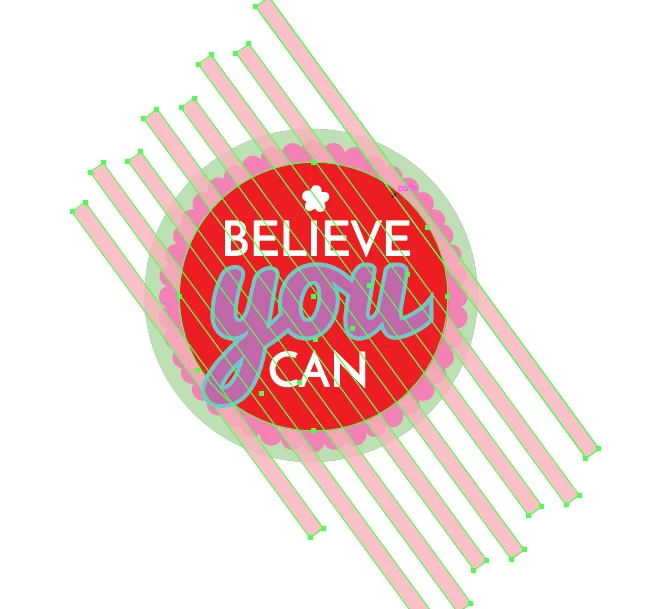
I am experiencing a repeat issue in Adobe Illustrator CC. After shutting down either the Illustrator program itself, or shutting down my entire computer and then reentering my previous file, some (not all) of my clipping paths have automatically released. Any advice on how to fix this issue? Thanks!
This topic has been closed for replies.
Correct answer Mike_Gondek10189183

Hi Mike!

I have emailed you. Please check your inbox for design files. Thanks!


I was able to experience the clipping paths being lost after reopening the file.

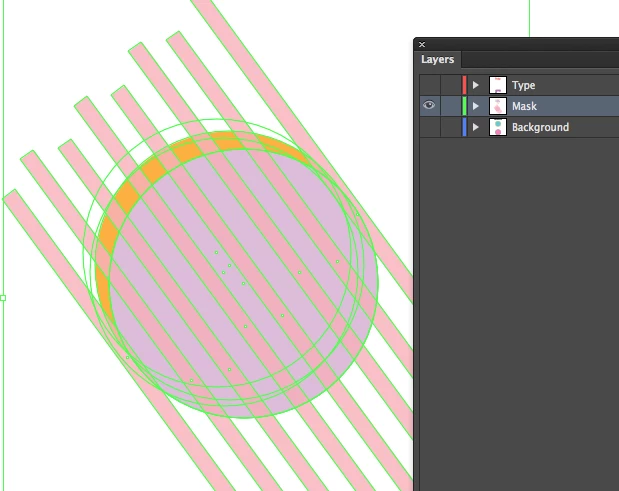
There were some additional paths, of the circle shape and by deleting them, then clipping paths began to hold.

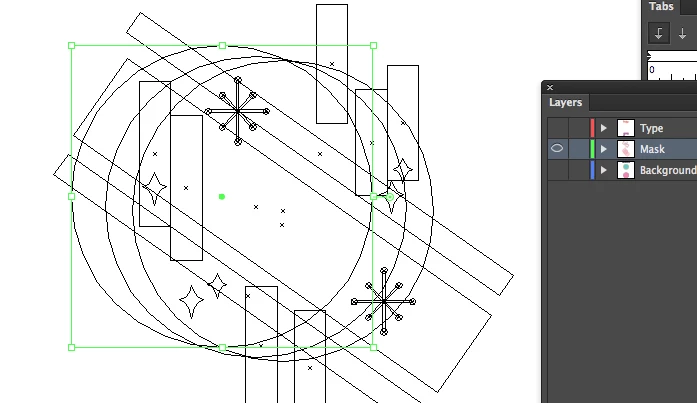
First I made you artwork into 3 layers it simplify so I could concentrate on the problem area. I moved a few circles over so you could se the extra paths that I deleted

So basically there were few extra circles in the mask.

A technique I use to make mask is I assign the mask a total different (dummy) color than the contents. That helps confirm my mask is on top. I select item and hide them and the mask, then I unhide so only the elements I wish to mask are selected.

After you make the mask that dummy color disappears.

2 replies

Mike_Gondek10189183
Community Expert
Community Expert
April 11, 2017

What version of Illustrator and platform are you on?

Saving to the .ai 2017 format this should not happen, are you saving to another format or a very old version of Illustrator? Can we please see a screenshot, to help reduce the amount of posts to figure this out.

jyamadadesigns
Participating Frequently
April 12, 2017

Hello Mike! Thanks for your response! I am using Adobe Illustrator CC software on macOS Sierra Version 10.12.3. The files I am saving are brand new, so are saved in Creative Cloud. Attached is a sample image of the problem that is occurring.

Mike_Gondek10189183
Community Expert
Community Expert
April 12, 2017

Am interested by your issue as have not seen this one exactly before, but am confident we can resolve this for you.

Are you saving to the .ai format? Not svg, pdf dxf or other.

Did you create this from scratch, or was this form a stock site or created in another software originally and imported into Illustrator?

Can you post a sample using dropbox or similar. Duplicate overlapping unnecessary paths might cause this and could also look at the code headers to find out more about how this was created, and remove excess/problematic tags.  There is also a chance could be  GPU preview/graphics card issue, which you can toggle on and off using Command E (watch after your filename up above to see what mode you are in).

Monika Gause
Community Expert
Community Expert
April 11, 2017

Are these old files? Where have they been saved?

Does this happen after a crash?

jyamadadesigns
Participating Frequently
April 12, 2017

Hi Monika! Thanks for your response. The files are newly created using Adobe Illustrator CC software, saved to desktop and documents folder on a mac, and the problem occurs after shutting down the computer or exiting the software (no crashing).