Answered
CMYK to Pantone
I have two main colors I have used on my artwork
66308d ( a purple color)
and
28a992 ( a green color)
Is there a process in Illustrator to find out what the cmyk colors convert to in Pantane colour?
Thanks

I have two main colors I have used on my artwork
66308d ( a purple color)
and
28a992 ( a green color)
Is there a process in Illustrator to find out what the cmyk colors convert to in Pantane colour?
Thanks
Select an object that has the color you want to convert.

Choose Edit > Edit Colors > Recolor Artwork.
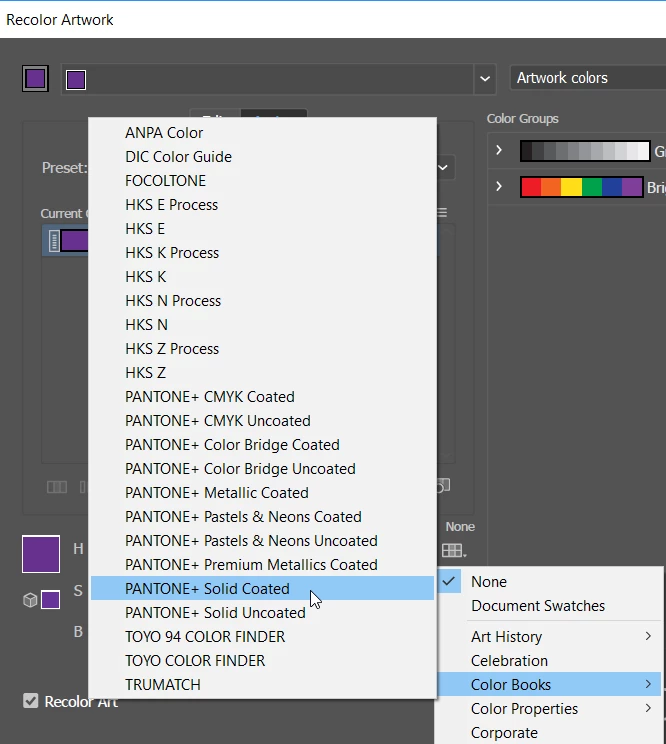
Click the icon in the lower right "Limits the colors to colors in a swatch library".
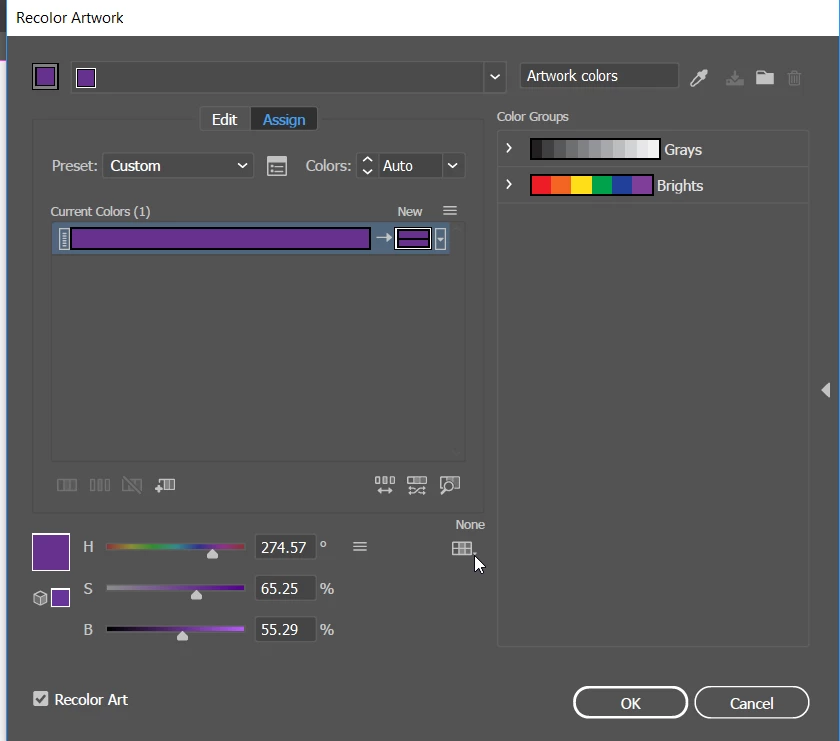
Choose the Pantone solid color library that you want to use. Click OK.
Illustrator will apply the new color swatch to the selected object and will add the new color to the Swatches panel.
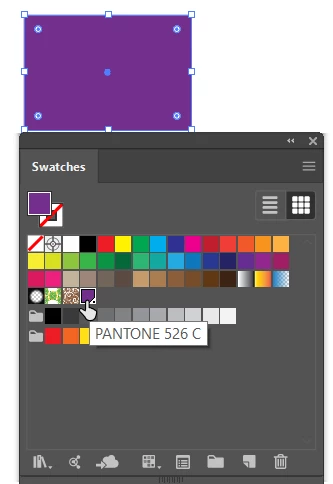
Note that when converting colors you will get the closest Pantone color swatch available and it may not be an exact match to the original CMYK color.
Already have an account? Login
Enter your E-mail address. We'll send you an e-mail with instructions to reset your password.
 AdChoices