
Participant
October 22, 2018
Answered

Color is not totally white

  • October 22, 2018
  • 3 replies
  • 1580 views

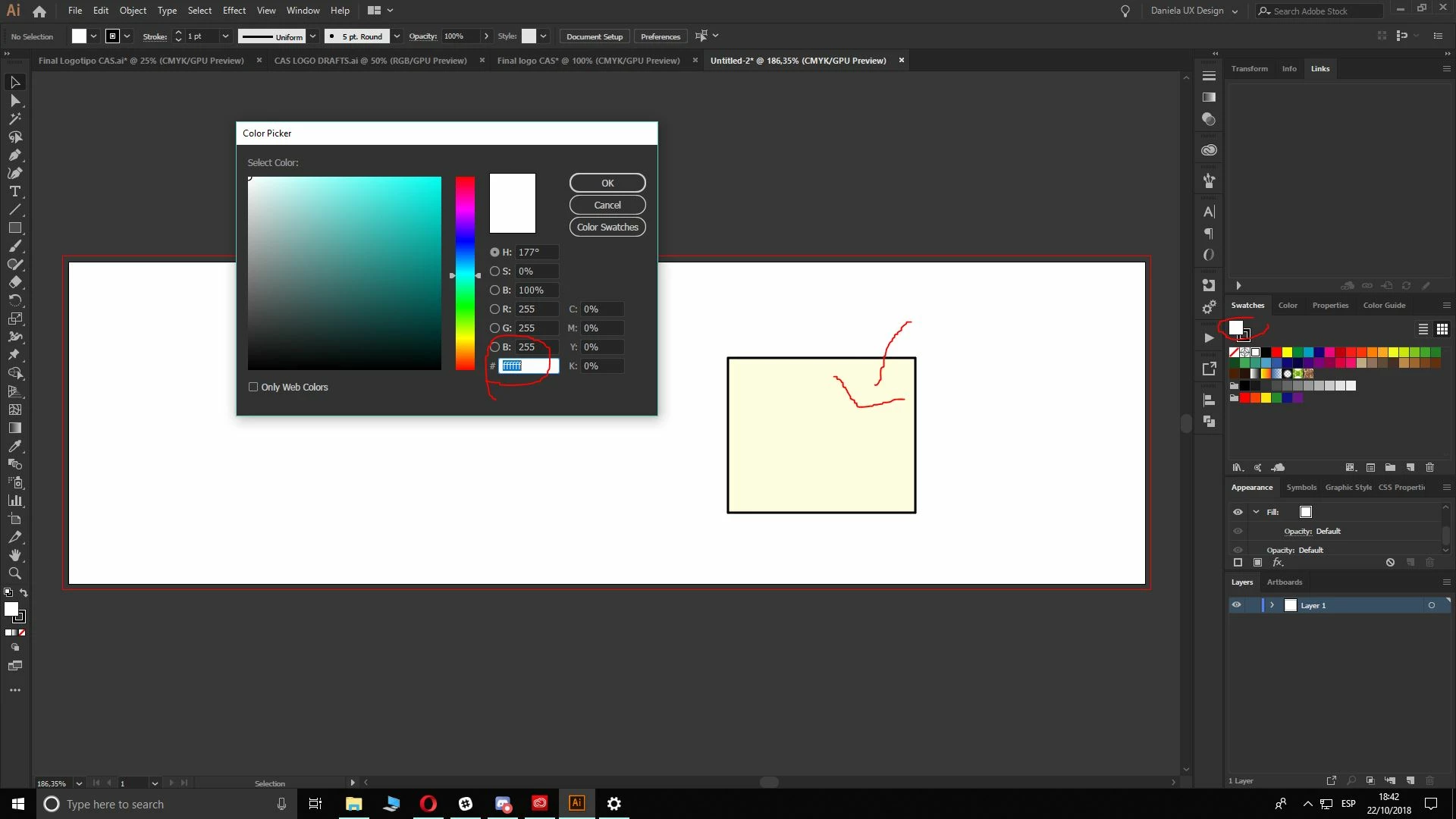
Hello! I would like to have your urgent help with this issue. The colors aren't totally white, but you can clearly see it's applying the code #fffff.

The document color mode is CMYK and the file has by default U.S. Web Uncoated v2. I've tried to change it many times but it doesn't work. I've also uninstalled and installed the monitor driver, but it didn't change anything.

Could you please help me with this?

Thanks in advance.
This topic has been closed for replies.
Correct answer Om Nath Jha

Hi Daniela,

Sorry about the trouble this issue has caused. We've fixed this in the latest release. Please update your Illustrator to 23.0.1 to get this fixed. Here's a link with more details: White is now yellow – Adobe Illustrator Feedback

Regards,

Om

3 replies

Om Nath Jha
Om Nath JhaCorrect answer
Legend
November 22, 2018

Hi Daniela,

Sorry about the trouble this issue has caused. We've fixed this in the latest release. Please update your Illustrator to 23.0.1 to get this fixed. Here's a link with more details: White is now yellow – Adobe Illustrator Feedback

Regards,

Om

Monika Gause
Community Expert
Community Expert
October 22, 2018
meganchi
Legend
October 22, 2018

Did your monitor's color profile get messed up? Does this color actually print yellow?