
Participating Frequently
July 11, 2018
Answered

Color mode converting from CMYK to Book

  • July 11, 2018
  • 2 replies
  • 3183 views

Hello,

I am having an issue where color modes of swatches are automatically converting when copy/pasted into a new document.

Here is an original:
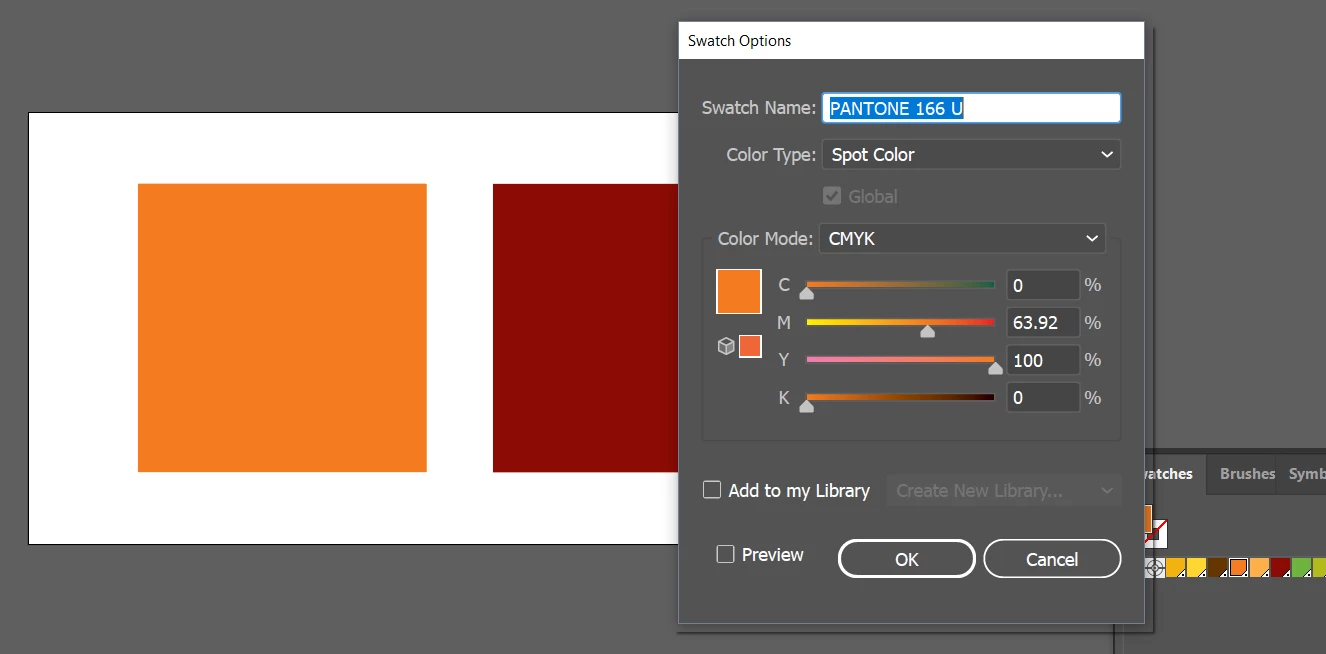
I am creating a new document, trying to copy/paste logos and other elements (not just squares in the example) and when they are pasted in, the color swatches are automatically converting to book color. As you can see, that is causing a significant change.
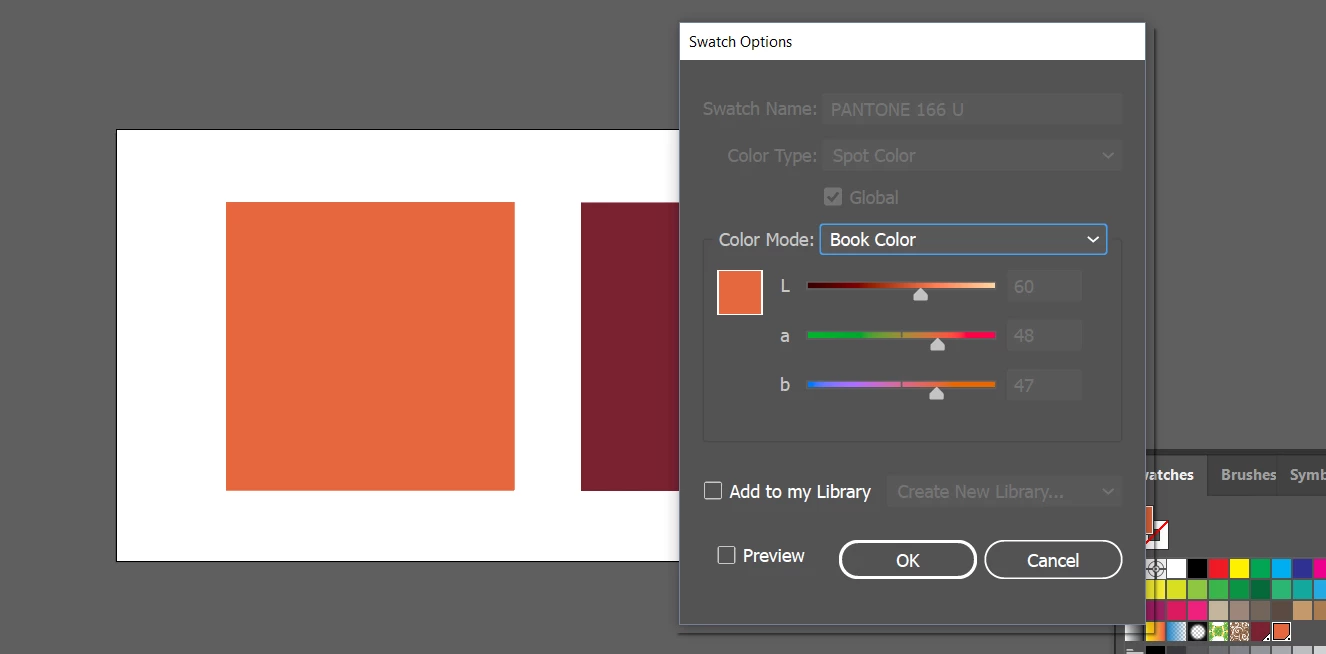
How do I prevent that from happening? Both documents are CMYK.

Thank you!

    This topic has been closed for replies.
    Correct answer Mike Sofa

    This will not happen if you avoid using misleading names for swatches. The swatch in the original is called "PANTONE 166 U" which is the name of an actual Pantone color. But it's not a Pantone color, it's a CMYK Spot color.

    If you call the swatch "PANTONE 166 U CMYK" or "64M 100Y" or anything else besides an actual Pantone color name, it will not convert.

    It's not good practice to give swatches the names of actual Pantone colors when that's not what they really are.

    2 replies

    Mike SofaCorrect answer
    Inspiring
    July 11, 2018

    This will not happen if you avoid using misleading names for swatches. The swatch in the original is called "PANTONE 166 U" which is the name of an actual Pantone color. But it's not a Pantone color, it's a CMYK Spot color.

    If you call the swatch "PANTONE 166 U CMYK" or "64M 100Y" or anything else besides an actual Pantone color name, it will not convert.

    It's not good practice to give swatches the names of actual Pantone colors when that's not what they really are.

    hrvvAuthor
    Participating Frequently
    July 11, 2018

    Thanks Mike! Renaming the color swatches did the trick.

    Not to make excuses, but I inherited a library of files from another designer and just missed that technicality. I am aware it's not a good idea to name things like that, and that's one of a variety of other things I need to do to recreate all the files using best practices.

    Monika Gause
    Community Expert
    Community Expert
    July 11, 2018

    Your issues might be realted to this: Pantone Plus color libraries

    Monika Gause
    Community Expert
    Community Expert
    July 11, 2018

    In the swatches panel menu select "Spot colors". You can change it there.

    hrvvAuthor
    Participating Frequently
    July 11, 2018

    Hi Monika,

    Thank you for replying. I see what you're saying and I clicked the radial for "Use CMYK values..." However, that did not correct the issue. When copy/pasted the objects are still converting to color mode to book color, even with the CMYK option radial selected.

    Any other ideas? Is there a way to set a preference somewhere to prevent this from happening in all documents?

    Monika Gause
    Community Expert
    Community Expert
    July 11, 2018

    THis needs to be done for each exstining document.

    And then you need to do it in the Document profile for all new documents.