informatique@procycle.com
Participant
June 6, 2017
Answered

Color Palette save

  • June 6, 2017
  • 4 replies
  • 3064 views

We are trying to save a color palette from Illustrator and when we try to retrieve the file is invisible from Mac computer. When we use a PC computer we saw that the file have a hiden file attribute. How can we remove the hidden option when we save the color palette into  .ASE ?

    This topic has been closed for replies.
    Correct answer Mike_Gondek10189183

    The .ase Adobe Swatch Exchange format is good  if you want to open those colors in Photoshop or InDesign. You may have saved this to the default location of \YOUR USER ACCOUNT\Library\Application Support\Adobe\Adobe Illustrator 20\en_US\Swatches. That library folder is hidden, so you will not find that unless you know one of the methods to get to that.

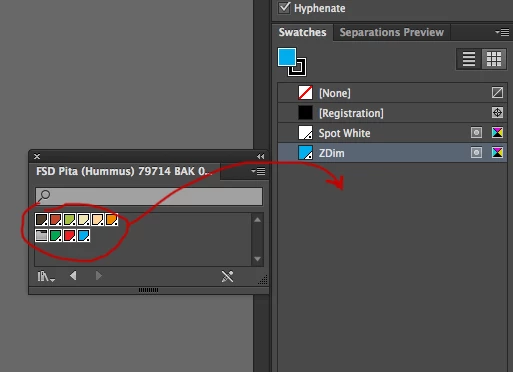
    If you want to save the colors from a .ai file to give to someone else  you only need to send the .ai file. They can they use swatches flight >> open swatch library >> other library >> and choose the .ai file.  they will then get a new palette similar to the swatches palette that has all the colors saved in that document.

    You can then select the swatches from the new palette and drag to you swatches if you like.
    4 replies

    Mike_Gondek10189183
    Community Expert
    Mike_Gondek10189183Community ExpertCorrect answer
    Community Expert
    June 6, 2017

    The .ase Adobe Swatch Exchange format is good  if you want to open those colors in Photoshop or InDesign. You may have saved this to the default location of \YOUR USER ACCOUNT\Library\Application Support\Adobe\Adobe Illustrator 20\en_US\Swatches. That library folder is hidden, so you will not find that unless you know one of the methods to get to that.

    If you want to save the colors from a .ai file to give to someone else  you only need to send the .ai file. They can they use swatches flight >> open swatch library >> other library >> and choose the .ai file.  they will then get a new palette similar to the swatches palette that has all the colors saved in that document.

    You can then select the swatches from the new palette and drag to you swatches if you like.

    Mike_Gondek10189183
    Community Expert
    Community Expert
    June 7, 2017

    Autocorrect changes  the word flyout on me should have been

    swatches flyout menu >> open swatch library >> other library

    Srishti Bali
    Community Manager
    Community Manager
    June 6, 2017
    JonathanArias
    Legend
    June 6, 2017

    where are you saving it? can you try saving it to your desktop and showing a screenshot  of what you see when you try to open it from the open dialog window?

    Monika Gause
    Community Expert
    Community Expert
    June 6, 2017

    Which version, which system exactly?

    Where do you save that file?

    You can also just save it as an AI file and then load that AI file through the "Open library" dialog box.