
Exit
  • Global community
    • Language:
      • Deutsch
      • English
      • Español
      • Français
      • Português
  • 日本語コミュニティ
  • 한국 커뮤니티
1

Color picker hex code doesn't functioning

Community Beginner ,
Jun 16, 2023 Jun 16, 2023

When I try to change the object's color with a double click on the fill color icon in the toolbar, it opens the color picker; I entered the hex code I want, then I click ok, but it doesn't do anything, not changing the fill color.
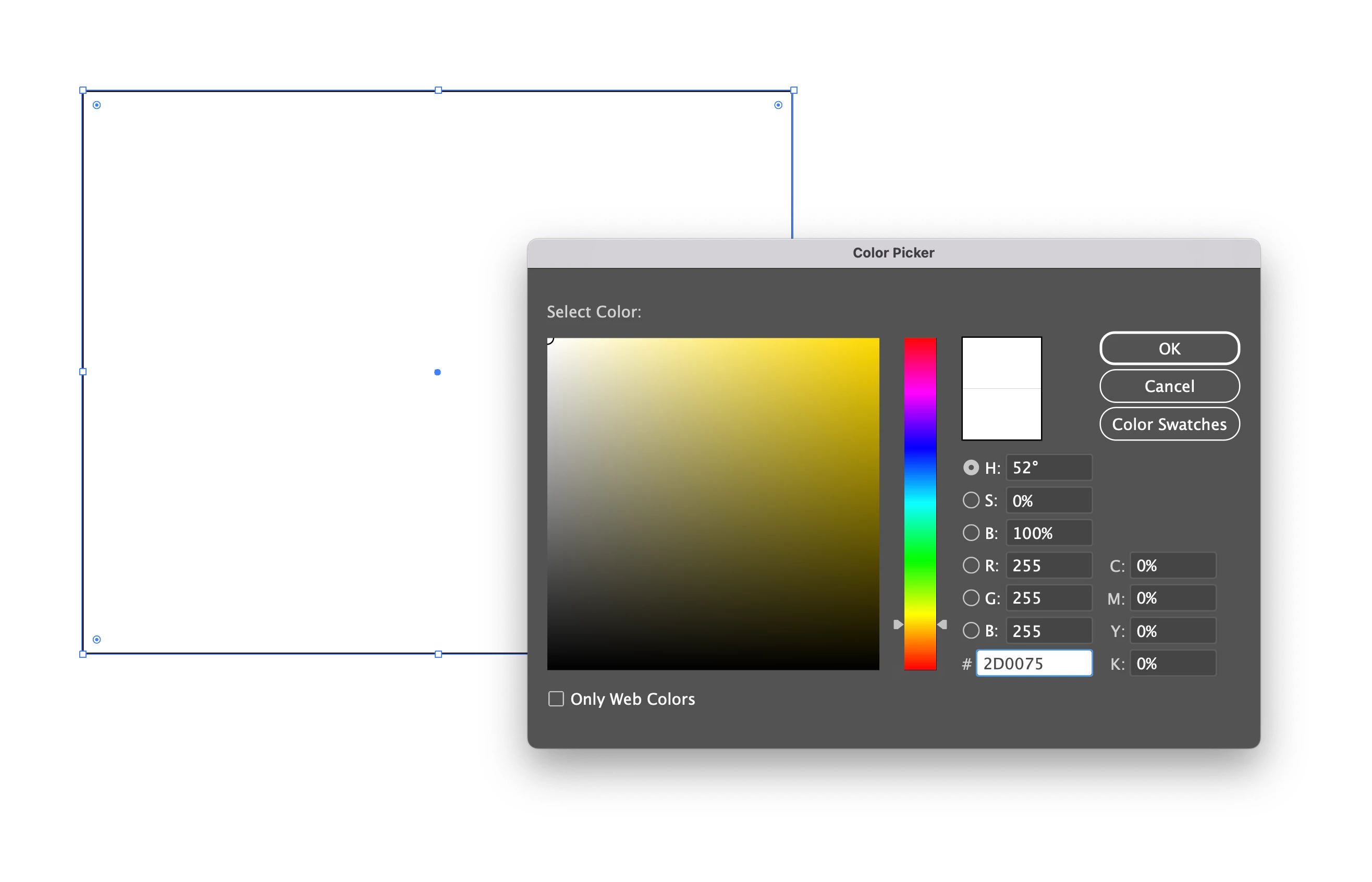
 

Screenshot 2023-06-16 at 6.42.47 PM.png

TOPICS
Bug , Tools
201
Translate
Report
Community guidelines
Be kind and respectful, give credit to the original source of content, and search for duplicates before posting. Learn more
community guidelines
Adobe
Community Expert ,
Jun 16, 2023 Jun 16, 2023
LATEST

What happens when you click into another one of the fields after entering the color number?

If that doesn't work: reboot the computer.

Still doesn't work: reset the preferences.


BTW: you can enter HEX numbers in the color panel.

Translate
Report
Community guidelines
Be kind and respectful, give credit to the original source of content, and search for duplicates before posting. Learn more
community guidelines