Participant
July 4, 2017
Answered

color setting issue

  • July 4, 2017
  • 2 replies
  • 511 views

hi

cant understand why when i set a color to a shape a then re select it the color is changing

any idea?
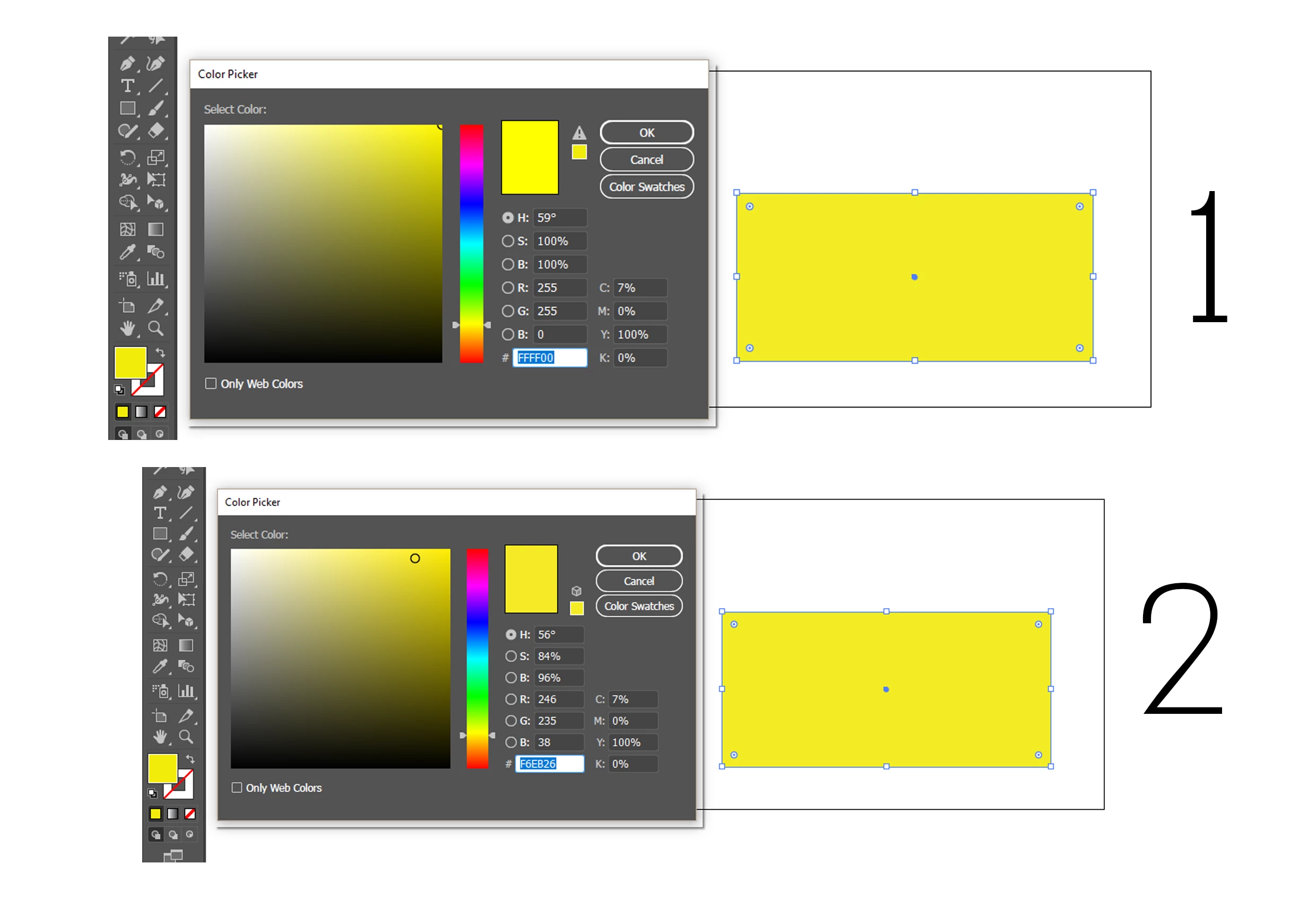
    This topic has been closed for replies.

    2 replies

    Ton Frederiks
    Community Expert
    Community Expert
    July 4, 2017

    You are probably specifying RGB colors in a CMYK document.

    The warning sign (next to the OK button warns you that you have selected an RGB color that cannot be reproduced in CMYK.

    That means the closest CMYK color will be chosen.

    In a CMYK document, only choose CMYK colors to avoid this.

    Bill Silbert
    Community Expert
    Community Expert
    July 4, 2017

    I recreated your situation using Illustrator CC 2017.1.0 and came up with a similar situation. In testing several colors I found that the HSB colors varied every time while the RGB sometimes changed and sometimes didn't. The CMYK colors never changed. It seems that this may indeed be a bug. You didn't say what version of Illustrator you are using so it's unclear whether it's new to CC 2017 or has been around for awhile and not been noticed.

    yoaveilonAuthor
    Participant
    July 4, 2017

    hi thanks for replying

    using cc 2017

    though my real issue that the color in illustrator seems much darker then they apear in the printer or in other screens

    its not the case in photoshop which is more accurate in displaying colors

    in both im using the same color profile

    u.s web coated swop v2

    Monika Gause
    Community Expert
    Community Expert
    July 4, 2017

    Are you aware of how screen color display and printing work, which color mode is better for your workflow and about the whole complex of color management?

    What kind of printer is this?
