
Colors in Illustrator dont match actual colors PNG
Hello!
I made a sketch and chose colors for my illustration in Procreate on my iPad. I exported it to PNG so I could open it in illustrator and turn it into a vector illustration.
When I open the PNG in illustrator, the colors are less saturated. But when I open it in Photoshop or even InDesign, the colors are how they're supposed to be.
So I tried opening the PNG file in Photoshop, eyedrop the HEX code in photoshop and paste it in illustrator. The color changes into a lot less saturated version, but the HEX code ramains the same....
When I export the illustration in Photoshop to PNG, the colors of the Photoshop-PNG are perfect. When I export it to PNG from illustrator, the PNG is less saturated.
Left: photoshop export
Right: ilustrator export
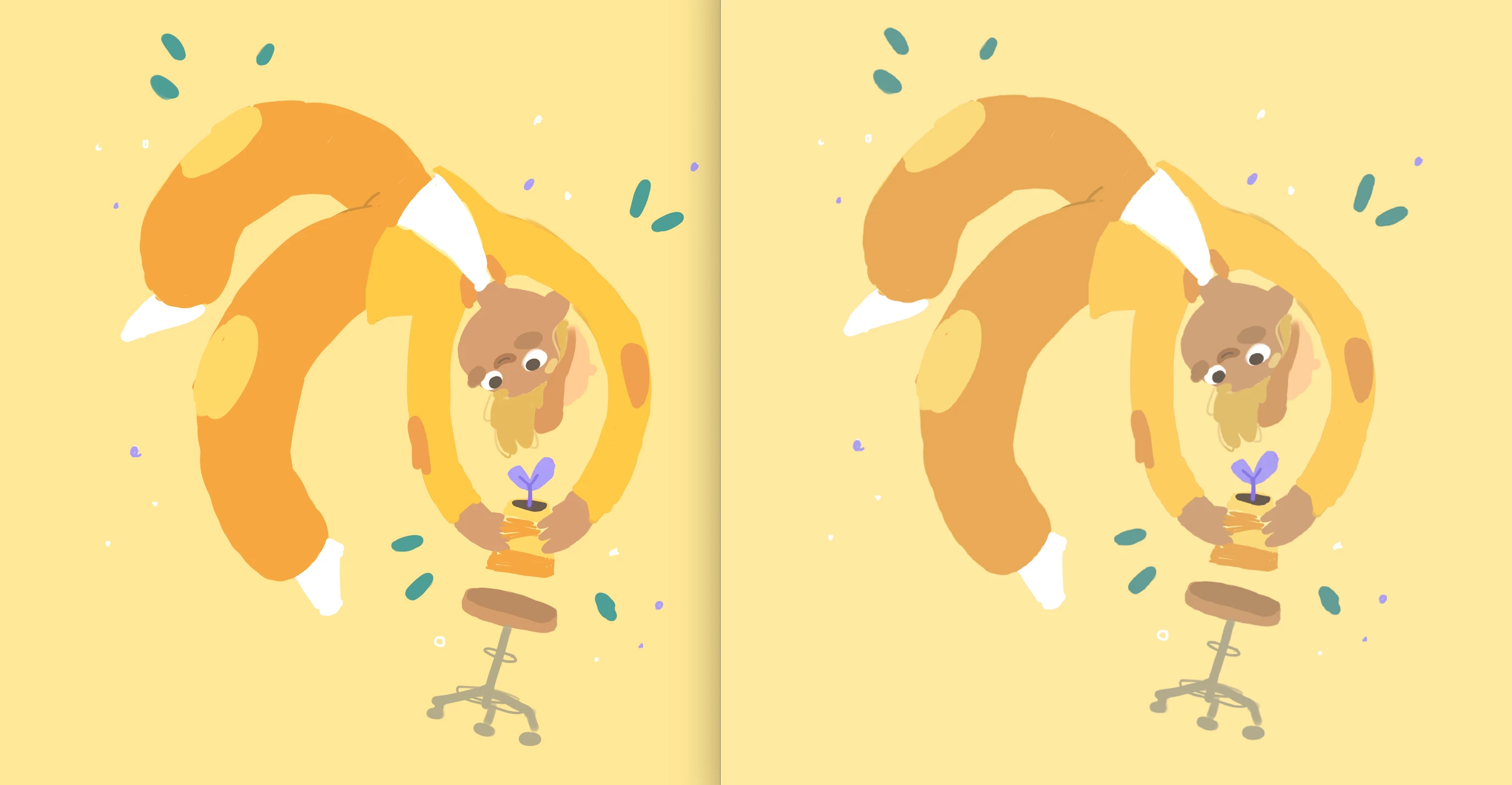
Does anyone know how I can get this right? My color settings are synchronised trough Bridge, so they should be the same and my color mode is on RGB.
Thank you!
 AdChoices