Exit
  • Global community
    • Language:
      • Deutsch
      • English
      • Español
      • Français
      • Português
  • 日本語コミュニティ
  • 한국 커뮤니티
0

Colors Muted in Illustrator 2021

Community Beginner ,
Nov 24, 2020 Nov 24, 2020

Screen Shot 2020-11-24 at 8.06.12 AM.png


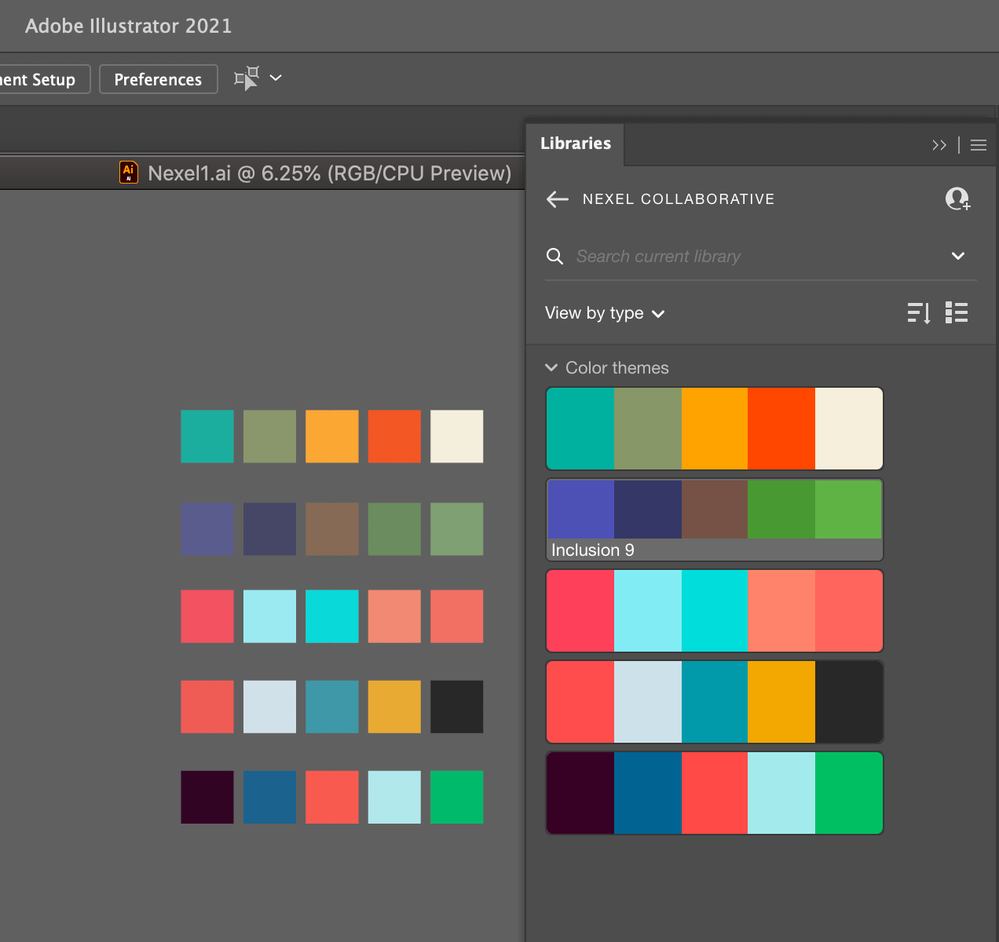
Colors in my Illustrator workspace are muted. When I export to pdf colors display at their original saturation. Here is a screen shot of color palettes in my library juxtaposed with squares colored with said palette swatches.

  • I am in RGB mode.
  • Transperancy is 100%.
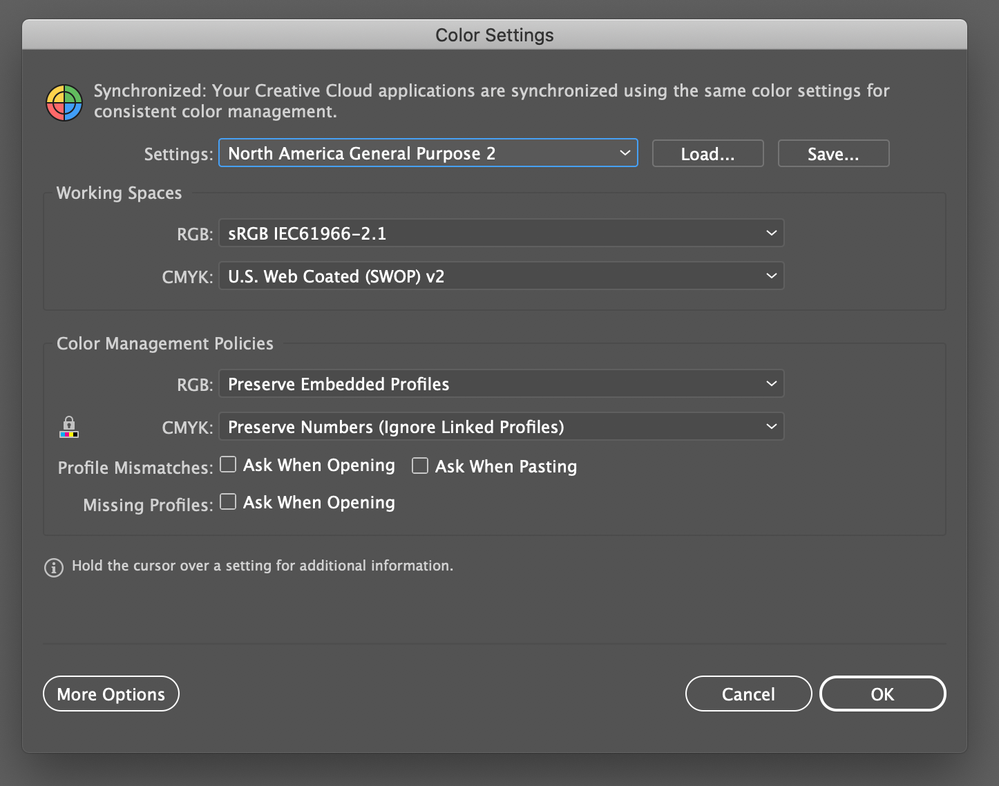
  • Colors settings are synced across applications via Bridge.


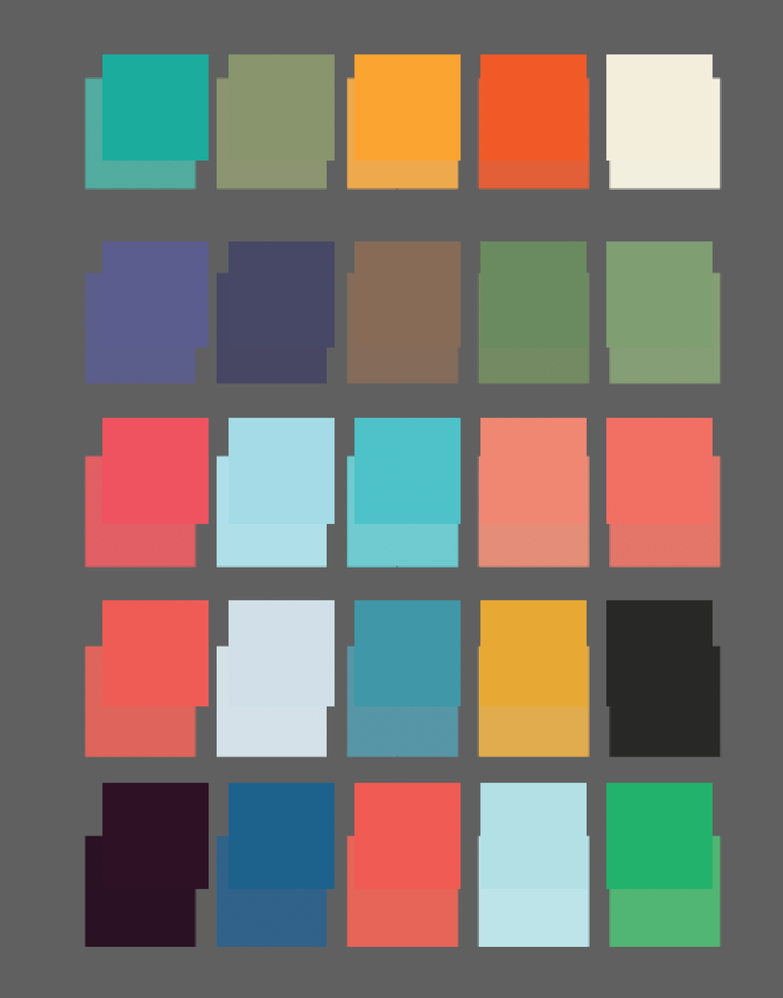
This second image is the original screenshot placed back into my Illustrator workspace:
 

Screen Shot 2020-11-24 at 8.59.00 AM.png

TOPICS
Draw and design , Import and export
2.5K
Translate
Report
Community guidelines
Be kind and respectful, give credit to the original source of content, and search for duplicates before posting. Learn more
community guidelines
Adobe
Community Expert ,
Nov 24, 2020 Nov 24, 2020

How is color management set up?

Which color profile is applied to the document?

Do you use the softproof?

Translate
Report
Community guidelines
Be kind and respectful, give credit to the original source of content, and search for duplicates before posting. Learn more
community guidelines
Community Beginner ,
Nov 24, 2020 Nov 24, 2020

Screen Shot 2020-11-24 at 2.06.57 PM.png

Translate
Report
Community guidelines
Be kind and respectful, give credit to the original source of content, and search for duplicates before posting. Learn more
community guidelines
Community Beginner ,
Nov 24, 2020 Nov 24, 2020

Also, I don't use softproof.

Translate
Report
Community guidelines
Be kind and respectful, give credit to the original source of content, and search for duplicates before posting. Learn more
community guidelines
Community Expert ,
Nov 24, 2020 Nov 24, 2020

Illustrator ignores profiles in png files and assumes that they have the same profile as your RGB working space or your document. Try saving your screendump in Photoshop as .psd (with your Display profile included) and see if the colors are still changing.

Translate
Report
Community guidelines
Be kind and respectful, give credit to the original source of content, and search for duplicates before posting. Learn more
community guidelines
Community Beginner ,
Nov 24, 2020 Nov 24, 2020

Thanks for that, but I'm not using Photoshop whatsoever in this workflow. The squares pictured were colored directly using the palette from the CC Library.

Translate
Report
Community guidelines
Be kind and respectful, give credit to the original source of content, and search for duplicates before posting. Learn more
community guidelines
Community Expert ,
Nov 24, 2020 Nov 24, 2020

I thought you were mentioning placing screenshots back into Illustrator.

Translate
Report
Community guidelines
Be kind and respectful, give credit to the original source of content, and search for duplicates before posting. Learn more
community guidelines
Community Beginner ,
Nov 24, 2020 Nov 24, 2020

Right. I'm just using the native screen capture in Mac OS.

Translate
Report
Community guidelines
Be kind and respectful, give credit to the original source of content, and search for duplicates before posting. Learn more
community guidelines
Community Expert ,
Nov 24, 2020 Nov 24, 2020
LATEST

Yes, but placing the native screencapture into Illustrator gives the wrong colors.

Illustrator ignores the "Display" icc profile and assumes sRGB in your case.

Translate
Report
Community guidelines
Be kind and respectful, give credit to the original source of content, and search for duplicates before posting. Learn more
community guidelines