
Participant
April 23, 2022
Question

colors not vibrant

  • April 23, 2022
  • 3 replies
  • 518 views

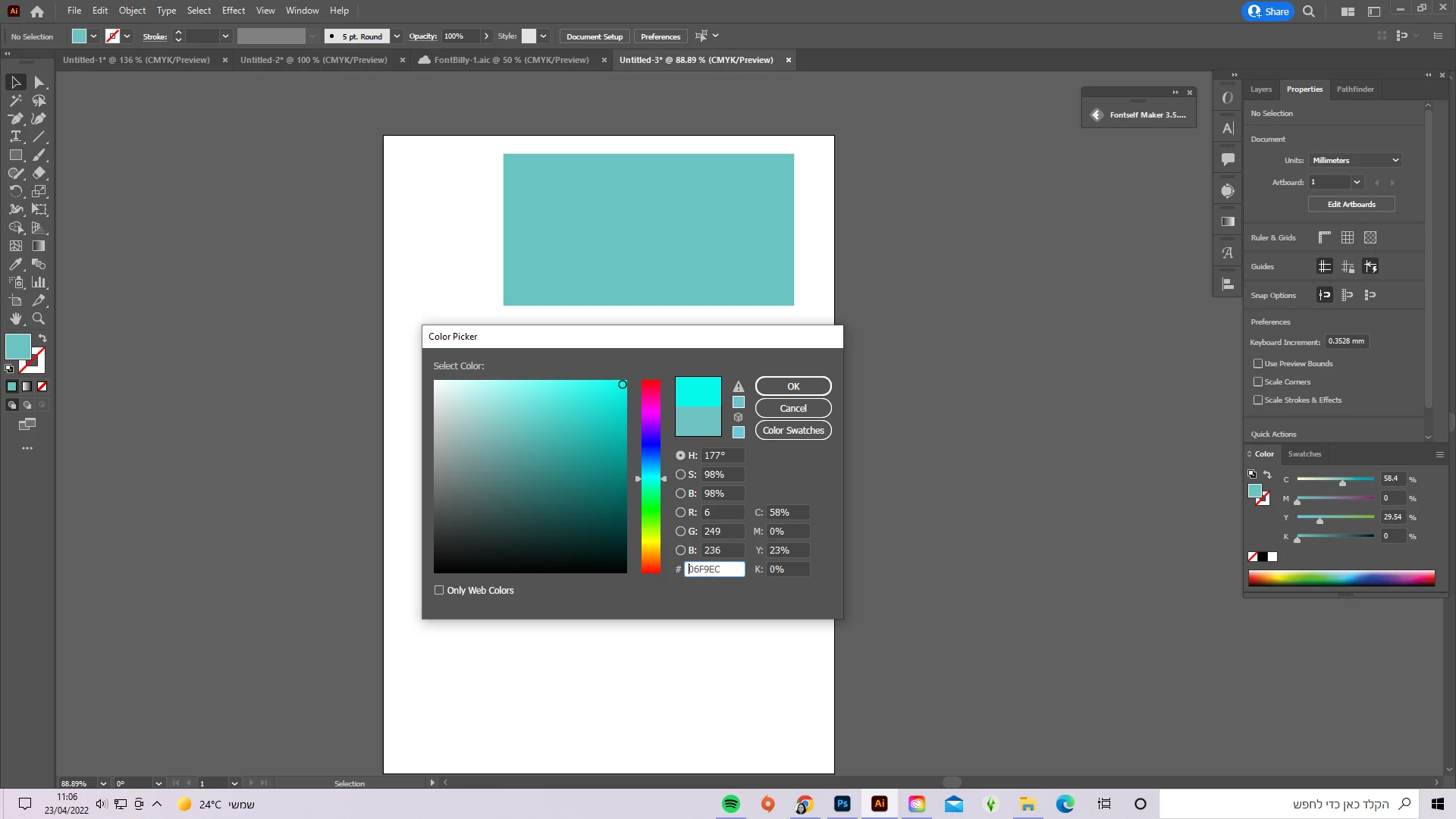
hi everyone,  As you can see, I'm picking this vibrant teal color and this is what I get, and it's like that with all of the colors. I restarted my computer and software so I don't know how to fix it. I have had this for a couple of days now. Thank you all either way.
This topic has been closed for replies.

3 replies

Lukas Engqvist
Community Expert
Community Expert
April 25, 2022

The warning triangle next to the colour is to tell you that you are dreaming of a colour that is not possible in the file you are working in. If you are designing for webb you can switch to RGB, that can help since it is a colour that works fine on screens. It is possible to print as a spot colour but then you need to consult with the printer to get an estemate on what that will cost, on a standard CMYK printer it is not physically possible. (Some 7 or 10 colour inkjets may be able to reproduce it, but they would need RGB artwork and a colour workflow to enable RGB printing)

marliton
Community Expert
Community Expert
April 25, 2022

Hi. You're working with a CMYK document. The CMYK gamut is smaller than RGB so the saturated color doesn't look vibrant (that means the alert icon in the color picker window) on CMYK documents. You can change the color mode to RGB (as @Myra Ferguson said) but if the intent of your file is CMYK print, you will lose that saturation on the final result.


Marlon Ceballos
Myra Ferguson
Community Expert
Community Expert
April 25, 2022

Change your color mode to RGB (File > Document Color Mode > RGB color).


CMYK colors don't include many of the saturated colors that are available in RGB.