Inspiring
June 3, 2021
Answered

Colour Changed on it's own in half of my documents in one Illustrator folder

  • June 3, 2021
  • 1 reply
  • 1742 views

Hello, 

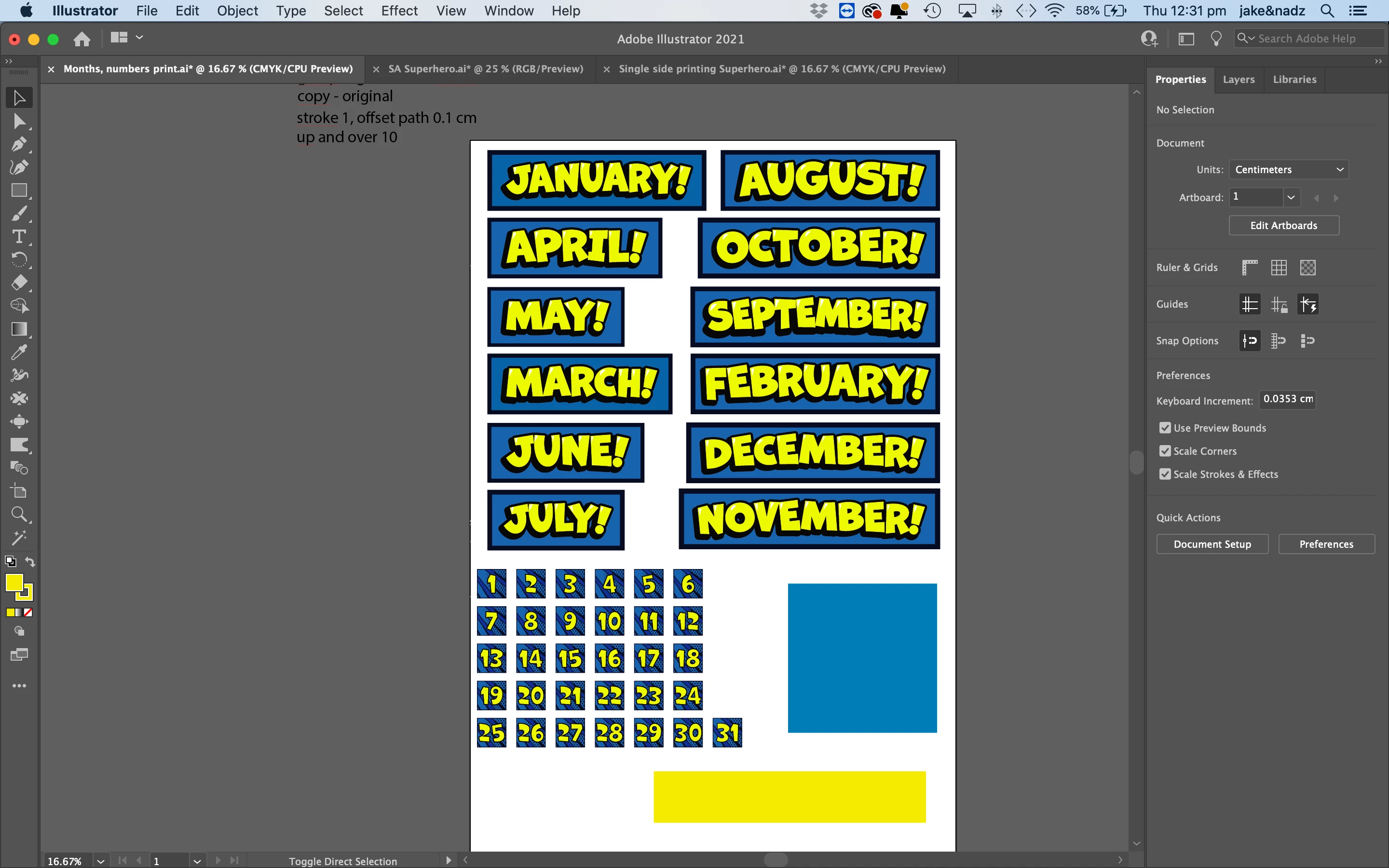
I opened a document that I made several months ago and all of the Hex colours have changed (see screenshot...the colours of the blue and yellow rectangles are the hex codes that I originally used when I made the document and the colours that the document should be). I have several documents with the same hex codes in this collection and some of the documents have mysteriously changed colours while some of them have kept the original hex code that I made the document with. Both the documents that have mysteriously changed colours and the documents that have stayed the same hex are all in RGB. I've restarted both Illustrator and the computer. Please help! 

Nadya

Illustrator 25.2.3

MacOS Catalina 10.15.7
    This topic has been closed for replies.
    Correct answer Ton Frederiks

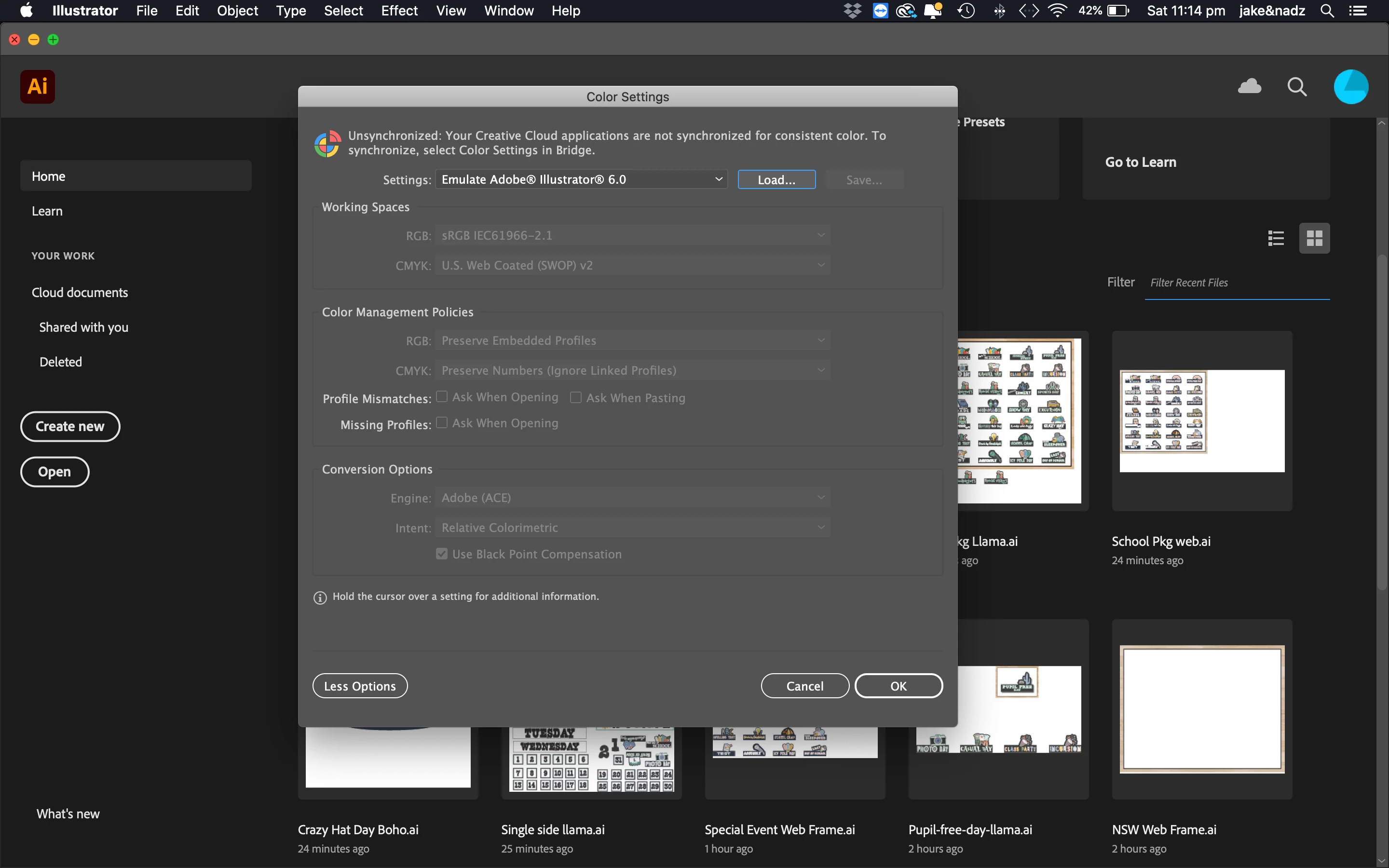
    Under the color settings...I did just get this message however not sure if applicable since the only Adobe app I'm working in currently is Illustrator. 


    Your color settings emulate Illustrator 6, which means that Color Management is turned off.

    Select one of the general presets for your region (Europe, US) and turn the ask when opening/pasting checkboxes on.

    Also, make sure to update Illustrator to the latest version.

    1 reply

    Ton Frederiks
    Community Expert
    Community Expert
    June 3, 2021

    This is a CMYK document, hex codes (like RGBcolors) do not work in a CMYK document.

    They get converted to the closest possible CMYK color and back to the equivalent RGB/Hex color.

    RGB/Hex numbers are only kept when working in an RGB document and when no profile conversion takes place.

    JNKAJ7Author
    Inspiring
    June 3, 2021

    Hi Ton, 


    Thanks for your reply! You are correct because the files in this collection folder that retained the original colour that I wanted were RGB documents and all of the files that had the colours change were CMYK documents. 


    Is there anyway to undo the profile conversion and to restore the documents to the original colours that I need them to be? 

    Thanks again! 
    Nadya 

    Ton Frederiks
    Community Expert
    Community Expert
    June 5, 2021

    THANK YOU, THANK YOU, THANK YOU TON!!!! Looks like that's soved the problem. I'm not sure why the color management settings were turned off, I don't touch the settings stuff. Illustrator was updated to the latest version so that wasn't the issue. 

    What's the best region to use for Australia? 

    I really appreciate your help and am so thankful that you found the issue. I've been having to recolor all of my work and that's been so time consuming. Thank you again! 


    Good to hear that helped.

    There was a bug recently that turned color management off.

    That was fixed with recent updates, but as you found you need to turn it back on.

    I don't know the setting for Australia, it is always best to talk to a printer.