
Exit
  • Global community
    • Language:
      • Deutsch
      • English
      • Español
      • Français
      • Português
  • 日本語コミュニティ
  • 한국 커뮤니티
0

Colour Halftone

Engaged ,
Feb 18, 2020 Feb 18, 2020

How can I create a 'Colour Halftone' like this, and mask it inside an object.
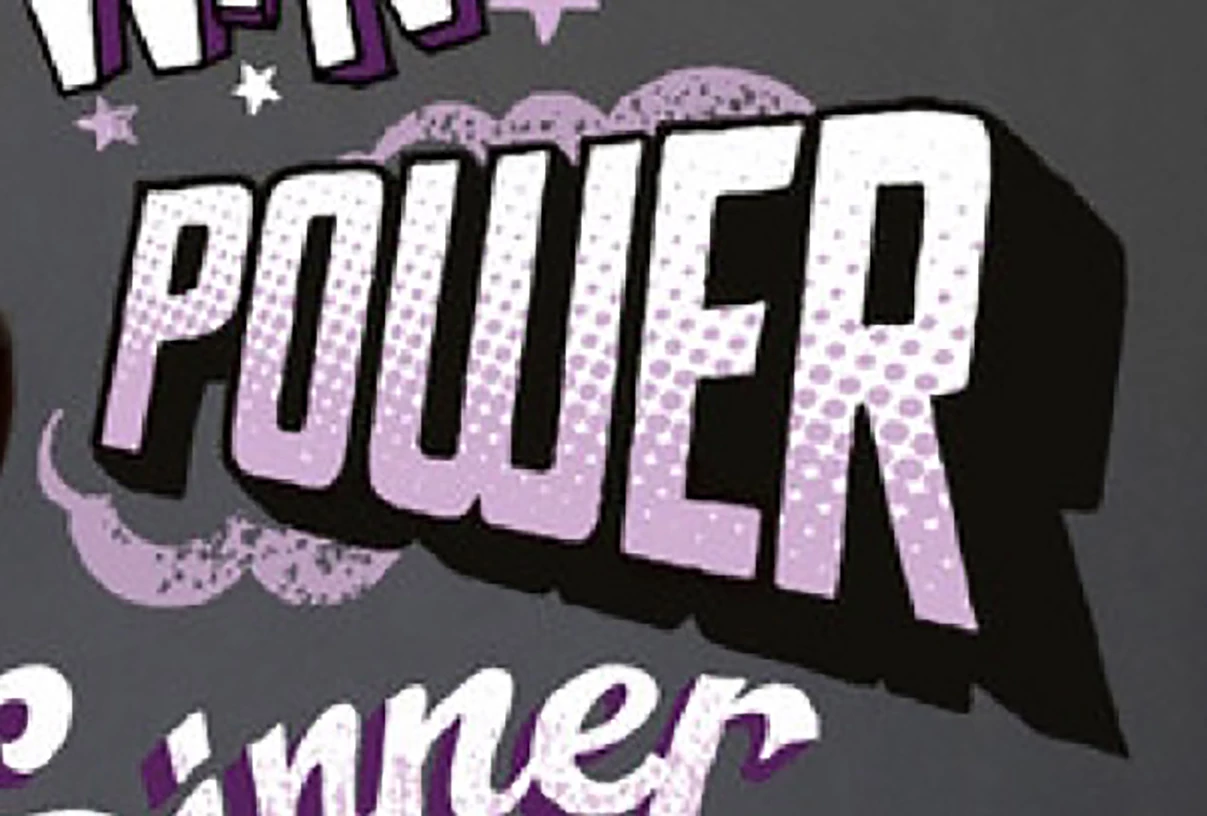
 

Colour HalftoneColour Halftone


TOPICS
Draw and design
540
Translate
Report
Community guidelines
Be kind and respectful, give credit to the original source of content, and search for duplicates before posting. Learn more
community guidelines
Adobe
Community Expert ,
Feb 18, 2020 Feb 18, 2020

You want this in pure vector paths?

Or would a raster based effect be sufficient?

Translate
Report
Community guidelines
Be kind and respectful, give credit to the original source of content, and search for duplicates before posting. Learn more
community guidelines
Engaged ,
Feb 19, 2020 Feb 19, 2020

I'm not 100% sure which one, but I think a raster is what I would want, as I want to know how to mask colour halftones in to square and circle shapes etc.

Translate
Report
Community guidelines
Be kind and respectful, give credit to the original source of content, and search for duplicates before posting. Learn more
community guidelines
Community Expert ,
Feb 19, 2020 Feb 19, 2020
LATEST

Then you can experiment with the halftone raster effect in Illustrator. Apply it to a greyscale gradient.

They result will be a black halftone raster.

The result can be applied to a violet shape as an opacity mask.

Then you can put that into a clipping mask to get the text style.

Translate
Report
Community guidelines
Be kind and respectful, give credit to the original source of content, and search for duplicates before posting. Learn more
community guidelines
