

Conflict changing keyboard shortcut combination use for Send to Back & Bring to front in Ai & ID
Been procrasting for years to change the default English keyboard shortcuts for these two basic commands, lazily resorting to the right button instead to perform these essential functions. But, lately, I found myself in need of changing these shortcuts in InDesign. It worked like a charm. I used the same exact "[" and "]" as in the original English version. Here's the Bring to front ("Premier plan", in French) config :
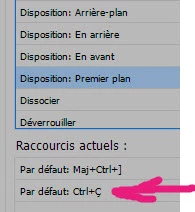
You see the shortcut combination is : Ctrl+Ç
Encouraged, I then moved on to Illustrator to try the same, exact coombination:
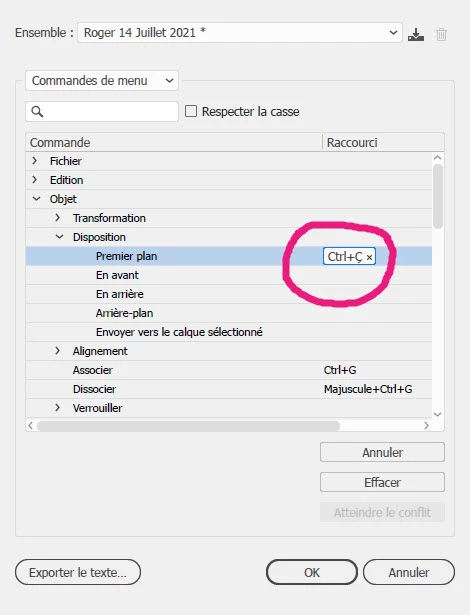
In principles, this should work. But it does not.
Nturally, I explored alternative keyboard combinations, like Ctrl + ; which works but is normally the keyboard shortcut to lock guides.
I only use the French version of Illustrator for teaching, the rest of the time, I use the English version.
{Renamed by MOD}
 AdChoices