Participant
May 10, 2024
Answered

Confused about color gradient

  • May 10, 2024
  • 1 reply
  • 956 views

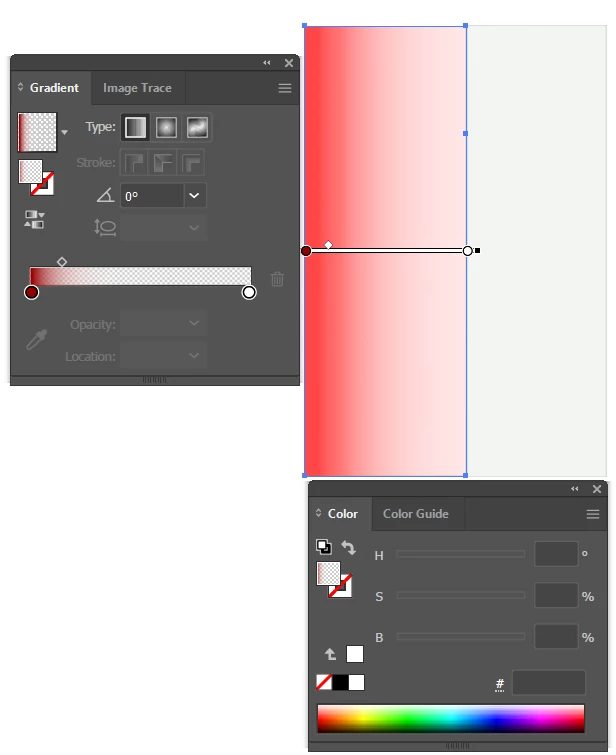
Hello - Im trying to make what I thought would be the simplest possible color gradient, but for some reason its not working. I have a rectangle, and I want it to go from the red that I select to blank white linearly. So I put two color stops, one with red, and the other with white, and the midpoint right in the middle. However, the gradient doesn't want to go full white. The closest I can get is to put the midpoint as far over as possible to the red, but even then there's always a red hue at the white end.


I wondered if my eyes were doing "eye things" and just blending the red color in, so I put a fully white rectangle next to it, and yes, there is a red hue that persists. I've attached a screenshot of the rectangles with the menu and edit gradient button pressed so its clear what's going on.


How do I get a simple linear gradient from red to white?


Thanks!


This topic has been closed for replies.
Correct answer Monika Gause

Thanks so much for looking! I really appreciate it!


Thank you for the file.

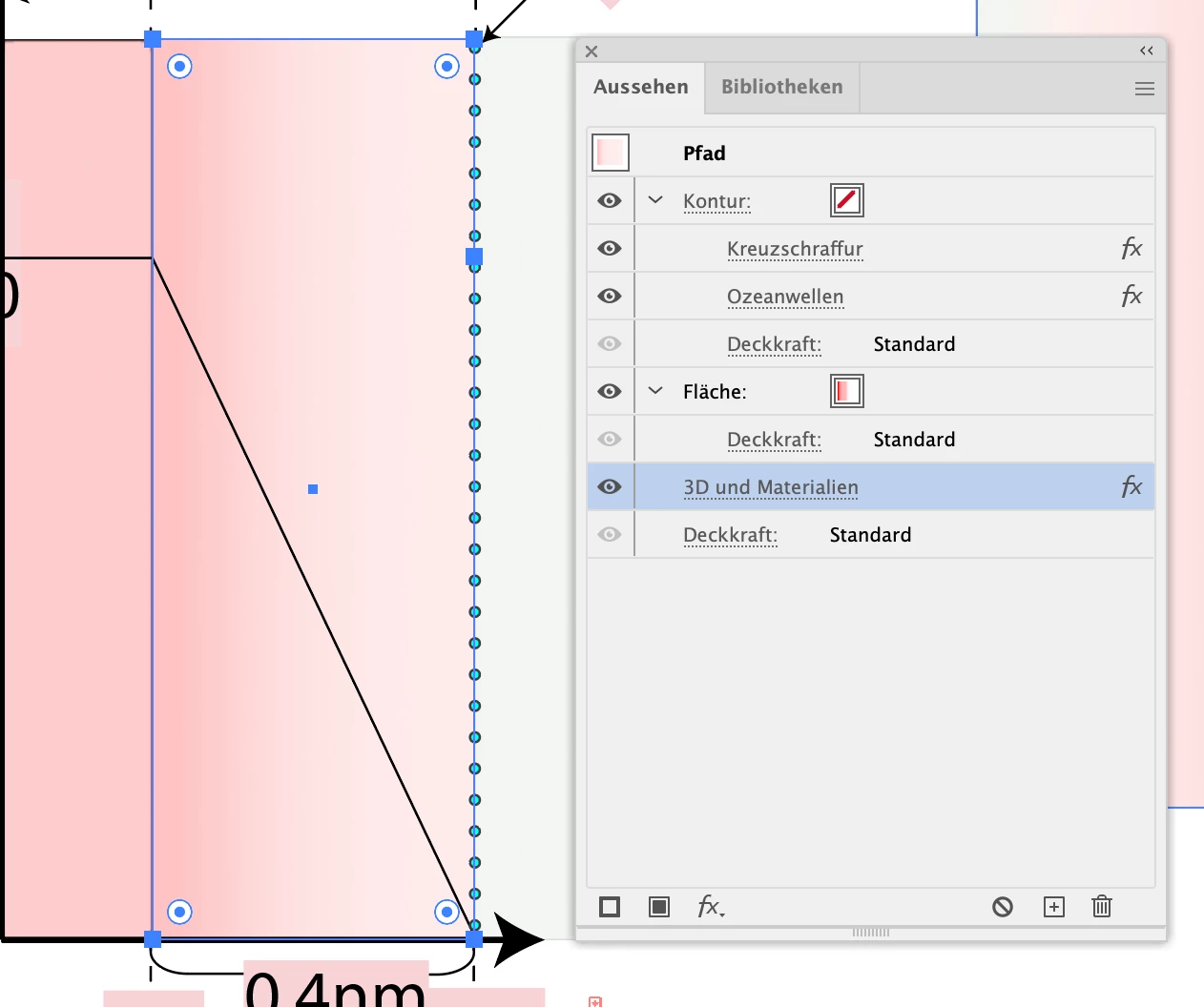
You have several effects applied to that bar. is that on purpose?


That is the Appearance panel.

1 reply

Monika Gause
Community Expert
Community Expert
May 10, 2024

I would move the white stop slightly. There could be a pink one below.

Participant
May 10, 2024

Hi - Thanks for the response!

So I checked, and I don't think there were more than two color stops. However, your thought did give me an idea, and I found something. I don't know what it means, but maybe you do? So I added a third color stop, and low and behold, it didn't do a single thing to the gradient.


However.... when I flip it 180 so white is the leftmost color, then white dominates the whole thing. 


(See attachment)


And then when I do a diagonal rotation (120deg), it then successfully shows the full range of the gradient.


(see second attachment)


Finally when I make white the reverse, I can actually get basically the gradient I'd expect, but in the opposite orientation I need the gradient in. Flipping it just returns the issue I showed before.


(see third attachment). 


Am I crazy?


Monika Gause
Community Expert
Community Expert
May 10, 2024

Oh wow.  That's exactly the issue. I deleted the 3D and Materials line and suddenly the muted red went away and it did the gradient perfectly. I wonder if the gradient was going along some weird axis out of plane with the 2D representation on the illustrator sheet. 


Regardless, that was it! Thank you so much. 


Glad you could solve it with this.