Participating Frequently
September 19, 2024
Question

Confused about layers; exporting from Illustrator to Photoshop

  • September 19, 2024
  • 1 reply
  • 409 views

Hello, 
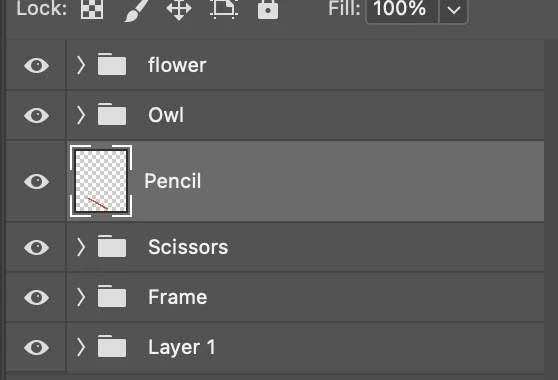
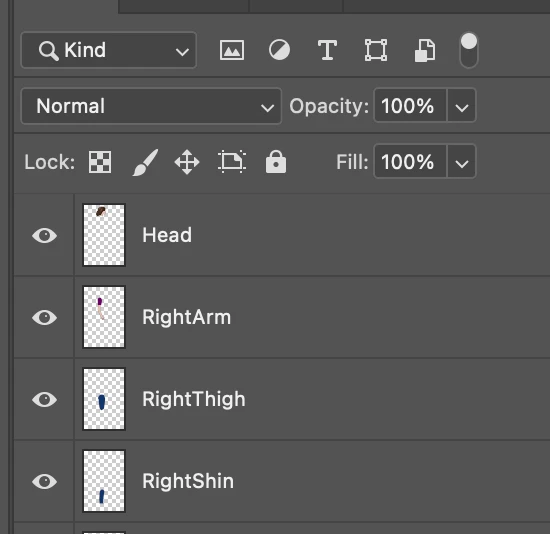
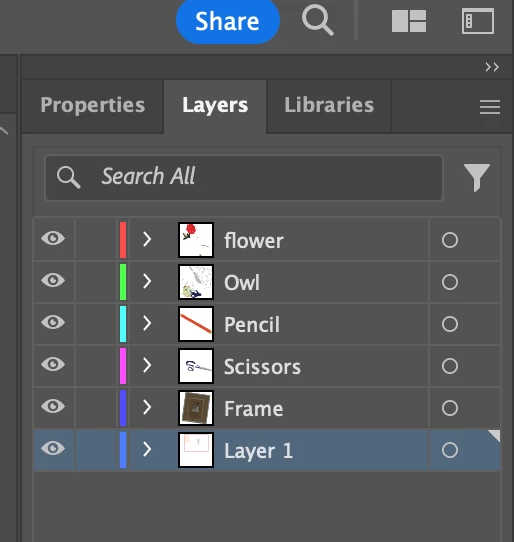
I am trying to export an Illustrator file as a .psd for eventual animation. My layers look good in Illustrator before I export (first attached photo), but then when I open them up in Photoshop they have a folder icon next to them and the "pencil" layer I created is not inside a group (second attached photo). Does anyone know what the folder icon indicates? I am trying to get all of my exported layers in Photoshop to look like the third image, which is a sample I am working with and not one I made myself. 
This topic has been closed for replies.

1 reply

Monika Gause
Community Expert
Community Expert
September 20, 2024

Inside those folders are more layers with your objects. Just merge them in Photoshop if that's what you want.

Participating Frequently
September 20, 2024

I do want them to be on seperate layers still, but without the folder icon and without the individual paths/objects visible. Does merging work for that? Thanks. 

Monika Gause
Community Expert
Community Expert
September 20, 2024

Obviously those icons are your main layers in Illustrator. So how about creating a main layer structure in Illustrator tha works for your export.