

Cha68
Participant
March 22, 2020
Answered

Connect two segments without affecting the selected profile option (stroke panel)

  • March 22, 2020
  • 1 reply
  • 257 views

Hi everyone!


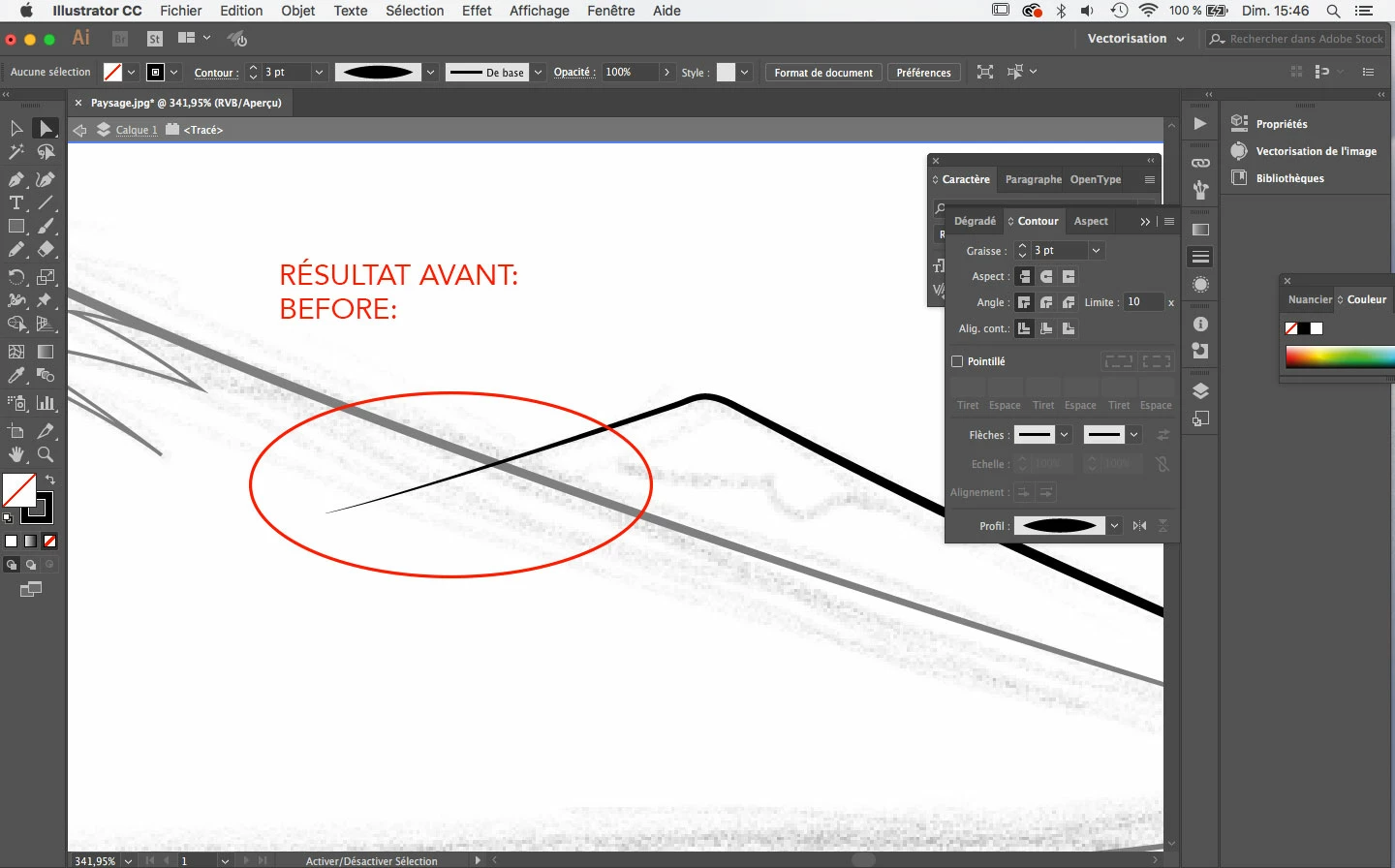
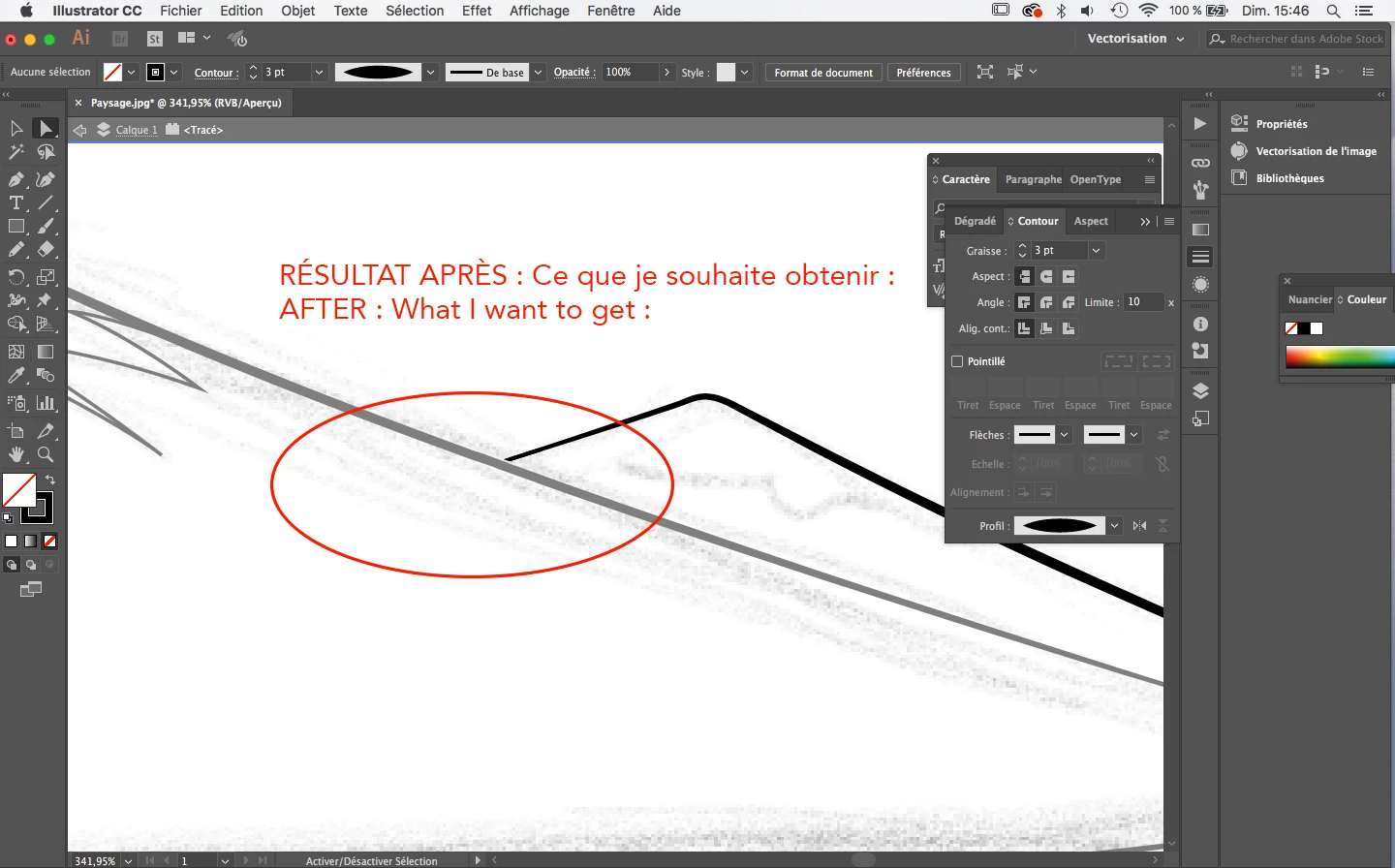
I would like to know if it is possible to join these two segments on Illustrator, but while keeping the "profile option" selected (on strokes panel). I would like the line to be able to join the other line without it ending to a "point".


(on the second drawing I separated the lines in photoshop to show you the type of end I want to get. But in reality I would like the two lines to be pasted without the line ending to a point)


Thanks you in advance!


Charlotte

This topic has been closed for replies.
Correct answer Jacob Bugge

Charlotte,


"I would like to know if it is possible to join these two segments on Illustrator, but while keeping the "profile option" selected (on strokes panel)."


The long answer is no.


But if the appearance of those two being joined is sufficient, it is possible in multiple ways, and you may choose the least worst one.


To mention a few, you may:


A) To keep a stroked path you can edit freely: Create a closed path that can cover the unwanted end (you may copy a segment of the crossing path to start with), then give it a black fill if not already, then select both paths and in the Transparnecy palette (flyout) click Make (Opacity) Mask with both Clip and Inverse Mask unticked (in the main Transparency window).


B) Select the stroked spiky path, then Object>Path>Outline Stroke, then cut the outlined path where it crosses the thicker path, then delete the unwanted spike part, and with the wanted part selected Ctrl/Cmd+J to join the ends and close it.


1 reply

Jacob Bugge
Community Expert
Jacob BuggeCommunity ExpertCorrect answer
Community Expert
March 22, 2020

Charlotte,


"I would like to know if it is possible to join these two segments on Illustrator, but while keeping the "profile option" selected (on strokes panel)."


The long answer is no.


But if the appearance of those two being joined is sufficient, it is possible in multiple ways, and you may choose the least worst one.


To mention a few, you may:


A) To keep a stroked path you can edit freely: Create a closed path that can cover the unwanted end (you may copy a segment of the crossing path to start with), then give it a black fill if not already, then select both paths and in the Transparnecy palette (flyout) click Make (Opacity) Mask with both Clip and Inverse Mask unticked (in the main Transparency window).


B) Select the stroked spiky path, then Object>Path>Outline Stroke, then cut the outlined path where it crosses the thicker path, then delete the unwanted spike part, and with the wanted part selected Ctrl/Cmd+J to join the ends and close it.