Known Participant
October 29, 2018
Answered

Continuous line

  • October 29, 2018
  • 4 replies
  • 6223 views

Hi,

Maybe my question is so simple but I would like to ask. I just switched to illustrator recently.

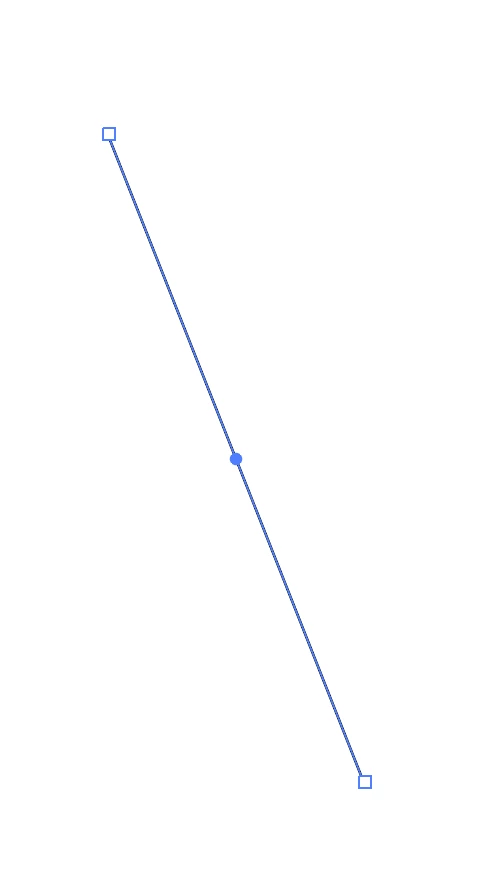
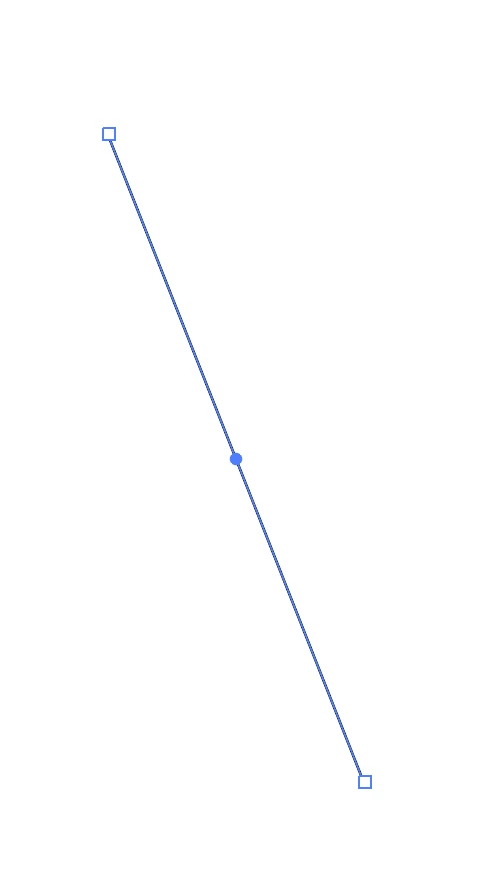
I drew a line and I would like to continue drawing. When I drew the line, the line is active and if I come over the right-bottom edge to draw a new (continuous) the previous line is active and I cannot draw a new line, I can just resize, or rotate the previous line.

How can I draw a new line starting from the edge of the previous line below:

Thank you
This topic has been closed for replies.
Correct answer Ray Yorkshire

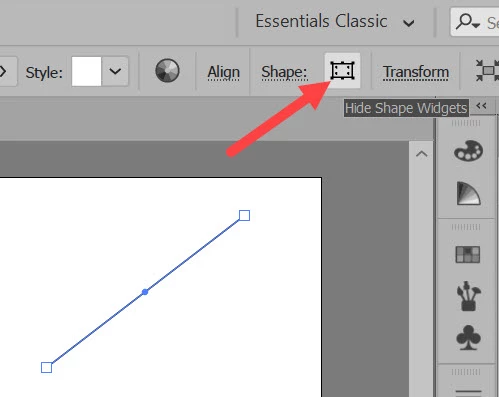
With the line tool,

draw one line and click to hide shape widgets

4 replies

Jacob Bugge
Community Expert
Community Expert
October 29, 2018

umit,

As I (mis)understand it, you can (Smart Guides are your friends) Click and Hold next to the end Anchor Point in question, Then press the Spacebar and, still ClickHolding, Drag into the Anchor Point to snap to it, then continue drawing (you may drag out a Handle before you let go to continue to the second Anchor Point of the new path if you wish to start a curved segment with the Pen Tool).

Edit: Having to leave before finishing, I missed the explanation and solution already given.

Ray Yorkshire
Ray YorkshireCorrect answer
Participating Frequently
October 29, 2018

With the line tool,

draw one line and click to hide shape widgets

Known Participant
October 29, 2018

Thank you very much,

I got it. It is very useful.

Best,

Doug A Roberts
Community Expert
Community Expert
October 29, 2018

Because lines count as 'live shapes' for some reason, shape tools become contextual transform tools when a live shape is selected. Deselect the line if you want to draw another, or use the pen tool instead.

Known Participant
October 29, 2018

That means I cannot draw three continuous line (like a triangle) by three moves?

Colin Holgate
Inspiring
October 29, 2018

I marked Ray's answer as Correct! If that button is not selected you get the behavior you're seeing, if it is selected you can then click and drag to make the next line segment.

Something to know though, in Illustrator CC 2019 it defaults to Essentials, you would need to choose Essentials Classic workspace to see what Ray showed. Also, it looks a bit different on my Mac to his version:

Colin Holgate
Inspiring
October 29, 2018

I can't see why it's happening, but it's as if the Selection Tool is being re-chosen. When you see the problem, what tool is selected? If you type P, does the line then continue ok?