
platedup
Participant
May 23, 2017
Answered

Control Panel cut off when docked to top or bottom

  • May 23, 2017
  • 3 replies
  • 2984 views

For a few months now, my control panel has been cut off when I have it docked to the top or the bottom of the screen:
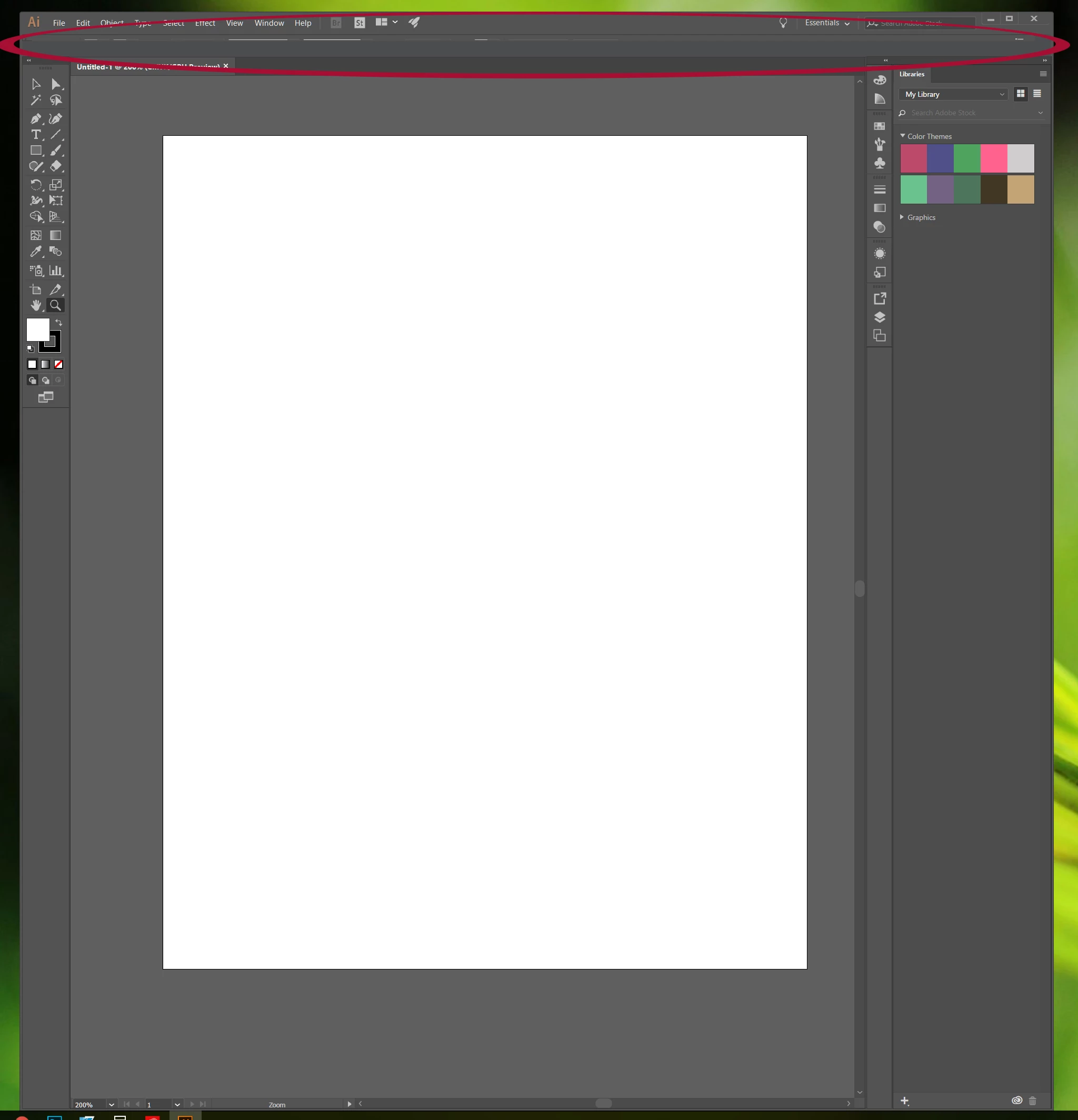
In the image above it is docked to the top.  You can see slivers of it and I can left-click the drop down menu on the right that lets me choose what shows in the control panel.  It looks almost as if it is behind another window, but I can't figure out how to fix it. 
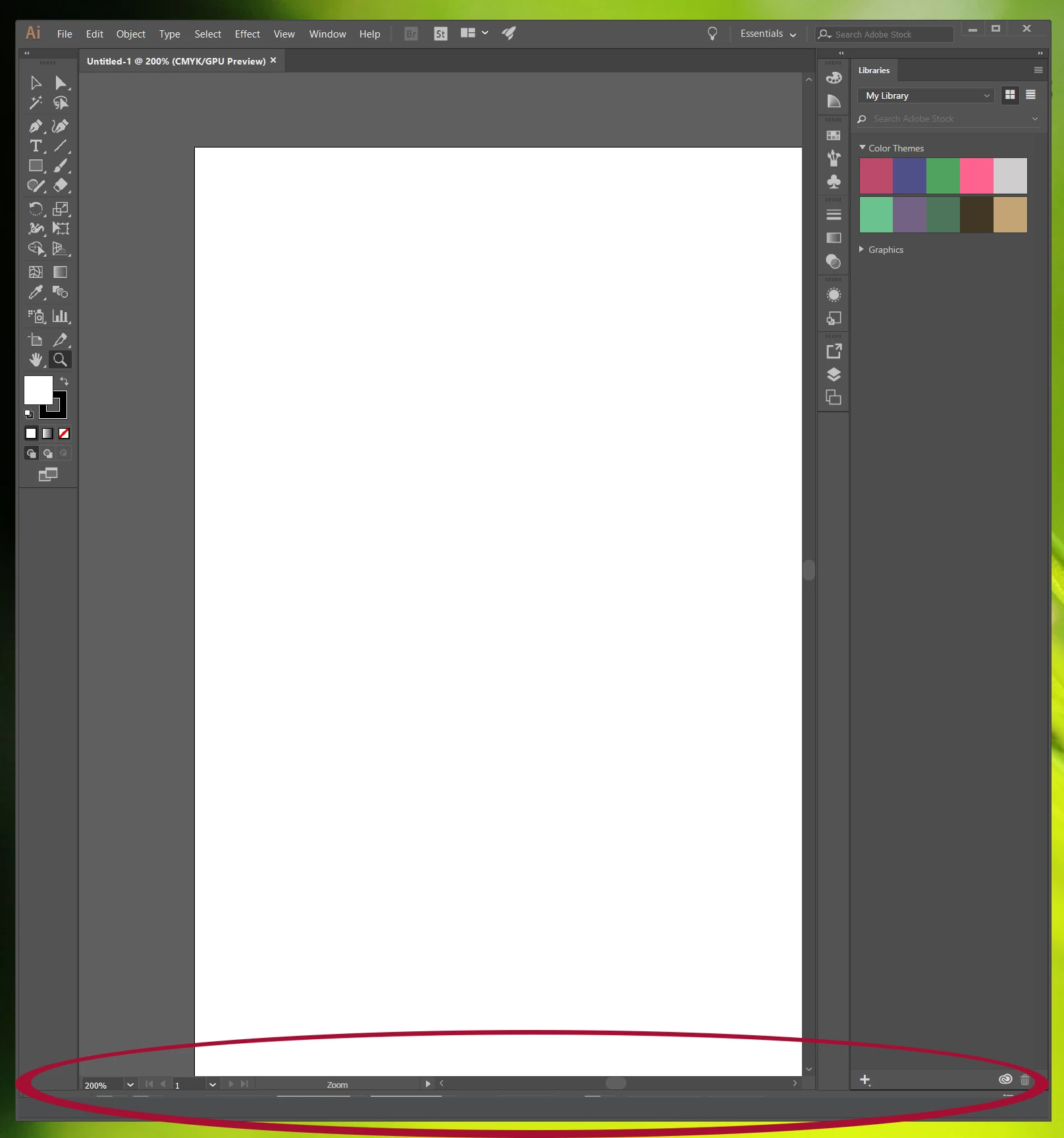
In this image it is docked to the bottom - and we can still see only slivers of the control panel.  If I pull it out so it is not docked to either the top or bottom, I'm able to see the whole control panel:
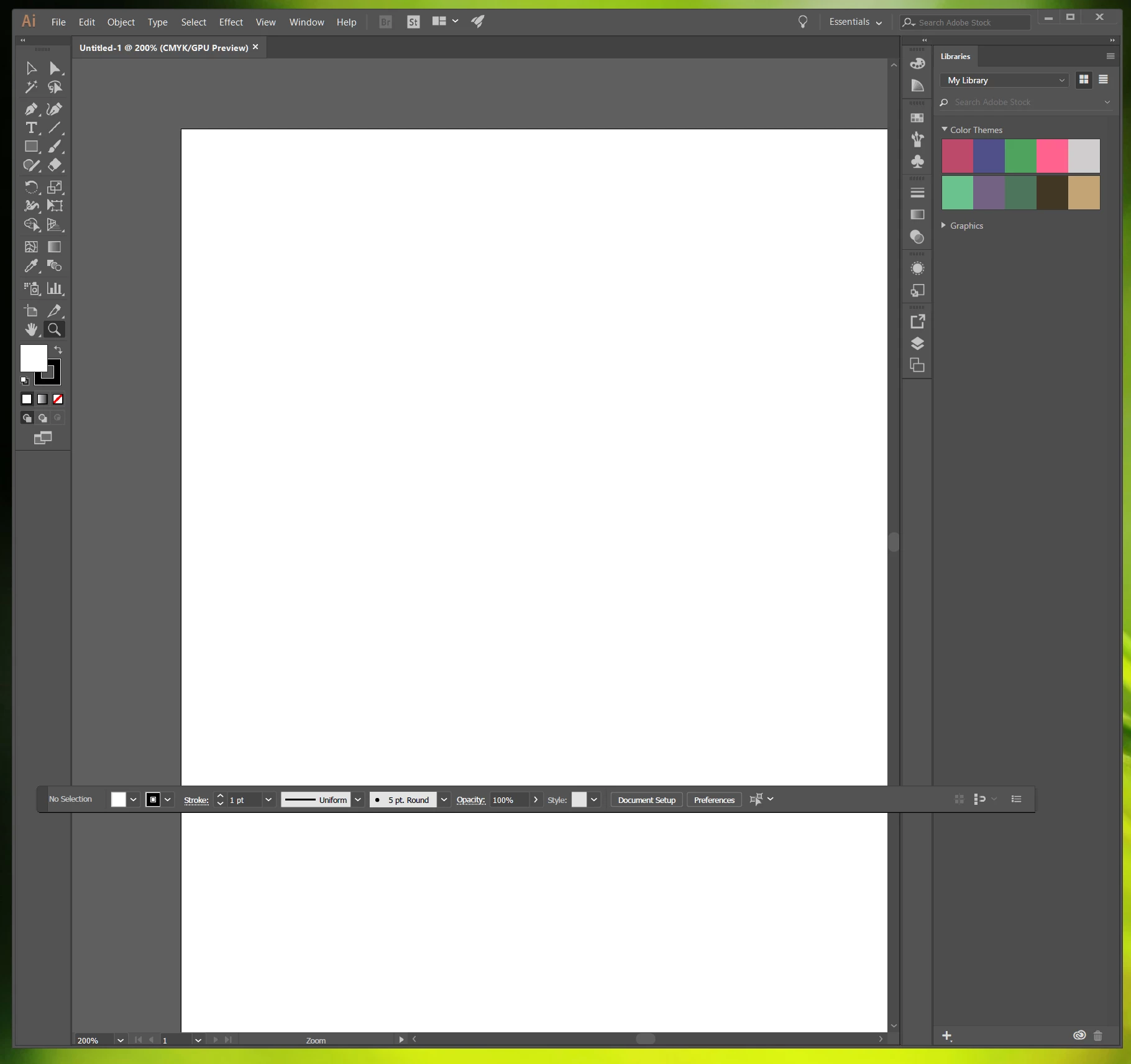
I've been making this work for a few months now and it's getting annoying having it floating above my artboard.  I've tried uninstalling AI and then reinstalling and it didn't fix the problem.  Any suggestions on what else I can try?  It doesn't seem like anyone else is having this problem.

This topic has been closed for replies.
Correct answer Psychonana

I was having the same issue with Illustrator 2023 while using multiple monitors. The solution for me was in Illustrator > Settings > User Interface > UI Scaling. Setting it to "smallest" brought the app's screen layout back into conformity. 

3 replies

Psychonana
PsychonanaCorrect answer
Participant
July 7, 2023

I was having the same issue with Illustrator 2023 while using multiple monitors. The solution for me was in Illustrator > Settings > User Interface > UI Scaling. Setting it to "smallest" brought the app's screen layout back into conformity. 

timothyj6767
Known Participant
July 11, 2024

if you reset the preferences and the UI setting set to smallest you cant see anything if you wear glasses. and the icons are terribly small

Monika Gause
Community Expert
Community Expert
July 11, 2024

@timothyj6767  schrieb:

if you reset the preferences and the UI setting set to smallest you cant see anything if you wear glasses. and the icons are terribly small


Do you perhaps have huge monitors and also some scaling in the operating system turned on?

Anyway: if the icons are still too small even with the scaling options in the UI settings, please make a feature request in https://illustrator.uservoice.com

That's where the engineers are reading.

Om Nath Jha
Legend
May 24, 2017

Hi platedup,

I would suggest you to change the resolution of your screen and check. It seems your screen resolution is not allowing the panels to show up. You can do it within the display settings. Do share the result.

Regards,

Om

platedup
platedupAuthor
Participant
May 25, 2017

Thanks for your suggestion - I tried changing the screen resolution but it didn't fix the problem. 

--Andy

Om Nath Jha
Legend
May 25, 2017

Thanks for the confirmation Andy. Did you try resetting the Illustrator preferences? If not, please do and then check. Please see this link for details: How to set preferences in Illustrator

Regards,

Om

barbara_a7746676
Community Expert
Community Expert
May 23, 2017

I can't replicate the problem. Have you tried resetting the workspace?

platedup
platedupAuthor
Participant
May 24, 2017

Yes I have tried resetting the workspace with no change.  And every workspace option still has the hidden control panel.

barbara_a7746676
Community Expert
Community Expert
May 24, 2017

Hmm. Since I can't replicate it, I can only suggest general troubleshooting techniques.

Try unchecking or checking "Enagle Narrow Oprions Bar.

You could try resetting preferences (those may or may not have been reset when you uninstalled/reinstalled). https://www.google.com/search?q=reset+preferences+photoshop&oq=reset+preferences&aqs=chrome.1.69i57j0l5.5168j0j7&sourceid=chrome&ie=UTF-8

https://www.google.com/search?q=reset+preferences+photoshop&oq=reset+preferences&aqs=chrome.1.69i57j0l5.5168j0j7&sourcei…

You could try the cleaner tool. Do not uninstall Photoshop first, let the cleaner tool do it.

Use the Creative Cloud Cleaner Tool to solve installation problems