


Inspiring
November 2, 2016
Answered

Convert a Shape to a Path

Hi,

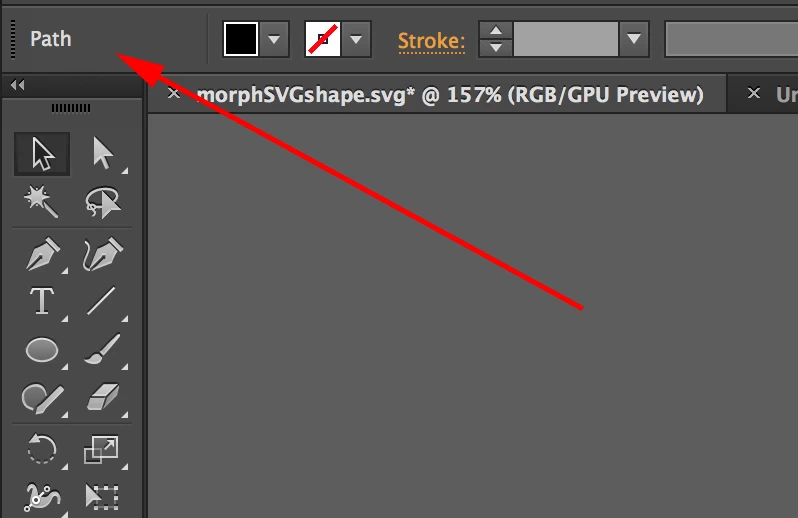
I have a shape (with no stroke) that I want to convert to a path.  When I go to Object > Shape > Expand Shape, it changes the layer to a path (as illustrated in the image below, the box in the top left of the options bar now says path instead of rectangle). When I save it as an SVG though and look at the SVG code it still shows as a rectangle <rect> element.

How do I convert it to a <path> ? I need the SVG code to be a path for a javascript animation.

Many thanks,
Paul.

paul knightCorrect answer
Inspiring
November 3, 2016

Hi Kris,  Adding an extra anchor point will just make the <rect> a <polygon> and moving an anchor point isn't an option

The only solution I seem to have found is to make the path a compound path via Object > Compound Path > Make.  This then gives me a proper path with the required data information SVG code.

Paul.

5 replies

Participant
July 31, 2018

I think I found something that works:

  1. Select shape.
  2. In the Pathfinder palette, click Unite (the first option).

On my few tests on a hexagon and a rectangle shape, it made it a path.

Translate
Inspiring
May 20, 2021

This is in my opinion the best answer. Renders an actual <path> object.

Translate
Inspiring
May 20, 2021

I take this back since it only renders as a path in illustrator, not in the SVG

Translate
paul knightAuthorCorrect answer
Inspiring
November 3, 2016

Hi Kris,  Adding an extra anchor point will just make the <rect> a <polygon> and moving an anchor point isn't an option

The only solution I seem to have found is to make the path a compound path via Object > Compound Path > Make.  This then gives me a proper path with the required data information SVG code.

Paul.

Translate
Kris Hunt
Legend
November 3, 2016

Maybe add an extra anchor point somewhere, or nudge one of the four corners a bit so it's no longer a true rectangle.

Translate