
Convert expanded line art to stroke
Hi Everyone. I download stock vectors from time to time such as icons. I have a series of line art icons from different artists. However, the thickness of the line is not consistent throughout. Of course the artists have seemingly already expanded the strokes or somehow made the icons as compound paths/shapes. I would like to somehow convert each icon back into a stroke/path so that I can set the stroke of each icon to be exactly the same. Sure, I could do some workarounds to chip away at the thickness of the thicker ones, but I would have to eyeball it and change it each time I resized any of the artwork. Here is a sample set of icons.
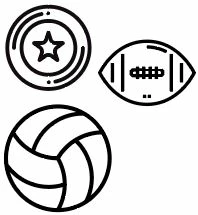
I have searched the web for hours, but most people are searching how to convert strokes to shapes using the expand option. I essentially want to do the opposite or find a workaround to create a stroke that follows the center of each expanded path. Any help would be much appreciated. Thank you.
 AdChoices