This topic has been closed for replies.

2 replies

Jacob Bugge
Community Expert
Community Expert
December 21, 2021

Mohamed,


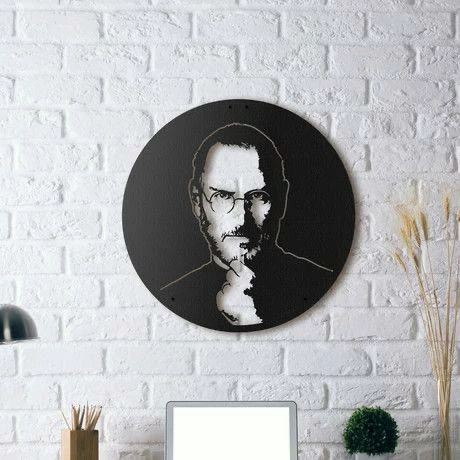
You can do it as kglad said, being careful with the Image Trace settings, not least Strokes,

https://helpx.adobe.com/illustrator/using/image-trace.html


or you can trace with the Pen Tool.


My guess is that you wish to just trace the outer shape, shown pale.


Mohamed22324978bk26
Participant
December 21, 2021

Thank you so much for the reply ,


I'm making it trhough the pen tool , i just need to know a faster way on Illustrator , regardless the pen tool ,  or if you have another opinion also , it'll be great .

Jacob Bugge
Community Expert
Community Expert
December 21, 2021

For my part you are welcome, Mohamed.


Have you tried the settings/options linked to, especially the Stroke, which I presume is the key to the CNC cutting?


You can always set the right Stroke properties (colour/Stroke Weight) after expanding the Image Trace and removing the unwanted inner parts.


kglad
Community Expert
Community Expert
December 21, 2021
Mohamed22324978bk26
Participant
December 21, 2021

thanks for your response , but i need it for a portrait not for png 


Nancy OShea
Community Expert
Community Expert
December 21, 2021

The processs is exactly the same for any image file type -- jpg, png, tiff, bitmap, etc...


Nancy O'Shea— Product User & Community Expert