
Question
Converting Pantone to RGB
Hello friends,
I really need your help! I have designed a logo in Adobe Ilustrator CC 2020 consisting of 2 Pantone colors and I am having issues converting Pantone to the correct RGB values.
These are the steps I have taken:
- The logo was originally made using CMYK mode with Pantone colors from the COLOR BRIDGE coated book. *The colors are PANTONE 2035 C and PANTONE 446 C
- I have changed the mode to RGB, so I could prepare the logo files for digital use.
- Then when I tried to add the RGB values to match the Pantones, an error message appeared (See ScreenShot for reference) * Out of web color warning and Out of Gamut Color
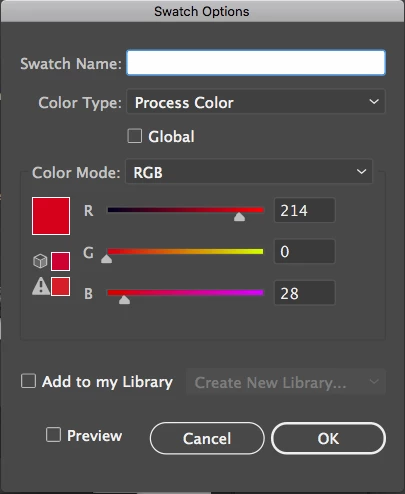
How do I fix these issues? Please advice!
 AdChoices