
Participant
November 30, 2020
Answered

Copying image into illustrator only shows filetype

  • November 30, 2020
  • 2 replies
  • 378 views

Hello, I cant copy and paste an image into illustrator anymore. If I try (cmd+c and then cmd+v) it looks like this:  
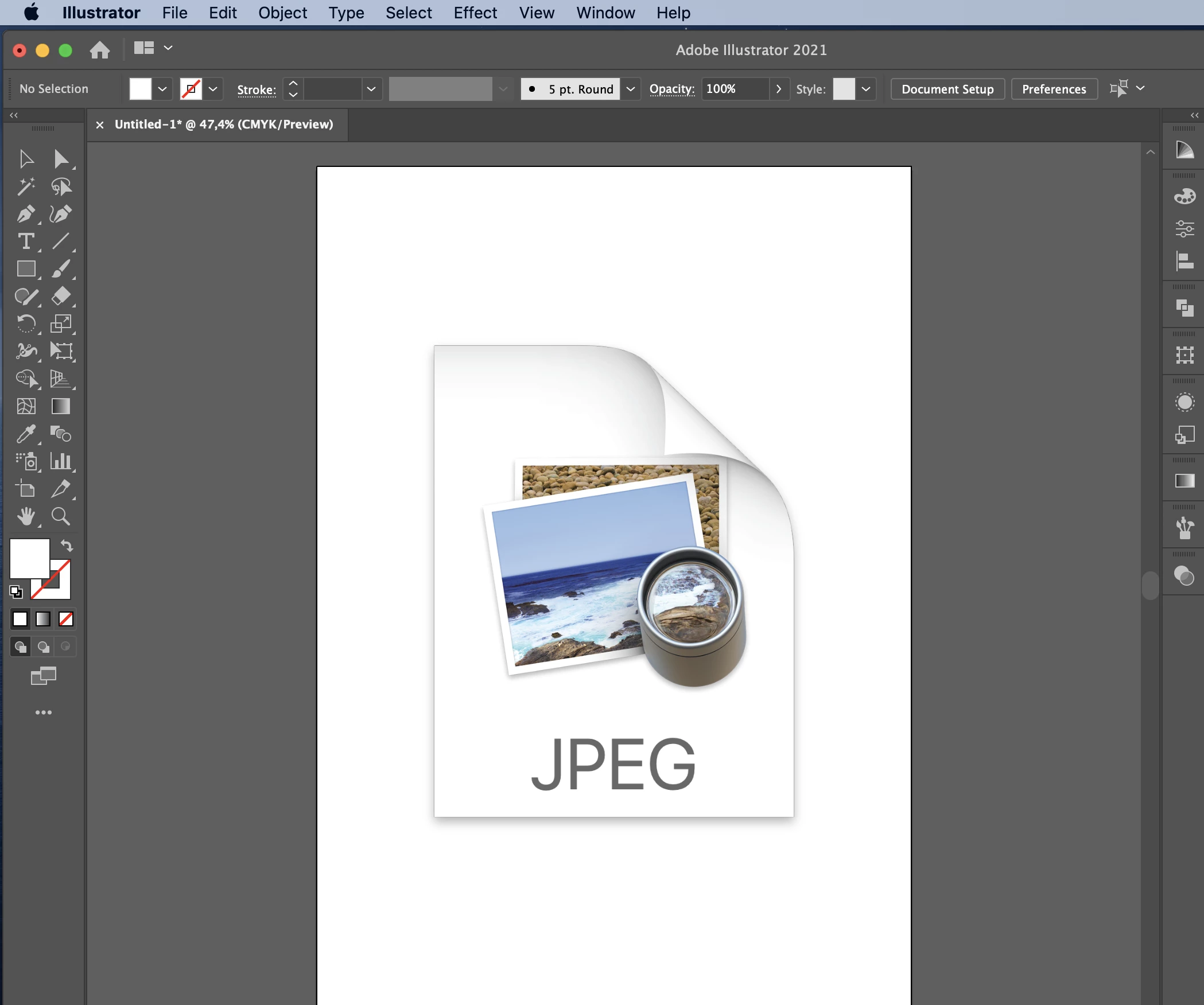
However, drag and drop works. I already reset preferences and turned my laptop off and back on. Any advise please? 


This topic has been closed for replies.
Correct answer Ton Frederiks

Maybe with an older system, I tried CS6 with the same result; an icon

2 replies

Ton Frederiks
Community Expert
Community Expert
December 1, 2020

So, you select a file in the finder , do a copy and paste?

I never knew that could be a possible way to place a file, and it does not work for me (on Mojave)

Participant
December 1, 2020

Originally I would copy for example an image on my desktop and paste it into illustrator and the image would be shown.

Ton Frederiks
Community Expert
Ton FrederiksCommunity ExpertCorrect answer
Community Expert
December 1, 2020

Maybe with an older system, I tried CS6 with the same result; an icon

Ton Frederiks
Community Expert
Community Expert
November 30, 2020

Which Illustrator version and MacOS version?

Participant
December 1, 2020

MacOS Catalina, Version 10.15.7 

Illustrator: 25.0.1