



ealanjones
Inspiring
April 5, 2024
Question

Corrupt Library Files

  • April 5, 2024
  • 6 replies
  • 2990 views

I have a file for I use often that contsins linked files from my Creative File library.

To date, I've never had a problem.

Now there are two issues:

  1. Opening files containing items linked from the library are showing as broken links and suggest I relink them. 
  2. When I check the library items, they appear fine. However, if I make an edit to them, they immediately show as uneditable and/or corrupt.
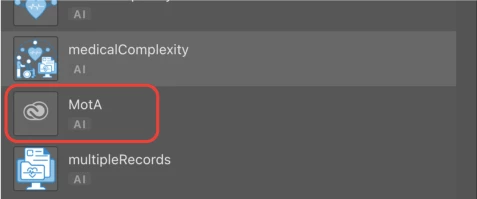
I've tried everything I know to do, but can't seem to get past this.

Anyone else seeing this or have any suggestions?

This topic has been closed for replies.

6 replies

Participant
May 6, 2024

Same problem.....


Participant
May 21, 2024

Any solution @Anubhav M ?

Anubhav M
Community Manager
Community Manager
May 26, 2024

Hello everyone,

Thanks for your patience, and sorry for the delayed response. Our team has tried to fix this in the latest release of Illustrator 28.5. Would you mind checking after updating it to the latest version and sharing your observations?

Looking forward to hearing from you.


Thanks,

Anubhav

Participant
May 3, 2024

I've been experiencing this for the past two months, not sure when they're going to fix it, but it's becoming quite inconvenient. Hopefully they tell us something soon???

ealanjones
Inspiring
May 3, 2024

It passed from  inconvenient into to full blown nightmare in my world.

lisag5859573
Participant
May 2, 2024

This is happening to me with Photoshop files that I've been using for years. I open them, make edits, save them, and then they are corrupted. I dont have them in any other location, so this is really bad!

Participant
May 1, 2024

after updating library file I've got it corrupted twice already

Participant
April 30, 2024

I am having the same issue as well. I will also add that changing the name of an item in the Library will produce the same broken-link effect. If I edit and then save - it breaks the file. Uninstalling and reinstalling have not solved anything. 

ealanjones
Inspiring
April 30, 2024

First, though I'm sorry you're having the issue, I'm relieved to know it's not just me.

Now if only Adobe would deliver a work around or something.

Anubhav M
Community Manager
Community Manager
April 5, 2024

Hello @ealanjones,

We understand that encountering technical issues can be frustrating. Would you mind checking if Illustrator behaves this way with other files as well? If yes, kindly try the following steps and check if they help:

- Close all Adobe apps

- Uninstall the Creative Cloud Desktop app using the utility (https://adobe.ly/43PXbHa)

- Install Creative Cloud Desktop (https://adobe.ly/43Koa7b)

- Restart your computer
- Relaunch Illustrator

Looking forward to hearing from you.


Thanks,

Anubhav

ealanjones
Inspiring
April 11, 2024

For what it's worth, here's a narrated screen recording of the error.

ealanjones
Inspiring
April 26, 2024

Hello @ealanjones,

Apologies for the delayed response, and thank you for your patience. Our product team is aware of the issue and is currently investigating it. We will keep you informed once an update becomes available.

Feel free to reach out if you have more questions or need assistance. We'd be happy to help.


Thanks,
Anubhav


Knowing they are aware without a timeline for resolution isn't very helpful.