
Exit
  • Global community
    • Language:
      • Deutsch
      • English
      • Español
      • Français
      • Português
  • 日本語コミュニティ
  • 한국 커뮤니티
0

Corrupted Ai files... "file modified outside of Illustrator" "Partially read" "PDF objects"

Community Beginner ,
Aug 10, 2021 Aug 10, 2021

I really cannot accept this anymore.

Everytime I create something complex in Illustrator, I seem to have a lot of issues.


I first got the warning that my file was modified outside of Illustrator.


Now, I have an error report trying to access that file stating that it can only be partially read.
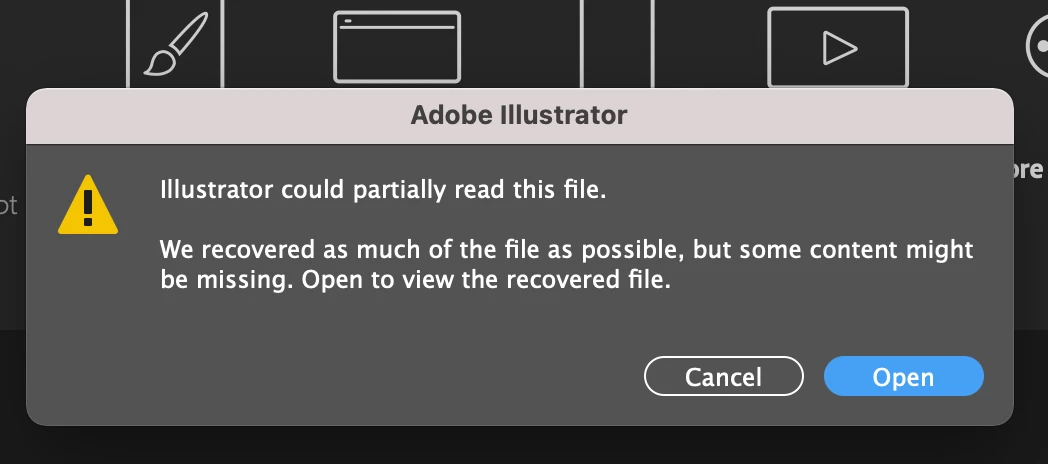
Screen Shot 2021-08-10 at 3.51.35 PM.png


I also get a follow-on an error report about PDF objects that have been reinterpreted. I used no PDF objects.
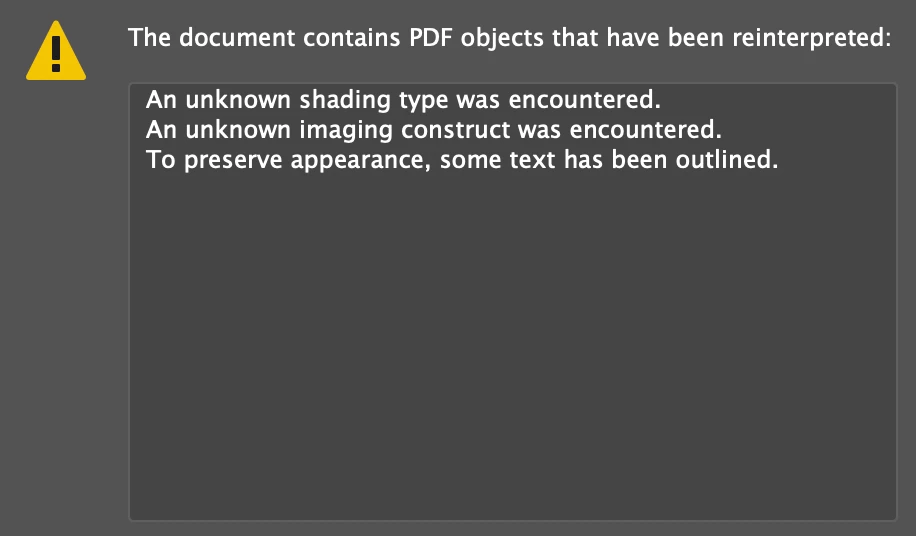
Screen Shot 2021-08-10 at 3.57.15 PM.png


Help!

TOPICS
Bug
855
Translate
Report
Community guidelines
Be kind and respectful, give credit to the original source of content, and search for duplicates before posting. Learn more
community guidelines
Adobe
Community Beginner ,
Aug 10, 2021 Aug 10, 2021

Additionally, I opened up an older version of a file. It opened fine. I tried to reopen that very same file and received the above errors all over again.

Translate
Report
Community guidelines
Be kind and respectful, give credit to the original source of content, and search for duplicates before posting. Learn more
community guidelines
Community Expert ,
Aug 11, 2021 Aug 11, 2021

Where are you saving these files? Are you saving AI files or PDFs?

What OS and Illustrator version?

Translate
Report
Community guidelines
Be kind and respectful, give credit to the original source of content, and search for duplicates before posting. Learn more
community guidelines
Community Beginner ,
Aug 19, 2021 Aug 19, 2021

Hi Doug,

I'm on the latest IOS and Ai update. I routinely save the latest working files and back-up the last version to an iCloud folder organized for my Ai projects. I'm only saving them in the ".ai" format but I now see that these files are massive. I really don't think that they are this large but I'm seeing files that are in excess of 5GB because I'm doing packaging design projects and they tend to grow as you do the different illustrations and mappings. I really don't think that I currently have embedded images but I also do hand illustrations so some items are high-quality image trace. I have a few 'manual' blends, and multilayered objects which are masked. Regardless of whether they have grown to this size, they never had a problem until after this latest update.


I unchecked the "save pdf compatible files" option but still. 


Additionally, the one thing that I didn't state was that these files are opening with one group of layers. Previously, I had several organized groups which were disabled but the file opened with only one group and everything was unorganized.

Translate
Report
Community guidelines
Be kind and respectful, give credit to the original source of content, and search for duplicates before posting. Learn more
community guidelines
New Here ,
Aug 11, 2021 Aug 11, 2021

I'm having the same issues and it's really frustrating. I found it has to do with linked images and saving a file with embedded images seem to solve the problem.

I've tried different save settings from disabling PDF compatbility to disabling compression and ICC profiles but still get the same errors unless images are embedded. 

Very frustrating especially when it's deadline time for final artwork.

Translate
Report
Community guidelines
Be kind and respectful, give credit to the original source of content, and search for duplicates before posting. Learn more
community guidelines
Community Beginner ,
Aug 19, 2021 Aug 19, 2021
LATEST

I wish. Unfortunately, mine are opening as an unusable extract of my original work. It's disorganized and grouped into one single folder. **It used be organized into several folders/groups.


Also, the files took so long to open that I believe autosaving at 10mins has messed them up. I believe I have a time-machine back-up which can save me the work but it's kinda crazy that whatever is happening is making Ai unusable for my 2D work.

Translate
Report
Community guidelines
Be kind and respectful, give credit to the original source of content, and search for duplicates before posting. Learn more
community guidelines