Inspiring
February 2, 2021
Answered

Crée un pot de peinture avec une texture inclus

  • February 2, 2021
  • 2 replies
  • 945 views

Résolu 

This topic has been closed for replies.
Correct answer Mfd

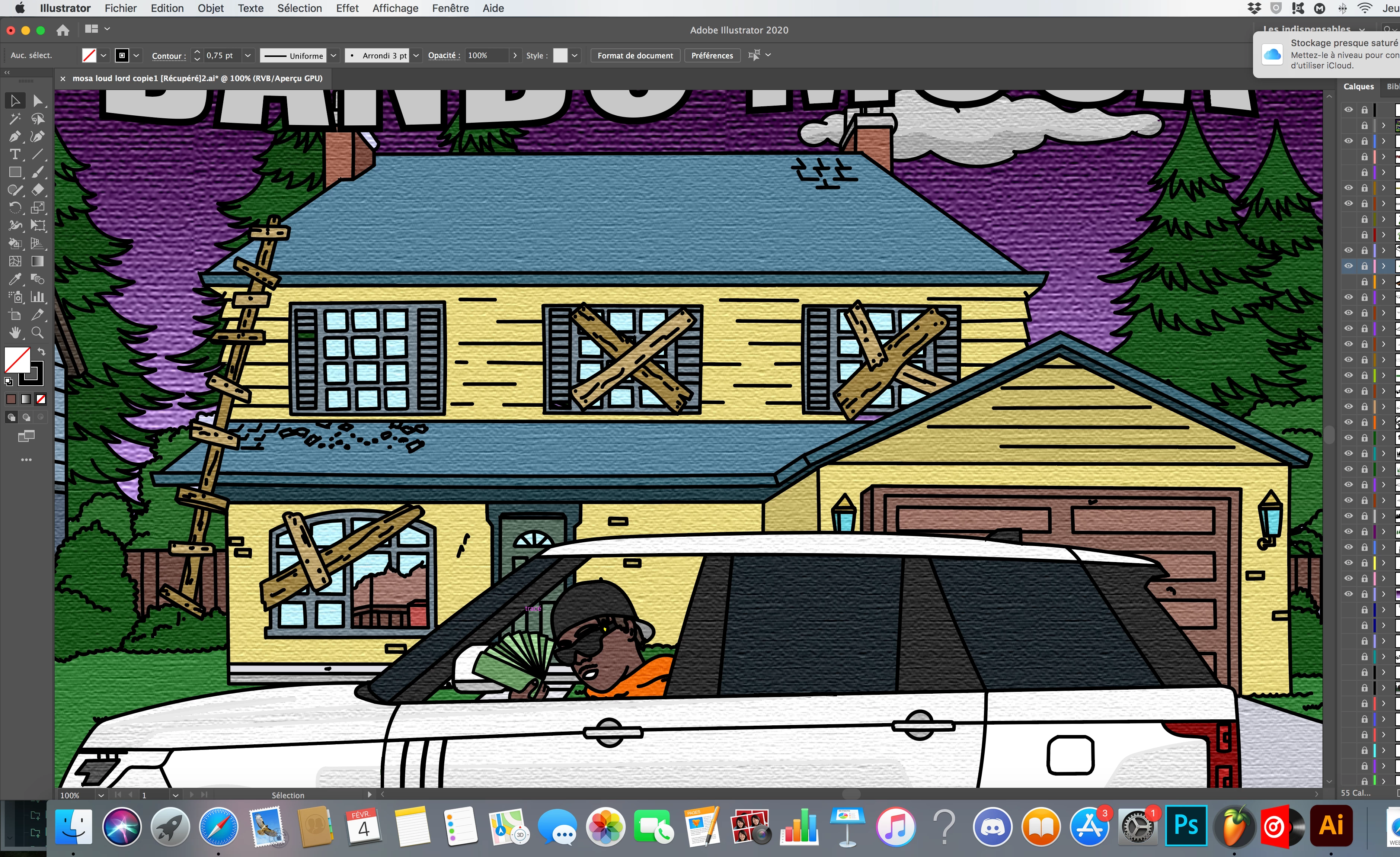
Okk merci j'ai reussi, j'ai dupliqué chacun de mes calques le 1er en laissant uniquement ma plume noire sans fx et sans coloriage et le 2ème j'ai colorié mon calque avec le fx placage de texture et colorier ma plume noire en transparent pour qu'elle ne soit plus visible

2 replies

Ton Frederiks
Community Expert
Community Expert
February 2, 2021

I had a better look at your second picture and it seems that you don't use strokes, but your "lines" shapes filled with black. In that case my previous solution will not work.

You can select the black objects with Select > Same > Fill Color and hide or lock the result and apply the texture on other objects. 

Mfd AuthorCorrect answer
Inspiring
February 4, 2021

Okk merci j'ai reussi, j'ai dupliqué chacun de mes calques le 1er en laissant uniquement ma plume noire sans fx et sans coloriage et le 2ème j'ai colorié mon calque avec le fx placage de texture et colorier ma plume noire en transparent pour qu'elle ne soit plus visible

Ton Frederiks
Community Expert
Community Expert
February 4, 2021

Good to hear you have got it solved.

Ton Frederiks
Community Expert
Community Expert
February 2, 2021

You may want to apply the texture effect later when you are finished with coloring with Live Paint. 

When you Expand Live Paint you will see a group that contains 2 groups one for fills and one for strokes.

You can use the texture effect on the fills only.
