Inspiring
April 27, 2020
Answered

Create A Blur Filter/Effect Out of An Object

  • April 27, 2020
  • 3 replies
  • 1263 views

Hi,


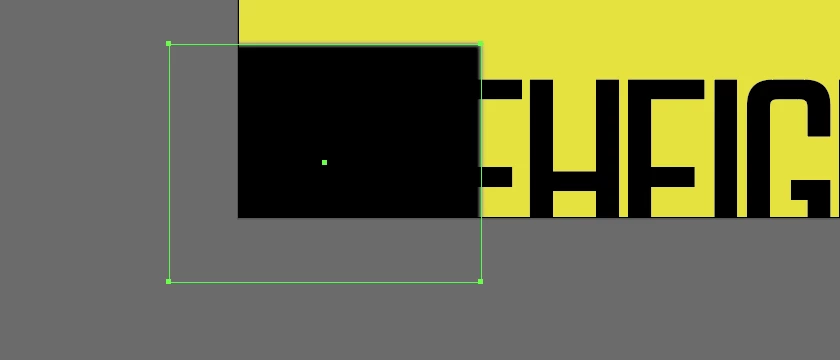
I have shape I would like to turn into a transparent blur object.


In the image below this means I would like the black rectangle to effectively work as a transparent blur, so the lettering that is underneath it is blurred. How would I go about doing this?


Many thanks in advance for any help.
This topic has been closed for replies.
Correct answer Ton Frederiks

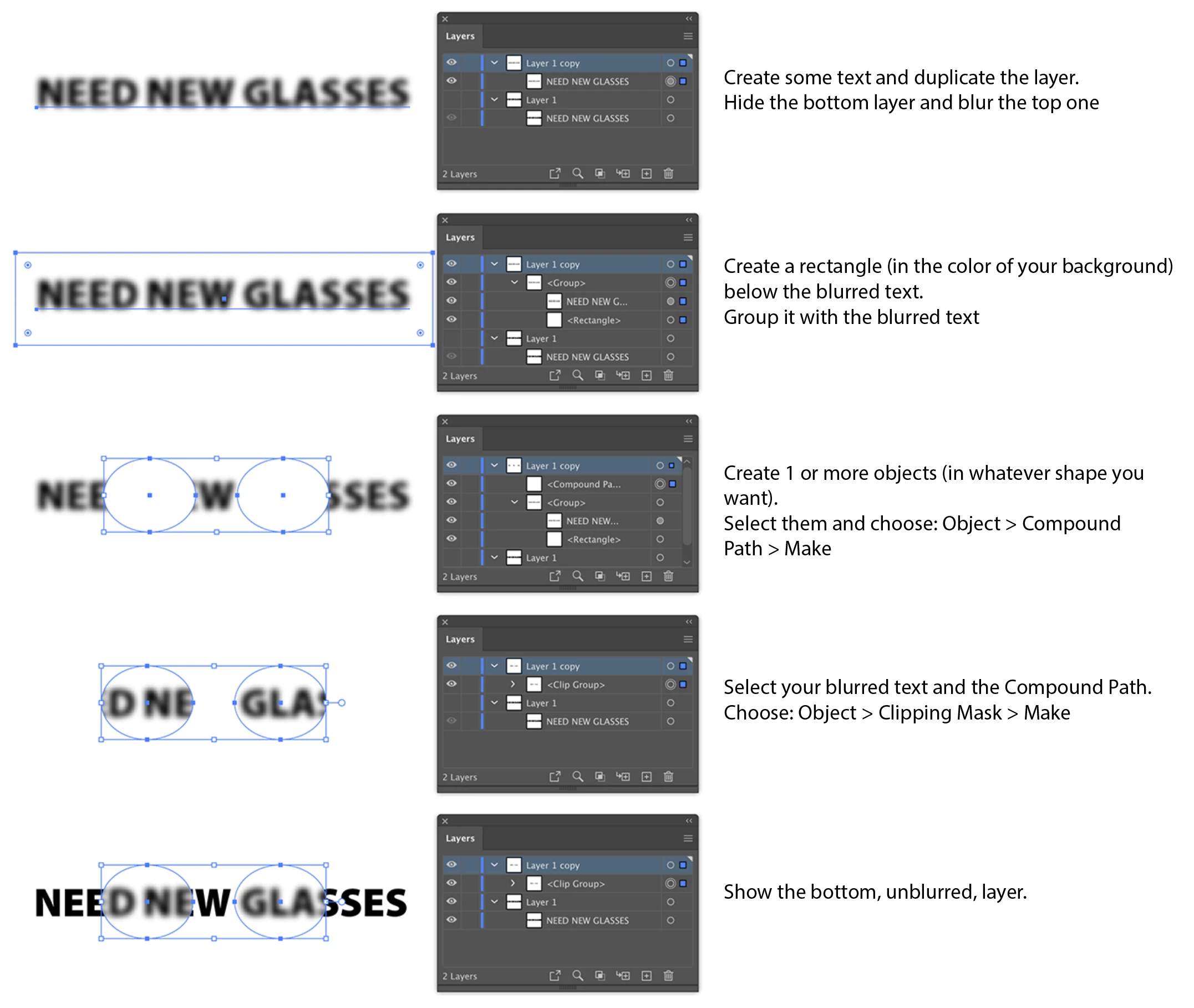
Paul, I hope this will explain it:

3 replies

Anna Lander
Inspiring
April 28, 2020

is it for a still illustration or for an animation?

If first, use the Ton's workflow (great idea and tutorial, bravo!). If second, don't do it in Illustrator, use an Adjustment layer in AfterEffects, it works directly without any advanced tricks.

Ton Frederiks
Community Expert
Ton FrederiksCommunity ExpertCorrect answer
Community Expert
April 28, 2020

Paul, I hope this will explain it:

Ton Frederiks
Community Expert
Community Expert
April 27, 2020

You can fake it with 2 layers, one blurred and clipped the other without blur.

Inspiring
April 28, 2020

Hi Ton,

Thanks for that, can you explain how you did it though? I can't get that to work.

Paul