
Inspiring
June 25, 2025
Answered

Create a border on each A4 page from a large file - Dress making pattern

  • June 25, 2025
  • 3 replies
  • 3554 views

hi,  Im creating an A4 pdf dress pattern, that will go over many A4 pages. I know how to print and tile etc, however, i need each A4 page to have a 1.5 cm border. Can you please advise how to do this? 

Thanks, Georgie
Correct answer georgie_7126

hi @Ton Frederiks , I got there in the end. It worked when I created the document on the "Print" tab. I used normal A4 dimensions and then created the document with -30 spacing and 0 bleed I believe. It's working great now!  Problem solved. Thanks so much for your assistance, you really helped me get on the right page.  Wishing you all the best. CHeers,Georgie

3 replies

Ton Frederiks
Community Expert
Community Expert
June 25, 2025

Give the artboards a negative spacing of -15mm to have them overlap. Like this:

Inspiring
June 25, 2025

hi Tom, thanks, this sounds good. Can you tell me how to do it?

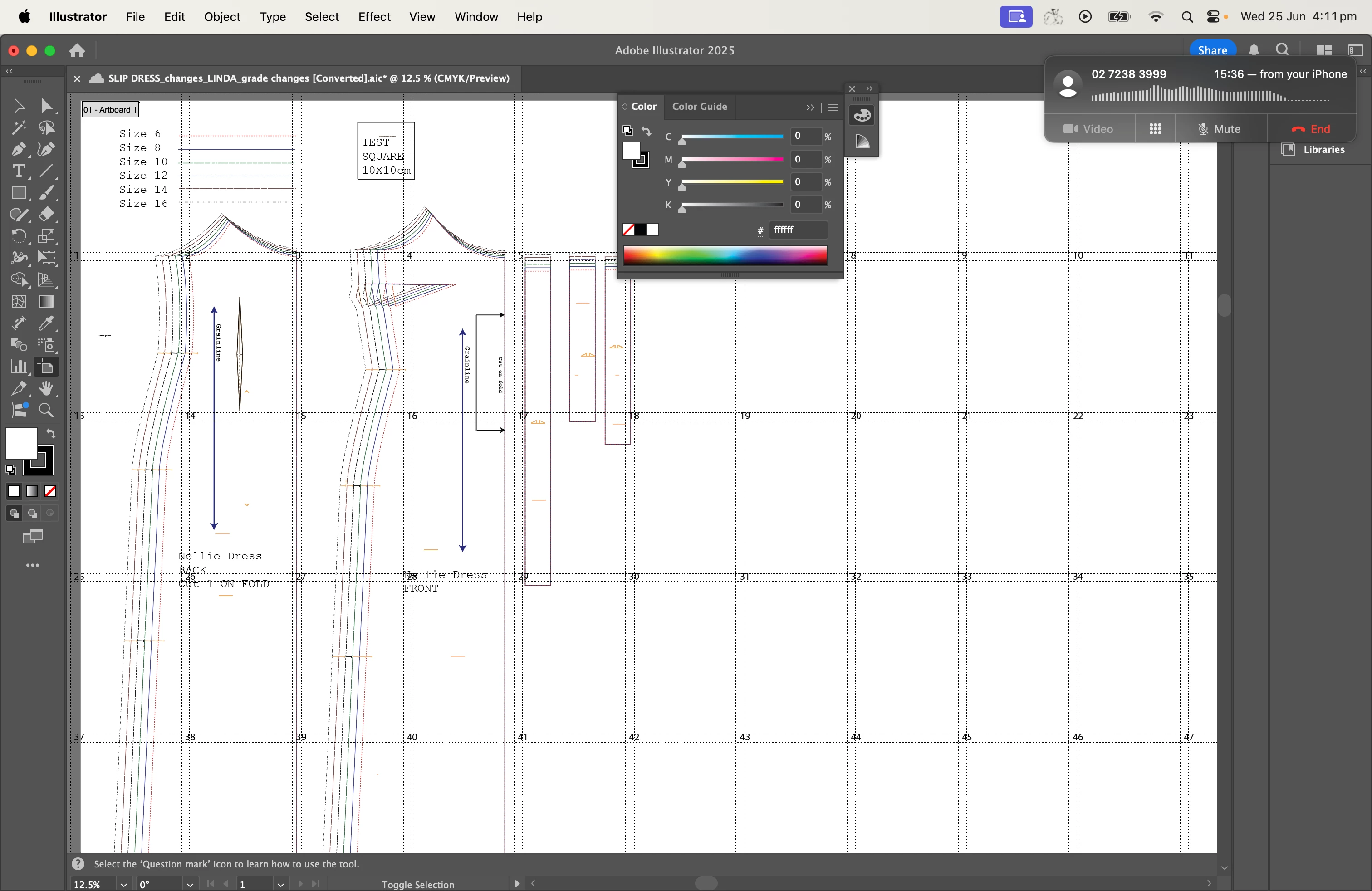
You have created 72 artboards right?  I have a few, see below. I will do some research on how to convert this to the required number of A4 pages, and represented as Artboards.

Ton Frederiks
Community Expert
Community Expert
July 2, 2025

hi Ton, I saw ur msg about all the single file and how you want the file as one single file.  Below is screenie of how it appears in AI.  I have day off today, i will do some job apps and then Ill get onto following the instuctions from the start again to see where i have potentially gone wrong.

thanks in advance for the help. 


Good to hear you don't give up. You can save your file on your desktop as a regular .ai file (now it is a cloud .aic file) and attach the file here after you changed the .ai extension to .pdf (it is strange, but these forums do not allow .ai files, but .pdf they do).

Ton Frederiks
Community Expert
Community Expert
June 25, 2025

Does this border have to be added to the A4 page or has the boarder fall within the A4?

If it has to fall within, you may be able to use multiple 180 x 267 mm artboards with a 15 mm bleed and 0 mm spacing.

georgie_7126AuthorCorrect answer
Inspiring
July 16, 2025

hi @Ton Frederiks , I got there in the end. It worked when I created the document on the "Print" tab. I used normal A4 dimensions and then created the document with -30 spacing and 0 bleed I believe. It's working great now!  Problem solved. Thanks so much for your assistance, you really helped me get on the right page.  Wishing you all the best. CHeers,Georgie

Ton Frederiks
Community Expert
Community Expert
July 22, 2025

Hi Georgie, good to hear it works for you now!

Monika Gause
Community Expert
Community Expert
June 25, 2025

And entering 15 mm for the overlap does not work?

Inspiring
June 25, 2025

hi Monika, thanks for ur reply. No, it doesn't work, and not only that. There is 1.5 cm border at all...Im still stuck on it. See screenies.  =0 )