
Answered
Create a panel/palette to execute JavaScript code!
Hello there!
This is in continuation to another post on this forum:
Using the code from femkeblanco, and some help, I tried to create a dialog with four buttons to execute four different JavaScript codes to resize four different types of objects, see code below
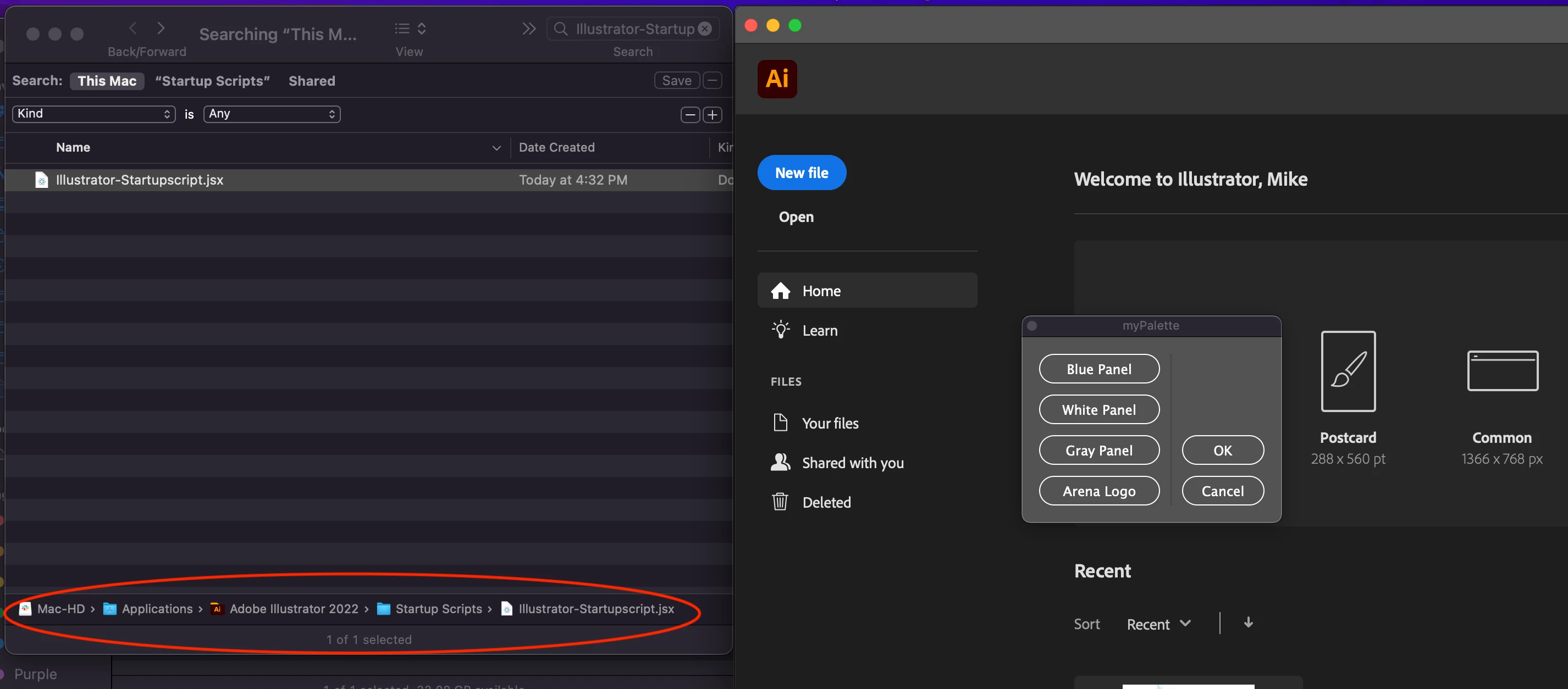
However, I have to open this script everytime using cmd+F12. Can you please help me make it a panel or a palette that will remain open on, while I'm working on Illustrator and use the buttons to resize my objects.
Thanks in advance.
Masood
#target illustrator;

// DIALOG
// ======
var dialog = new Window("dialog");
    dialog.text = "Dentsu";
    dialog.orientation = "row";
    dialog.alignChildren = ["left","bottom"];
    dialog.spacing = 9;
    dialog.margins = 16;

// GROUP1
// ======
var group1 = dialog.add("group", undefined, {name: "group1"});
    group1.orientation = "column";
    group1.alignChildren = ["left","center"];
    group1.spacing = 10;
    group1.margins = 0;

var button1 = group1.add("button", undefined, undefined, {name: "button1"});
    button1.text = "Blue Panel";
    button1.preferredSize.width = 110;
		//Resize the Blue Panel
		app.selection[0].width = app.activeDocument.width;
		app.selection[0].height = Math.sqrt(app.activeDocument.width * app.activeDocument.height) * 0.08;

var button2 = group1.add("button", undefined, undefined, {name: "button2"});
    button2.text = "White Panel";
    button2.preferredSize.width = 110;
		//Resize the White Panel
		app.selection[0].width = app.activeDocument.width;
		app.selection[0].height = (Math.sqrt(app.activeDocument.width * app.activeDocument.height) * 0.08) * 1.5;

var button3 = group1.add("button", undefined, undefined, {name: "button3"});
    button3.text = "Gray Panel";
    button3.preferredSize.width = 110;
		//Resize the Gray Panel
		app.selection[0].width = app.activeDocument.width;
		app.selection[0].height = (Math.sqrt(app.activeDocument.width * app.activeDocument.height) * 0.08) / 3;

var button4 = group1.add("button", undefined, undefined, {name: "button4"});
    button4.text = "Arena Logo";
    button4.preferredSize.width = 110;
		//Resize the Arena logo frame
		app.selection[0].width = (app.activeDocument.width * 30) / 100;
		app.selection[0].height = (app.activeDocument.height * 10) / 100;


// DIALOG
// ======
var divider1 = dialog.add("panel", undefined, undefined, {name: "divider1"});
    divider1.alignment = "fill";

// GROUP2
// ======
var group2 = dialog.add("group", undefined, {name: "group2"});
    group2.orientation = "column";
    group2.alignChildren = ["center","bottom"];
    group2.spacing = 10;
    group2.margins = 0;

var ok = group2.add("button", undefined, undefined, {name: "ok"});
    ok.text = "OK";
    ok.preferredSize.width = 75;

var cancel = group2.add("button", undefined, undefined, {name: "cancel"});
    cancel.text = "Cancel";
    cancel.preferredSize.width = 75;

dialog.show();
 AdChoices