
Exit
  • Global community
    • Language:
      • Deutsch
      • English
      • Español
      • Français
      • Português
  • 日本語コミュニティ
  • 한국 커뮤니티
0

Create a path from a placed png image with clear background

New Here ,
Sep 24, 2017 Sep 24, 2017

Hi, I'm learning Illustrator but still at a beginner level. I hope I'm using the right terminology in my question.

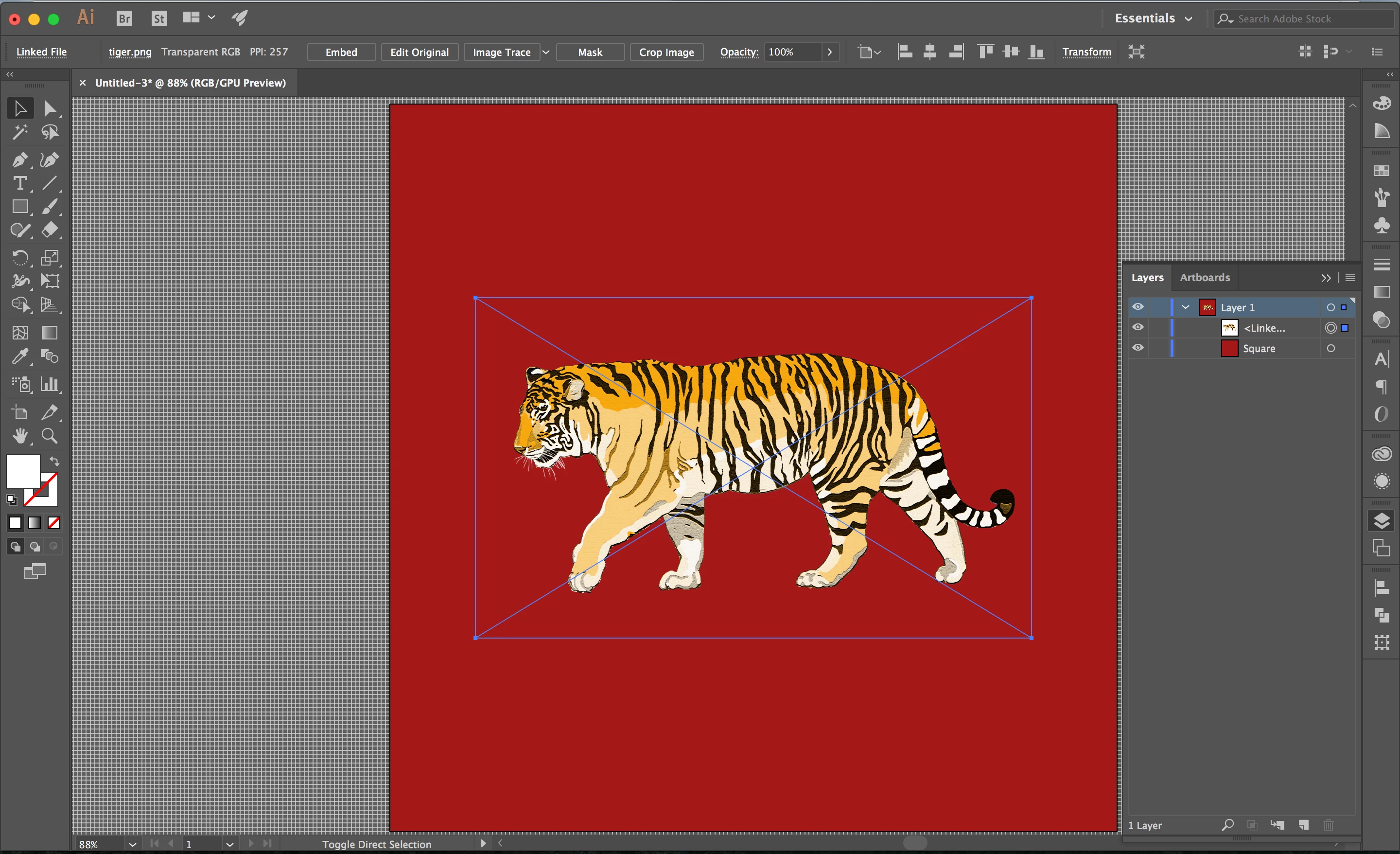
I've placed this png image of a tiger into my document:
Screen Shot 2017-09-24 at 3.44.29 PM.png

The image has a clear background, the borders of which are the blue box around it. I want to isolate the tiger from the background and create a path from its silhouette. What is the quickest way to do this? It seems to be attached to the clear background and I have been unable to isolate it.

Thanks.

764
Translate
Report
Community guidelines
Be kind and respectful, give credit to the original source of content, and search for duplicates before posting. Learn more
community guidelines

correct answers 1 Correct answer

Community Expert , Sep 24, 2017 Sep 24, 2017

You need just the silhouette?

Then try and image trace the tiger.

WIndow > Image trace

Select the black and white preset and adjust the threshold until you get a black result.

This might or might not work.

Also check "Ignore white"

Translate
Adobe
Community Expert ,
Sep 24, 2017 Sep 24, 2017

You need just the silhouette?

Then try and image trace the tiger.

WIndow > Image trace

Select the black and white preset and adjust the threshold until you get a black result.

This might or might not work.

Also check "Ignore white"

Translate
Report
Community guidelines
Be kind and respectful, give credit to the original source of content, and search for duplicates before posting. Learn more
community guidelines
New Here ,
Sep 24, 2017 Sep 24, 2017
LATEST

It took a few tries messing with the image trace settings, but I finally got to the path I was looking for. Switching to the black and white preset and adjusting the threshold worked. Thanks for your help!

Translate
Report
Community guidelines
Be kind and respectful, give credit to the original source of content, and search for duplicates before posting. Learn more
community guidelines
Community Expert ,
Sep 24, 2017 Sep 24, 2017

B,

You may use Image Trace:

https://helpx.adobe.com/illustrator/using/image-trace.html

You may also look here:

http://blogs.adobe.com/adobeillustrator/2013/07/image-trace-in-illustrator-a-tutorial-and-guide.html

Always expand after image tracing to get things to work.

Select it/them and Object>Image Trace>Expand.

With that, you can create a vector version of the tiger, or you can just use the path following the outer shape; you may use it by itself, or as a Clipping Mask.

Depending on the purpose and the origin of the image, you may have to consider copyright.

Translate
Report
Community guidelines
Be kind and respectful, give credit to the original source of content, and search for duplicates before posting. Learn more
community guidelines