
Participant
June 23, 2017
Answered

Create outline from a solid black image?

  • June 23, 2017
  • 5 replies
  • 11108 views

Hello,

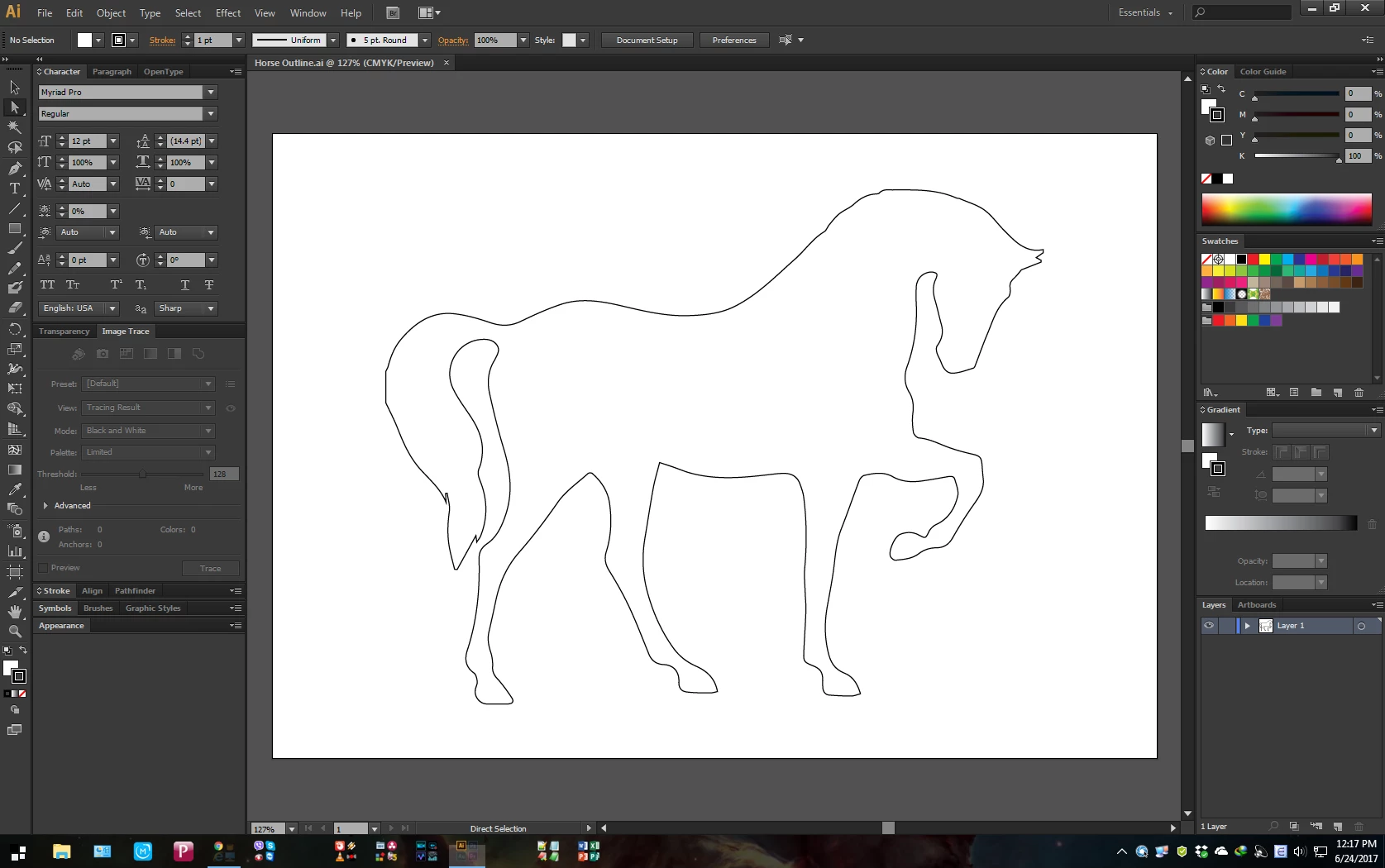
How to I take a solid black image such as this https://image.freepik.com/free-icon/horse-standing-on-three-paws-black-shape-of-side-view_318-52159.jpg and create an outline of it? I know some ways but what it results in being is the outline is actually a shape instead of a true outline because if I erase inside the outline it like erasing part of a shape instead of just not doing anything. I want the outline to be a true outline and just be straight line vectors.

Thanks!
This topic has been closed for replies.
Correct answer SaigonJeff

1. Create a new file in illustrator

2. File > Place the horse image you downloaded

3. Click "Image Trace" on the control strip

4. Switch to you Direct Select tool (white Arrow)

6. Select the White areas around the horse and delete them

7. Switch to the Select tool (Black Arrow) and select the horse

8. go to the color selection chips at the bottom of the toolbox and switch the black fill to black stroke

Done...

I can send you the file of my finished outline.

5 replies

Participant
June 24, 2017

Sorry if the question was not more clear. The image I am actually working with is already an Illustrator image. So I guess my real question is how do I make an outline of a .ai file. I would just use Image Trace, sliders, and etc. to get an outline of a .jpg file.

Monika Gause
Community Expert
Community Expert
June 24, 2017

When you trace it without the white portions then you have the outline.

SaigonJeffCorrect answer
Inspiring
June 24, 2017

1. Create a new file in illustrator

2. File > Place the horse image you downloaded

3. Click "Image Trace" on the control strip

4. Switch to you Direct Select tool (white Arrow)

6. Select the White areas around the horse and delete them

7. Switch to the Select tool (Black Arrow) and select the horse

8. go to the color selection chips at the bottom of the toolbox and switch the black fill to black stroke

Done...

I can send you the file of my finished outline.

JonathanArias
Legend
June 23, 2017

make a silhouette on photoshop  and bring that photoshop file into illustrator and live trace? i can't download the image so i have no clue what it looks like.

How to Create a Silhouette from a Photo using Photoshop - YouTube

Monika Gause
Community Expert
Community Expert
June 23, 2017

I don't understand that question.

Are you sure you understand how the eraser works?

And please show some screenshots.

Bill Silbert
Community Expert
Community Expert
June 23, 2017

I was unable to download your file but based on what I think I understand I created an all black jpeg of my own. Then I placed it in Illustrator, embedded it and ran Image-Trace (default settings) on it. Then I clicked the Expand button next to Image-Trace on the Control strip. I was then able to give it a fill of none and apply a black stroke around it. I then tested to see if the eraser tool would have any effect on the inside as your's did. The same thing happened to me when I first tried it. I then selected it and expanded it again using Expand under the object menu. It did change the outline to a compound path but this time the eraser tool had no effect on the inside and worked correctly on the outline. If you can use a compound path for your outline then this could be a work-around.