Dilly_Dally
Inspiring
August 5, 2025
Answered

Create pdf compatible file check box not available in version 29.7.1

  • August 5, 2025
  • 2 replies
  • 978 views

Back to AI after a long time.  I am saving files both locally and in the cloud.  In an attempt to be able to see a preview of the file locally, googling says check the "Create Pdf Compatible File" box when you save it as a PDF....


I don't see that check box anywhere....ideas?
 

Correct answer Bill Silbert

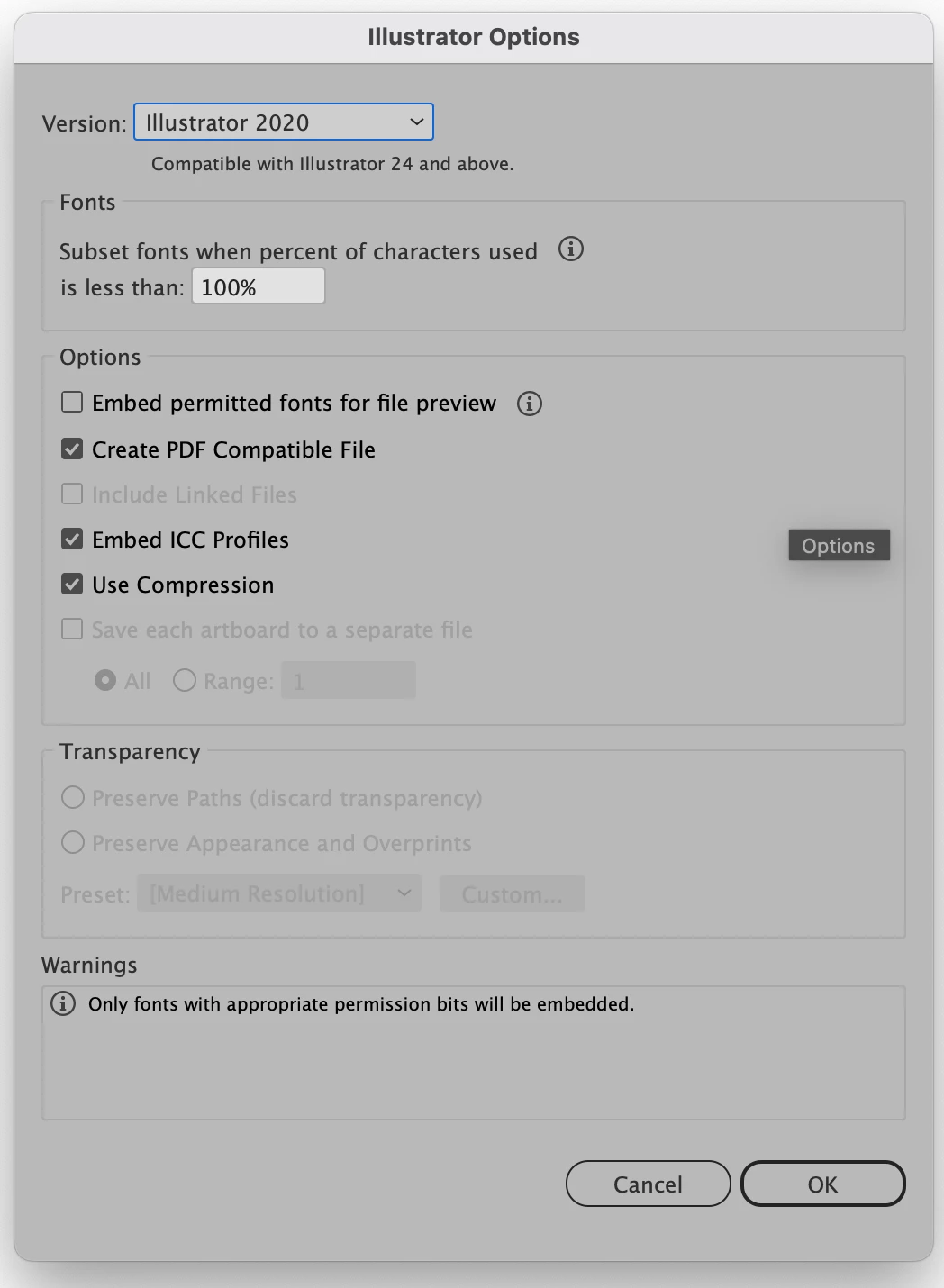
After you click on Save you should get an Illustrator Options dialog as shown in the screenshot below. It is there that you will get the option to Create PDF Compatible File. Then you can click on Okay to finish the Save.

2 replies

Ton Frederiks
Braniac
August 5, 2025

If you save the File as .ai check the "Create PDF Compatible File" option (yes, that will give you a Preview).

Dilly_Dally
Inspiring
August 6, 2025
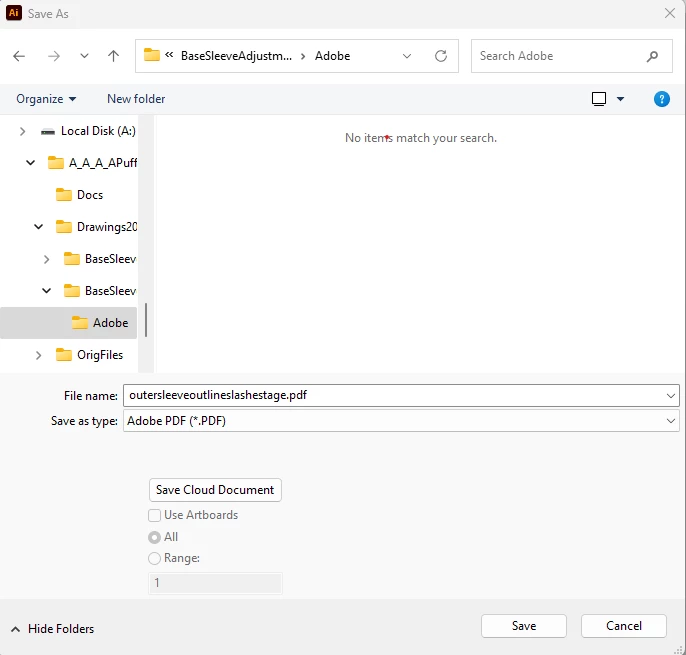
What I am saying is that neither of the save screens I have (one to the
cloud, the other to my local computer) any options like that.
Lukas Engqvist
Inspiring
August 6, 2025

When you save to the cloud there is no such option. If you save to a local folder using Save As… you will get a dialog with options to save as PDF compatible. So it is when you save as an AI locally that you can choose to be PDF compatible. 

Ton Frederiks
Braniac
August 5, 2025

If you save as PDF, it is a PDF.

If you want to open that PDF later in Illustrator, check the Preserve Illustrator Editing Capabilities option