Answered
Creating a 3 color stroke, with adjustable colors
Is there any way that I can create a stroke that is a 2-color stripe with a word mark on top, and have all three colors able to be adjustable?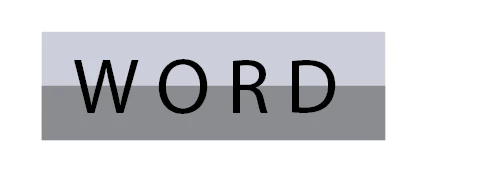

Is there any way that I can create a stroke that is a 2-color stripe with a word mark on top, and have all three colors able to be adjustable?
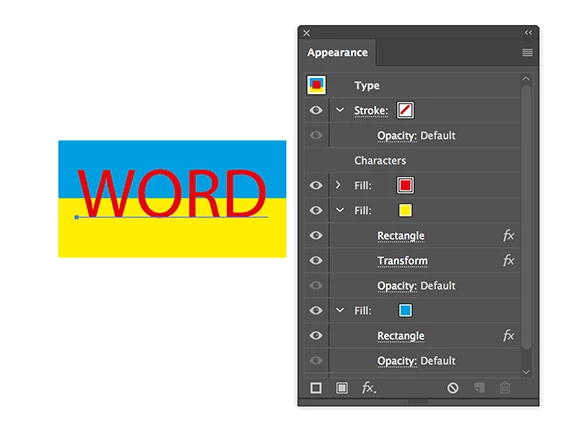
Yes, use the Appearance panel to add new fills to the text.
Move them below the characters and apply effects to the fills.
Convert to Shape > Rectangle and Distort & Transform > Transform to position them.
Already have an account? Login
Enter your E-mail address. We'll send you an e-mail with instructions to reset your password.
 AdChoices