
Participating Frequently
January 21, 2022
Question

Creating a brush for custom LED layouts?

  • January 21, 2022
  • 3 replies
  • 690 views

Hey there,


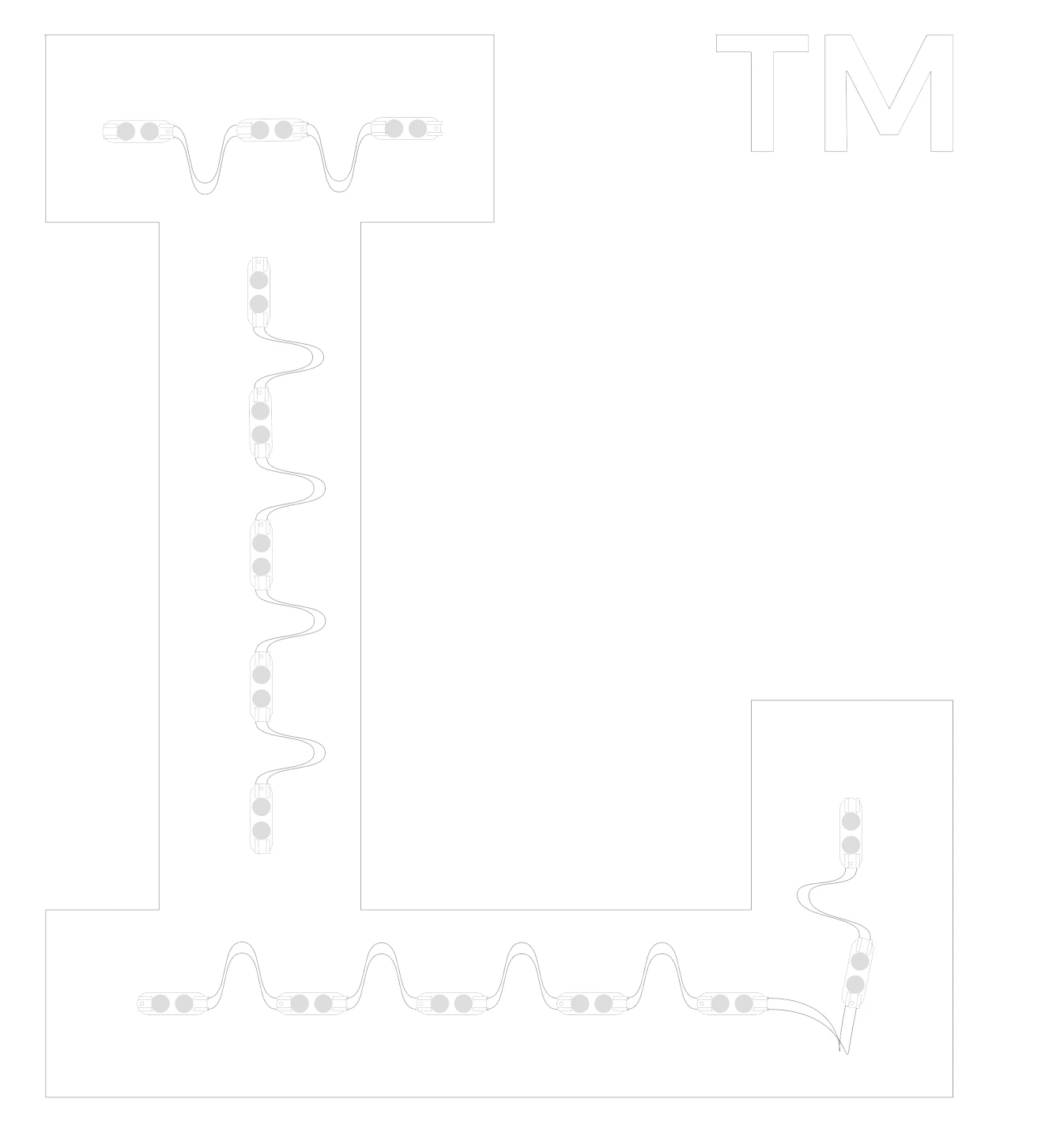
What I'm looking to do is create a brush that I can draw LED layouts with, as below:
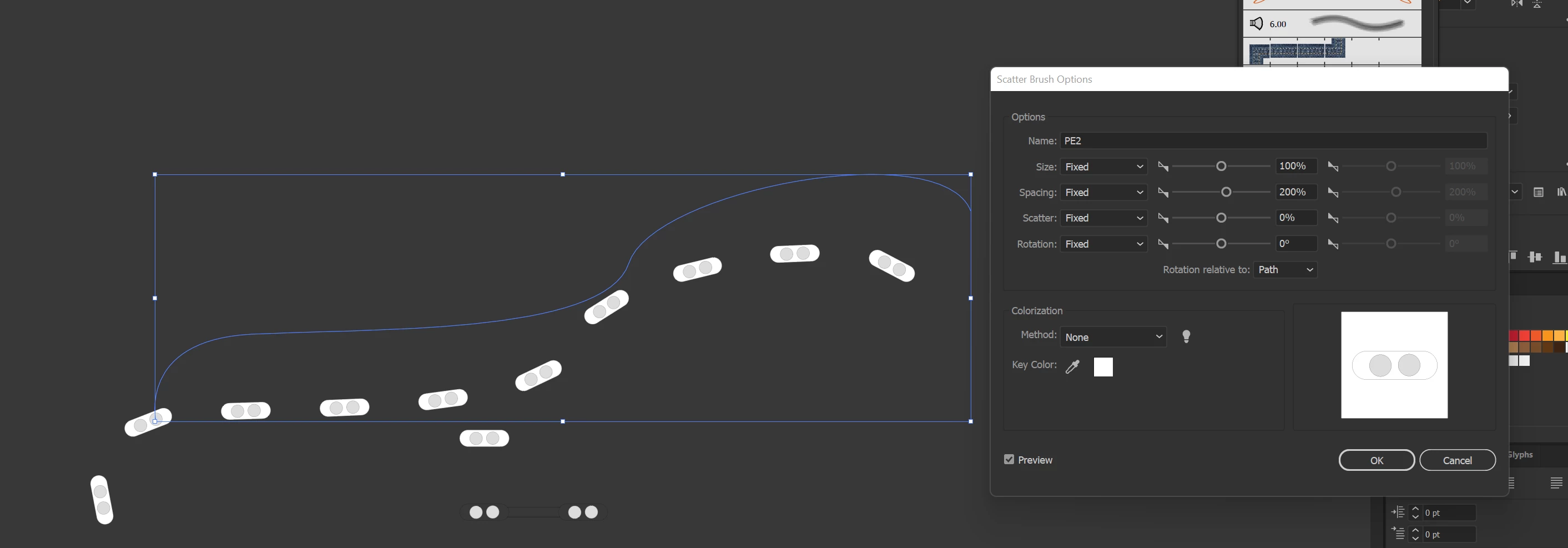
The problem that I run in to constantly, is that the pattern does not follow the brush stroke. It tends to fall off and go in it's own weird direction, as below:
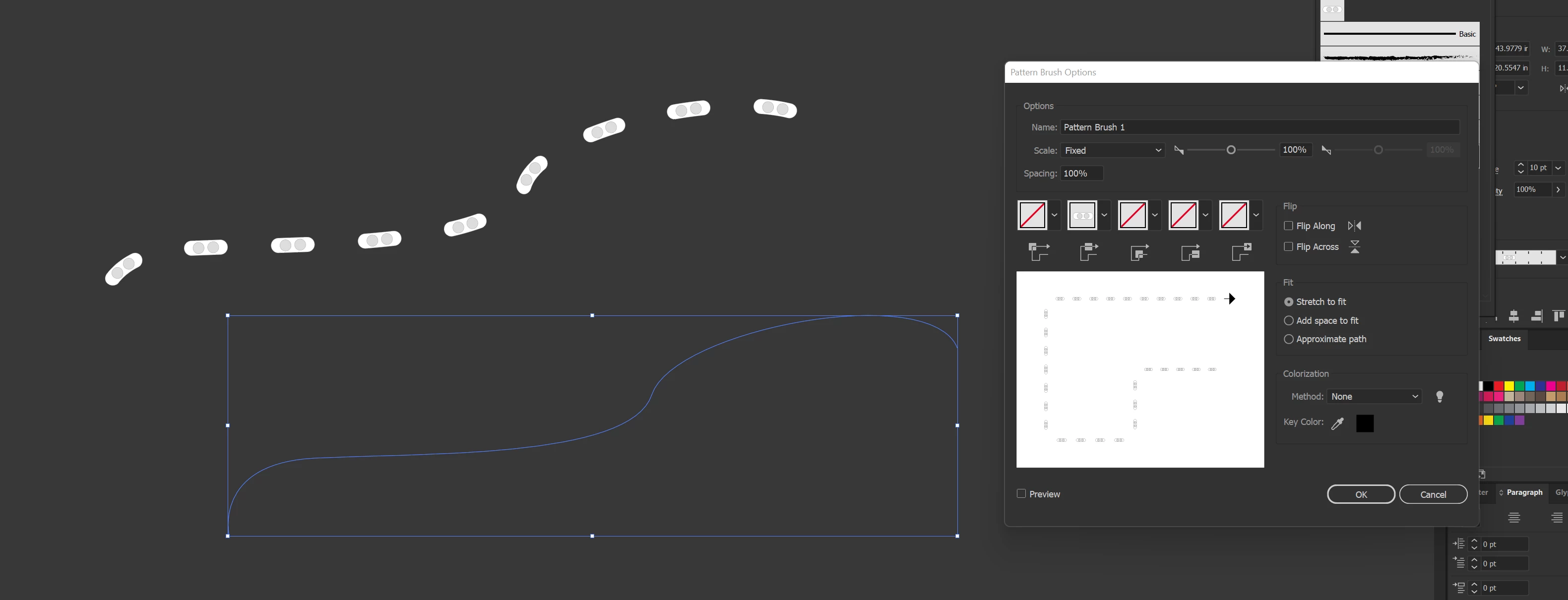
If I try to make it a pattern brush instead of a scatter brush, this is what happens:
Do we have any brush masters here that can help out? I need a 2-1/4" LED module, spaced equal to itself (2-1/4") that runs across a brush stroke so I can get layouts like in the first picture.

This topic has been closed for replies.

3 replies

kphotopage
Legend
January 22, 2022

Defaultgscue, Hi.


To better understand what you PERHAPS are wanting to do, I did a Google image search: LED layouts.

This looked interesting.

https://www.hanleyledsolutions.com/

(See attached image)

I’m neither a signage person nor an electrician.


To recreate similar to this example, it’s doable using Illustrator.

Scatter Brush is definitely is the way to go, to get started.

Pattern brush distorts to much.


Tell us more, so we can better help.


K

BabuJDAuthor
Participating Frequently
January 24, 2022

That's exactly what I'm trying to do. I'd rather be able to do it myself than request a layout every time because the signage we do is typically very custom, and getting layouts based on fonts isn't typically very accurate.


In my example, I tried both the scatter brush and the pattern brush, but neither of them work on curved lines, only on straight lines. That poses an issue with LED layouts, as you can tell.

Monika Gause
Community Expert
Community Expert
January 24, 2022

You will probably have to stack appearances. Use patterns brushes for one thing and maybe even plain strokes and then also scatter brushes.


So maybe you upload a file with the base material and then a sketch how it should look like and work, so we don't all have to build this stuff ourselves.

Ton Frederiks
Community Expert
Community Expert
January 21, 2022

How big is your document?

Brushes can have an offset problem with large canvas documents.

BabuJDAuthor
Participating Frequently
January 24, 2022

Standard size, 227"x227" or around there.


Monika Gause
Community Expert
Community Expert
January 21, 2022

In your example the brush doesn't get applied to curved lines. Does that have to work?

BabuJDAuthor
Participating Frequently
January 21, 2022

The brush is applied to the curved line, and like I said when it's a curved line, the pattern falls off of the line, as shown.

Monika Gause
Community Expert
Community Expert
January 22, 2022

Yes, I understood that.


But do you need to apply the brush to a curved line? In your example there is none. Can you please give us a detailed description of how you want to apply the brush?